16 Assembling your monitor with a height adjustment stand
Assembling your monitor with a height adjustment stand
How to attach the monitor base
• If the computer is turned on you must turn it off before continuing.
Do not plug-in or turn-on the power to the monitor until instructed to do so.
• The following illustrations are for your reference only. The location and available input and output jacks may
vary depending on the purchased model.
Please be careful to prevent damage to the monitor. Placing
the screen surface on an object like a stapler or a mouse will
crack the glass or damage the LCD substrate voiding your
warranty. Sliding or scraping the monitor around on your
desk will scratch or damage the monitor surround and
controls.
Protect the monitor and screen by clearing a flat open
area on your desk and placing a soft item like the
monitor packaging bag on the desk for padding.
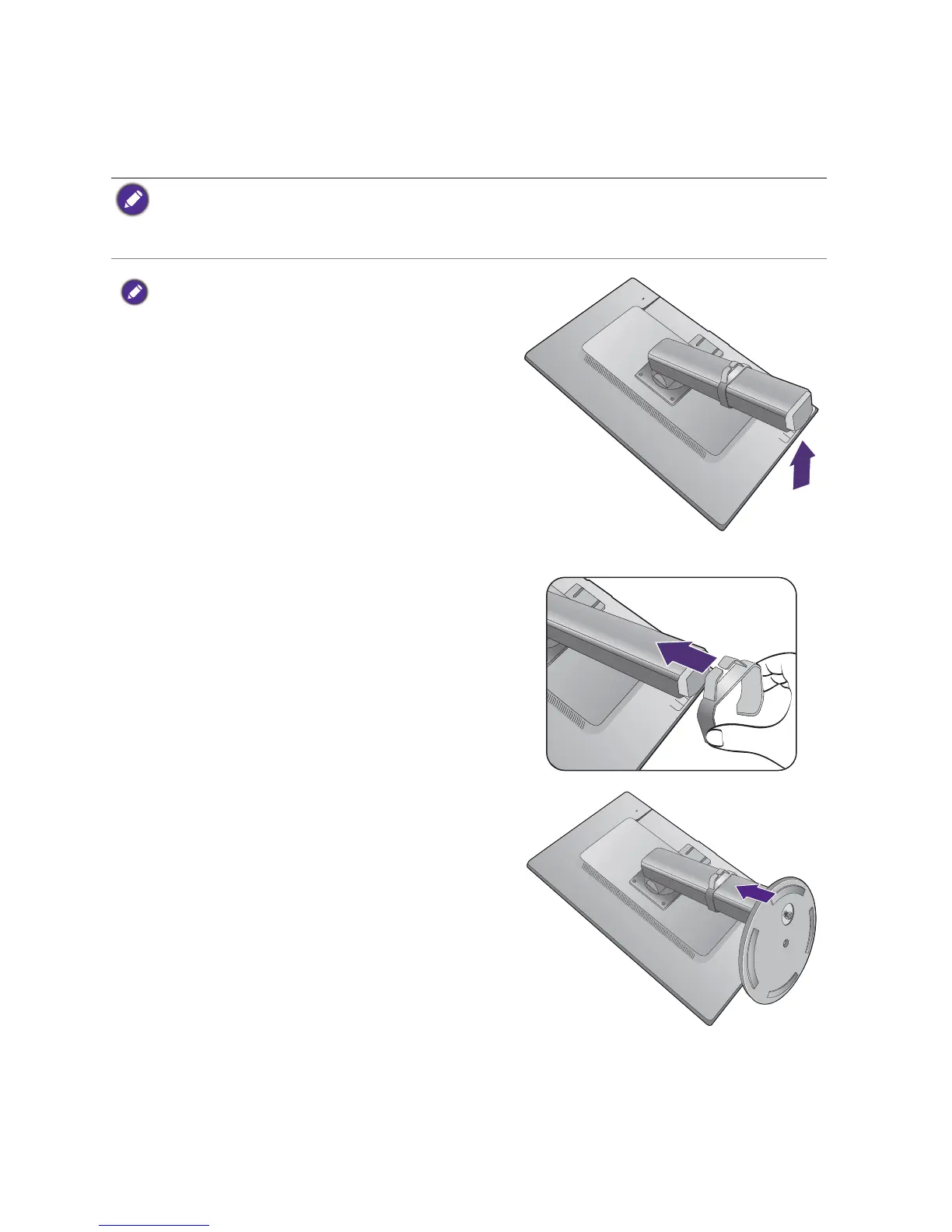
Gently lay the screen face down on a flat clean padded
surface.
While holding the monitor firmly against the desk, pull
the monitor stand arm upwards clear of the monitor.
Attach the cable clip to the monitor stand as illustrated.
Orient and align the stand base socket with the end of
the stand arm, then push them together.



 To Next Page
 Loading...