35
Menu Functions
Using the Advanced OSD menu
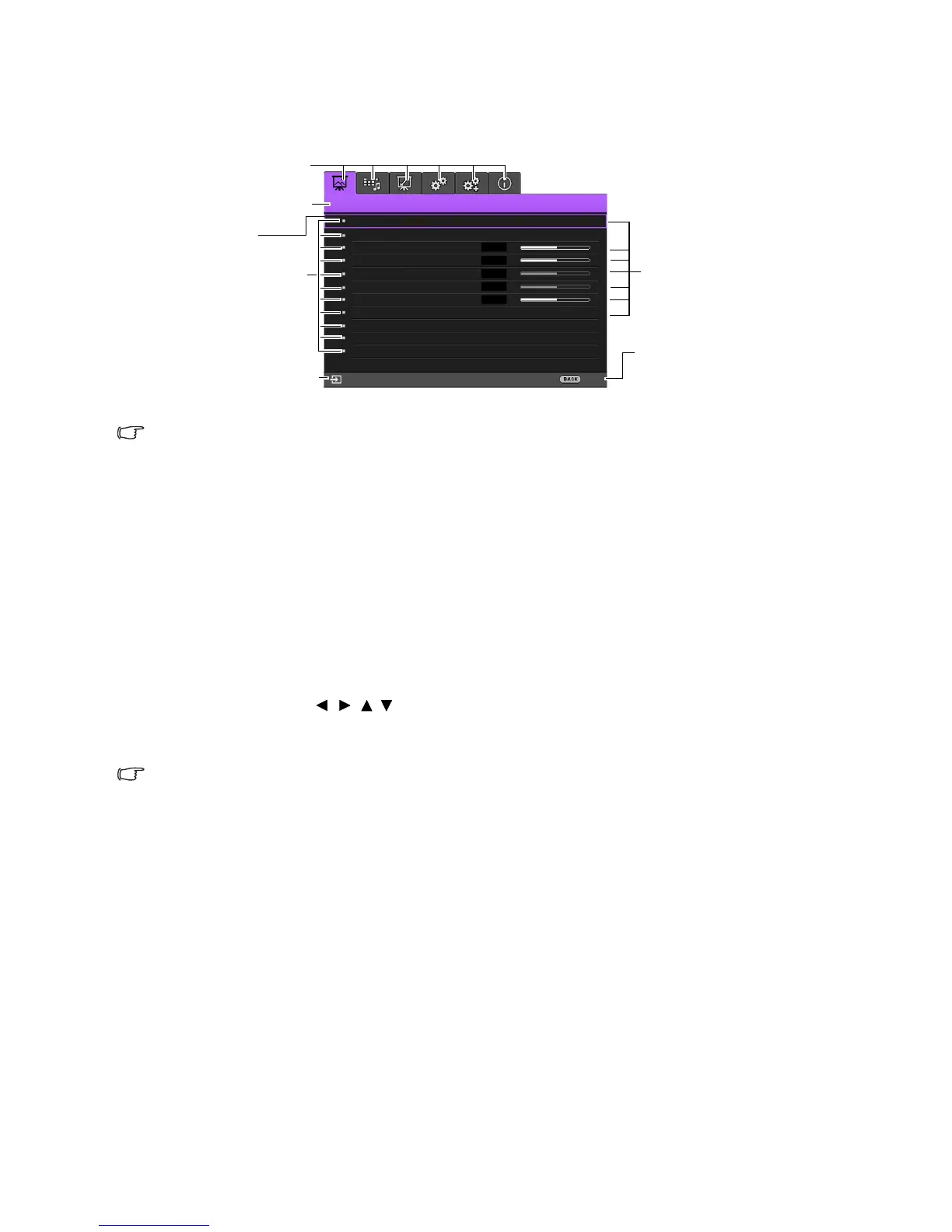
The Advanced OSD menu offers complete menu functions.
The Advanced OSD menu overview above is for reference only and may differ from the actual design and the
projector model you are using.
To access the OSD menu, press MENU on the projector or remote control. It is consisted of the
following main menus. Check the links after the menu items below to learn more details.
1. Picture menu (see page 36)
2. Audio Setup menu (see page 40)
3. Display menu (see page 41)
4. System Setup : Basic menu (see page 43)
5. System Setup : Advanced menu (see page 44)
6. Information menu (see page 46)
Available menu items may vary depending on the connected video sources or specified settings. Menu
items that are not available will become grayed out.
• Use the arrow keys ( / //) on the projector or remote control to move through the menu
items.
• Use OK to confirm the selected menu item.
To switch from the Advanced OSD menu to the Basic OSD menu, see page 30.









 To Next Page