EasyManua.ls Logo

BenQ HT5550 - User Manual

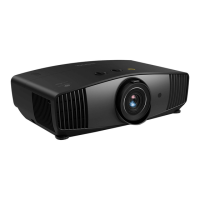
BenQ HT5550
49 pages
Print Icon
To Next Page IconTo Next Page
Loading...
Digital Projector
User Manual
BenQ-HT55
50
V 1.01

Other manuals for BenQ HT5550

Questions and Answers

Summary

Important Safety Instructions

General Safety Precautions (1-3)

Safety guidelines regarding manual reading, eye safety from the lens, and referring servicing to qualified personnel.

Operational Safety Guidelines (4-8)

Safety advice on lens caps, lamp heat management, ventilation, and preventing fire hazards.

Environmental and Radiation Safety (9-20, Risk Group 2)

Instructions on projector placement, environment, ventilation, and photobiological safety (Risk Group 2).

Introduction

Positioning Your Projector

Choosing an Installation Location

Factors to consider and common installation positions (front, rear, ceiling) for the projector.

Operation

Starting Up and Initial Setup

Step-by-step guide to powering on the projector and initial setup wizard.

Setup Wizard Completion and Signal Search

Covers completing the setup wizard, password entry, and signal search.

Shutting Down the Projector

Procedure for safely powering off the projector, including the cooling process.

Menu Operation

OSD Navigation and Menu System

Overview of OSD menus, navigation, and the general menu system structure.

Projector Security Features

Instructions for using security cable locks and setting up password protection.

PICTURE Menu: Picture Mode Details

Describes preset picture modes like Bright, Vivid TV, Cinema, D. Cinema, User, Silence, 3D, and HDR10/HLG.

Maintenance

Lamp Information and Extension

How to check lamp hour, calculate equivalent hours, and extend lamp life using light modes.

Timing of Lamp Replacement

Warning messages and procedures for replacing the projector lamp.

Lamp Replacement Procedure (Service Personnel)

Detailed steps for safely replacing the projector lamp, emphasizing electrical and burn risks.

Troubleshooting

Common Issues and Remedies

Guides users through common problems like no picture, blurred image, remote issues, and password errors.

Summary

Important Safety Instructions

General Safety Precautions (1-3)

Safety guidelines regarding manual reading, eye safety from the lens, and referring servicing to qualified personnel.

Operational Safety Guidelines (4-8)

Safety advice on lens caps, lamp heat management, ventilation, and preventing fire hazards.

Environmental and Radiation Safety (9-20, Risk Group 2)

Instructions on projector placement, environment, ventilation, and photobiological safety (Risk Group 2).

Introduction

Positioning Your Projector

Choosing an Installation Location

Factors to consider and common installation positions (front, rear, ceiling) for the projector.

Operation

Starting Up and Initial Setup

Step-by-step guide to powering on the projector and initial setup wizard.

Setup Wizard Completion and Signal Search

Covers completing the setup wizard, password entry, and signal search.

Shutting Down the Projector

Procedure for safely powering off the projector, including the cooling process.

Menu Operation

OSD Navigation and Menu System

Overview of OSD menus, navigation, and the general menu system structure.

Projector Security Features

Instructions for using security cable locks and setting up password protection.

PICTURE Menu: Picture Mode Details

Describes preset picture modes like Bright, Vivid TV, Cinema, D. Cinema, User, Silence, 3D, and HDR10/HLG.

Maintenance

Lamp Information and Extension

How to check lamp hour, calculate equivalent hours, and extend lamp life using light modes.

Timing of Lamp Replacement

Warning messages and procedures for replacing the projector lamp.

Lamp Replacement Procedure (Service Personnel)

Detailed steps for safely replacing the projector lamp, emphasizing electrical and burn risks.

Troubleshooting

Common Issues and Remedies

Guides users through common problems like no picture, blurred image, remote issues, and password errors.

BenQ HT5550 Specifications

General IconGeneral
Interactive-
Noise level32 dB
Preset modes3D, Bright, Cinema
Number of OSD languages9
On Screen Display (OSD)Yes
Noise level (economic mode)26 dB
PlacementCeiling
Product typeStandard throw projector
Product colorBlack
Market positioningHome cinema
Cables includedAC
AC input voltage100 - 240 V
AC input frequency50 - 60 Hz
Power consumption (standby)0.5 W
Power consumption (typical)330 W
Audio (L/R) out1
Serial interface typeRS-232
USB 2.0 ports quantity3
Supported 3D formatsFrame packing, Side by side, Top and bottom
Supported video modes480i, 480p, 576i, 576p, 720p, 1080i, 1080p, 2160p
Supported graphics resolutions640 x 512, 640 x 640, 640 x 160, 640 x 352, 640 x 360, 640 x 400, 640 x 480 (VGA), 640 x 544, 640 x 576, 640 x 960, 704 x 480, 704 x 576, 720 x 350, 720 x 400, 720 x 480, 720 x 576, 720 x 720, 752 x 582, 768 x 432, 768 x 448, 768 x 494, 768 x 576, 800 x 448, 800 x 450, 800 x 480 (WVGA), 800 x 500, 800 x 592, 800 x 600 (SVGA), 832 x 624, 832 x 642, 848 x 480, 854 x 480 (WVGA), 900 x 720, 960 x 960, 960 x 480, 960 x 540, 960 x 576, 960 x 720, 1024 x 576 (WSVGA), 1024 x 600, 1024 x 640, 1024 x 768 (XGA), 1024 x 800, 1032 x 452, 1056 x 144, 1080 x 1080, 1152 x 864 (XGA+), 1152 x 870, 1200 x 1600, 1200 x 1920, 1280 x 1024 (SXGA), 1280 x 720 (HD 720), 1280 x 768 (WXGA), 1280 x 768, 1280 x 800 (WXGA), 1280 x 800, 1280 x 960, 1280 x 1280, 1284 x 560, 1296 x 732, 1360 x 768 (WXGA), 1366 x 480, 1366 x 760, 1366 x 768, 1366 x 768, 1368 x 768, 1376 x 768, 1400 x 1050 (SXGA+), 1400 x 1080, 1400 x 900, 1440 x 1050, 1440 x 1080, 1440 x 234, 1440 x 900 (WXGA+), 1440 x 900, 1440 x 912, 1536 X 6144, 1536 x 2048, 1536 x 1536, 1600 x 1200 (UXGA), 1600 x 1280, 1600 x 600, 1600 x 900, 1600 x 904, 1680 x 1050 (WSXGA+), 1680 x 1056, 1920 x 1080 (HD 1080), 1920 x 1200 (WUXGA), 1920 x 1440, 1920 x 1600, 1920 x 2160, 1920 x 480, 1920 x 502, 1920 x 1920, 1920 x 720, 1920 x 832, 2032 x 1920, 2048 x 1080, 2048 x 1152, 2048 x 1280, 2048 x 1520, 2048 x 1536 (QXGA), 2048 x 1640, 2048 x 2560, 2048 x 2048, 2192 x 2192, 2304 x 1296, 2304 x 1728, 2520 x 1520, 2550 x 1440, 2560 x 1080, 2560 x 1440, 2560 x 1600 (WQXGA), 2560 x 1656, 2560 x 1920, 2560 x 1944, 2560 x 2048, 2592 x 1520, 2592 x 1944, 2640 x 2640, 2688 x 1512, 2688 x 1520, 2800 x 2100, 2880 x 1264, 2880 x 1620, 2880 x 2880, 2880 x 2160, 2944 x 1656, 2992 x 2244, 3072 x 1728, 3072 x 2048, 3200 x 1800, 3264 x 2448, 3280 x 2048, 3440 x 1440, 3648 x 2736, 3840 x 1200, 3840 x 2160
Number of colors1.07 billion colors
Native aspect ratio16:9
Projection technologyDLP
Supported aspect ratios2.4:1, 4:3
Contrast ratio (typical)100000:1
Screen size compatibility60 - 300 \
Projector native resolution2160p (3840x2160)
Keystone correction, vertical-40 - 40 °
Offset100 %
Throw ratio1.36 - 2.18
Focal length range14.3 - 22.9 mm
Aperture range (F-F)1.81 - 2.1
Vertical lens shift range-60 - 60 %
Horizontal lens shift range-23 - 23 %
Lamp power240 W
Light source typeLamp
Service life of light source4000 h
Service life of light source (economic mode)10000 h
Built-in speaker(s)No
Weight and Dimensions IconWeight and Dimensions
Depth492 mm
Width349 mm
Height168 mm
Weight6500 g

Related product manuals