15 Positioning your projector
Adjusting the projector position
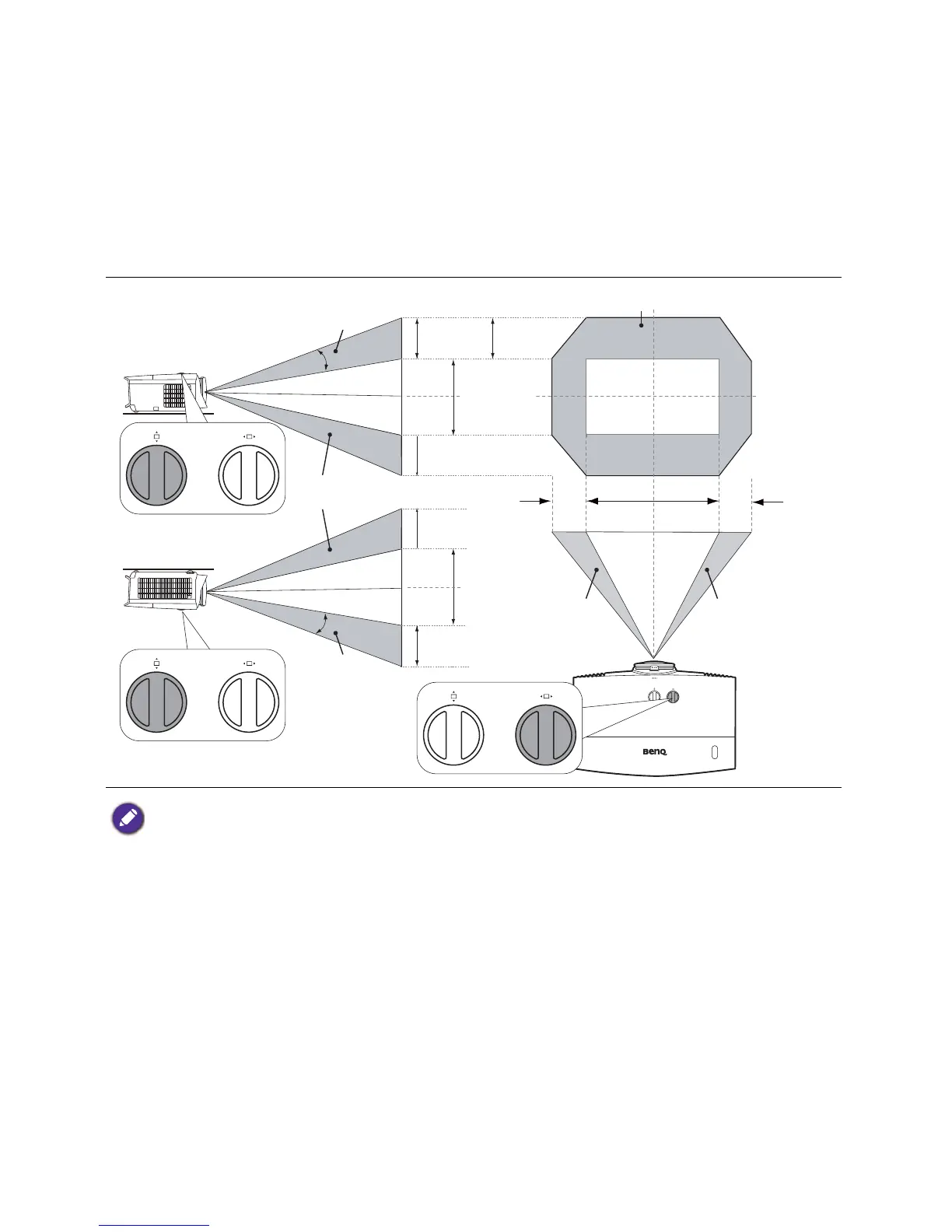
Shifting the projection lens
The lens shift control provides flexibility for installing your projector. It allows the projector to be
positioned off the center of the screen.
The lens shift is expressed as a percentage of the projected image height or width. You can turn the
knobs on the projector to shift the projection lens in any direction within the allowable range depending
on your desired image position.
• Lens shift adjustment will not result in a degraded picture quality.
• Please stop turning the adjustment knob when you hear a clicking sound indicating that the knob has reached its
limit. Over-turning the knob may cause damage.











 To Next Page