23 Operation
Presenting from a Media Reader
The MEDIA READER (USB) ports on the projector allow you to browse the image and document files
stored on a USB flash drive connected to the projector. It can eliminate the need for a computer
source.
Supported file formats
Viewing files
1. Plug a USB flash drive into one of the MEDIA READER ports on the back of the projector.
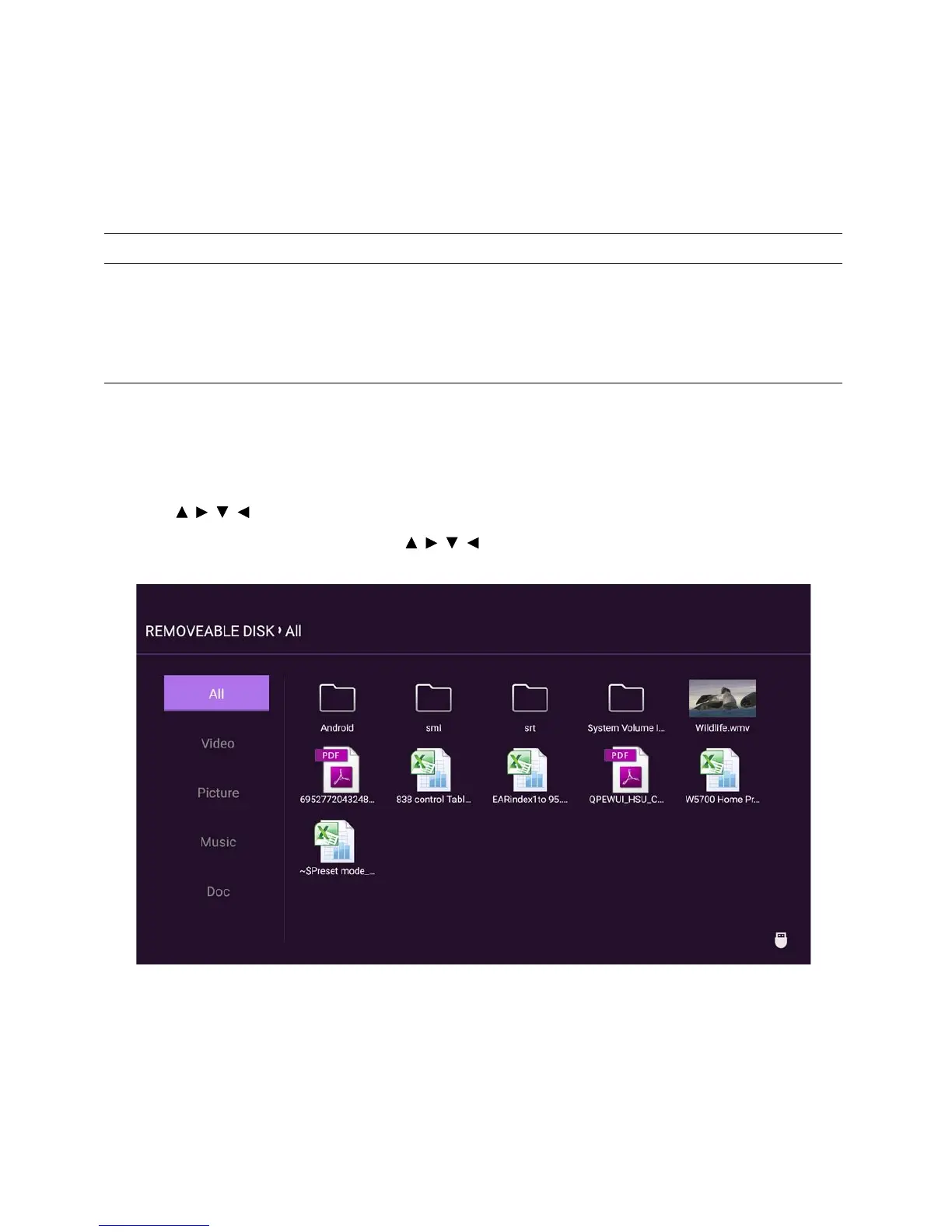
2. Press SOURCE and select Media Reader. The projector displays the built in media reader main
page.
3. Press /// to select and press OK to enter the sub-folder or display a file.
4. After a file is displayed, press OK and / // to perform further actions, or press BACK to
return to the previous page.
Video format Audio format Photo format
• MPEG1
• MPEG4
• H.263
• Motion JPEG
• MPEG1/2 Layer1
• MPEG1/2 Layer2
• FLAC
• JPEG Base-line
• JPEG Progressive
• PNG non-interlace
• PNG interlace
• BMP







 To Next Page