24 Operation
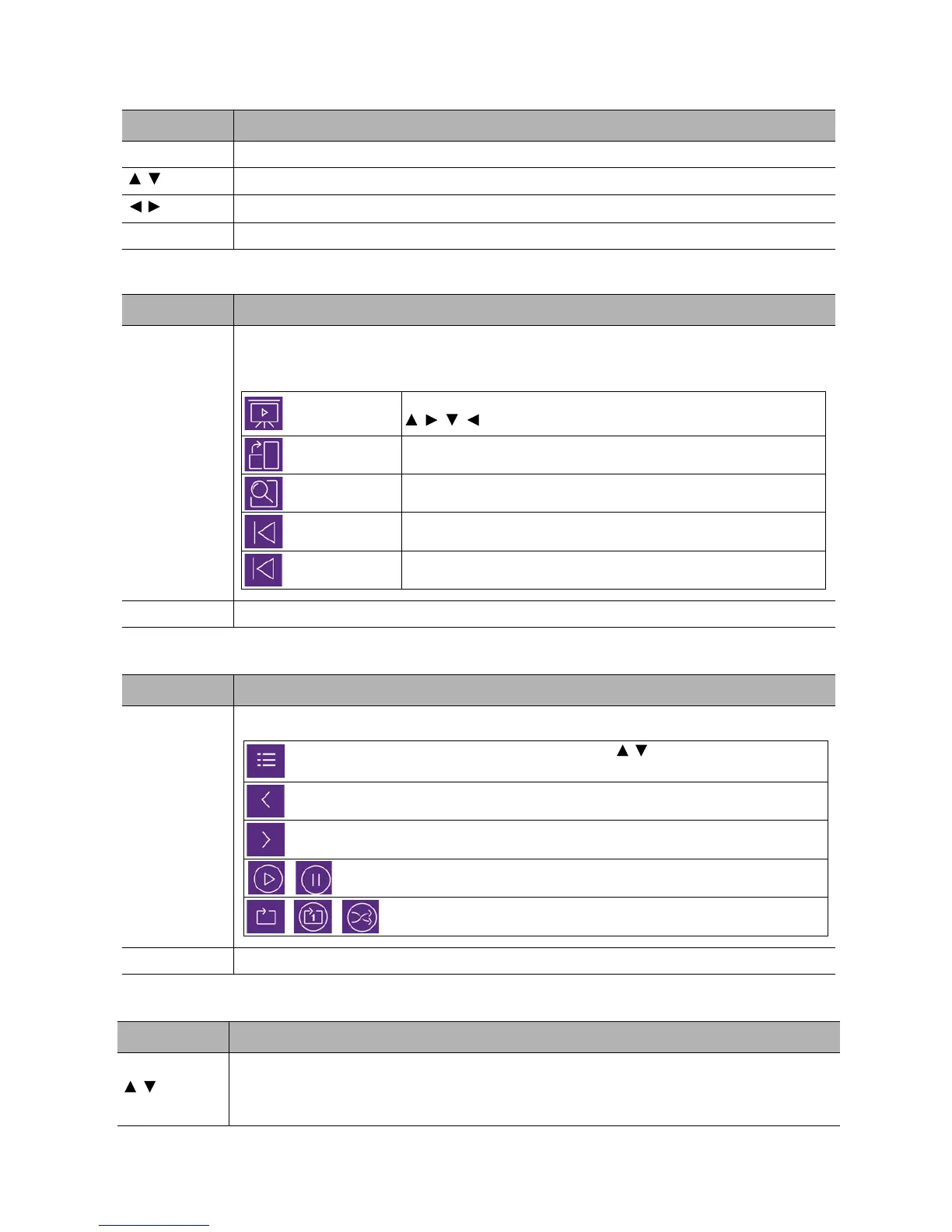
• Button functions for viewing video clips
• Button functions for viewing pictures
• Button functions for playing music
• Button functions for viewing documents
Button Description
OK Plays/Pauses the video.
/
Cycles through the video clips.
/
Rewinds/Fast-forwards the video.
BACK Goes back to the thumbnail page.
Button Description
OK
1. Calls out the function menu.
2. When the following items are highlighted, press OK to enable their functions.
BACK Goes back to the thumbnail page.
Button Description
OK
When the following items are highlighted, press OK to enable their functions.
BACK Goes back to the thumbnail page.
Button Description
/
Scrolls up or down the page.
When displaying PowerPoint files, follow the on-screen display to set the way to
show the pages.
Slide show
Sets the way to display all the pictures in the same folder by using
/ //.
Rotate Photo Rotate the picture in a clockwise direction.
Resize Photo Enlarges the picture. To restore its original size, press BACK.
Previous Goes to the previous picture.
Next Goes to the next picture.
Shows the play list. To select a song from the list, use / . Press BACK to dismiss the
play list.
Goes to the previous song.
Goes to the next song.
Plays/Pauses the music
Sets the way how the music is played, eg. Plays, Single Play, Random.














 To Next Page