English
11
Note:
• For more visualized instructions, please go to BenQ calculator website http://projectorcalculator.benq.com/.
• Ceiling installation must be done by a qualied professional. Contact your dealer for more information. It is not
recommended you install the projector yourself.
• Only use the projector on a solid, level surface. Serious injury and damage can occur if the projector is dropped.
• Do not use the projector in an environment where extreme temperature occurs. The projector must be used
at temperatures between 41 degrees Fahrenheit (5 degrees Celsius) and 104 degrees Fahrenheit (40 degrees
Celsius).
• Screen damage will occur if the projector is exposed to moisture, dust or smoke.
• Do not cover the vents on the projector. Proper ventilation is required to dissipate heat. Damage to the
projector will occur if the vents are covered.
y
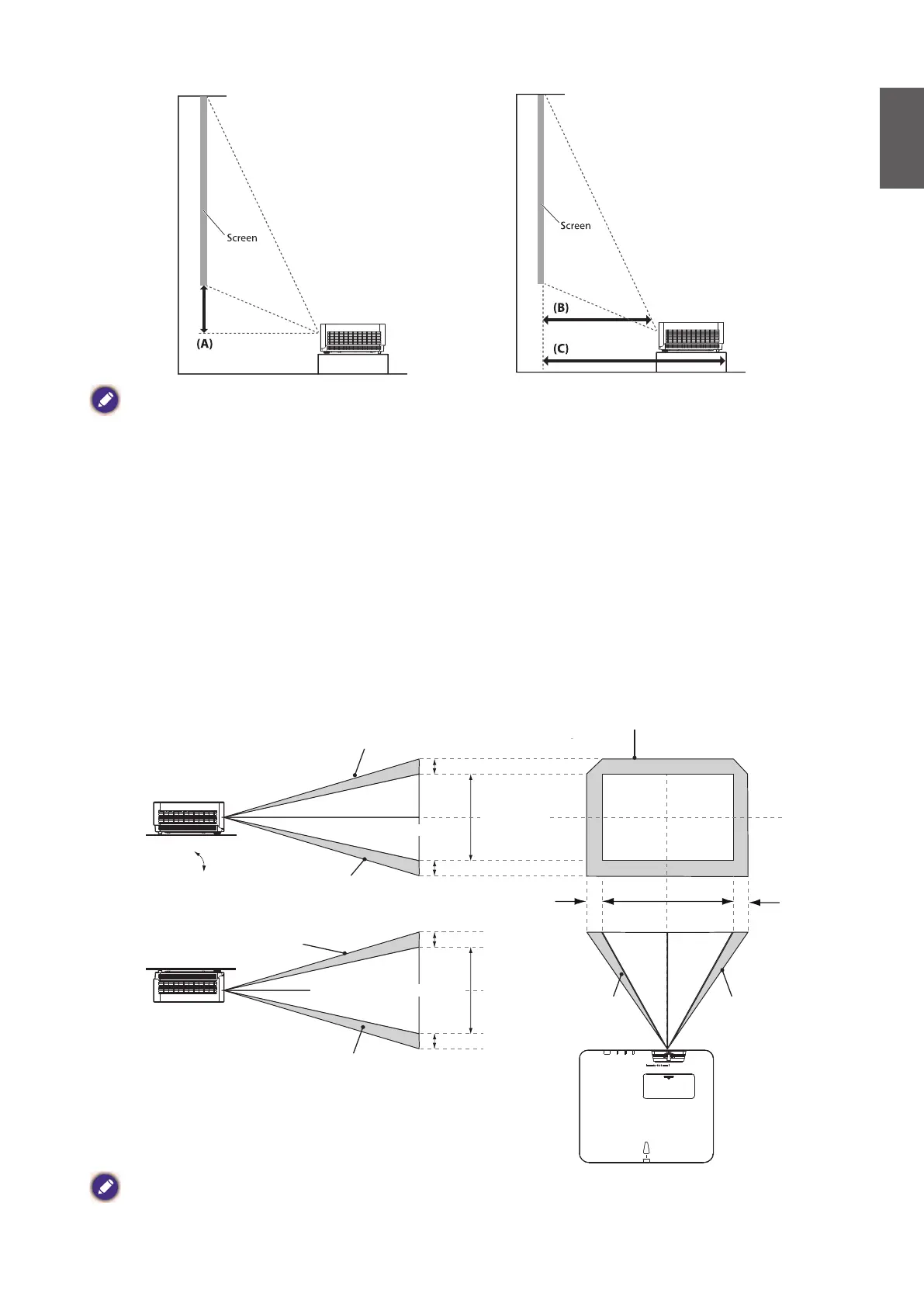
Lens shift range diagram
• LU960ST / LU960
Desk-Front Projection
Normal projection position
Width of projected image
Height of projected image
Height of projected image
Vertical shift
Vertical shift
Vertical shift
Vertical shift
Shift to Left Shift to Right
Max 0.62V
Max 0.62 V
1V
1H 0.24H0.24H
1V
Max 0.62V
Ceiling Mount-Front Projection
Note:
• "To optimize the projection quality, we suggest to utilize the lens shift within vertical 50% and horizontal 20%.
• Black corner may occur when reach the mechanical limitation"



 To Next Page