Positioning your projector14
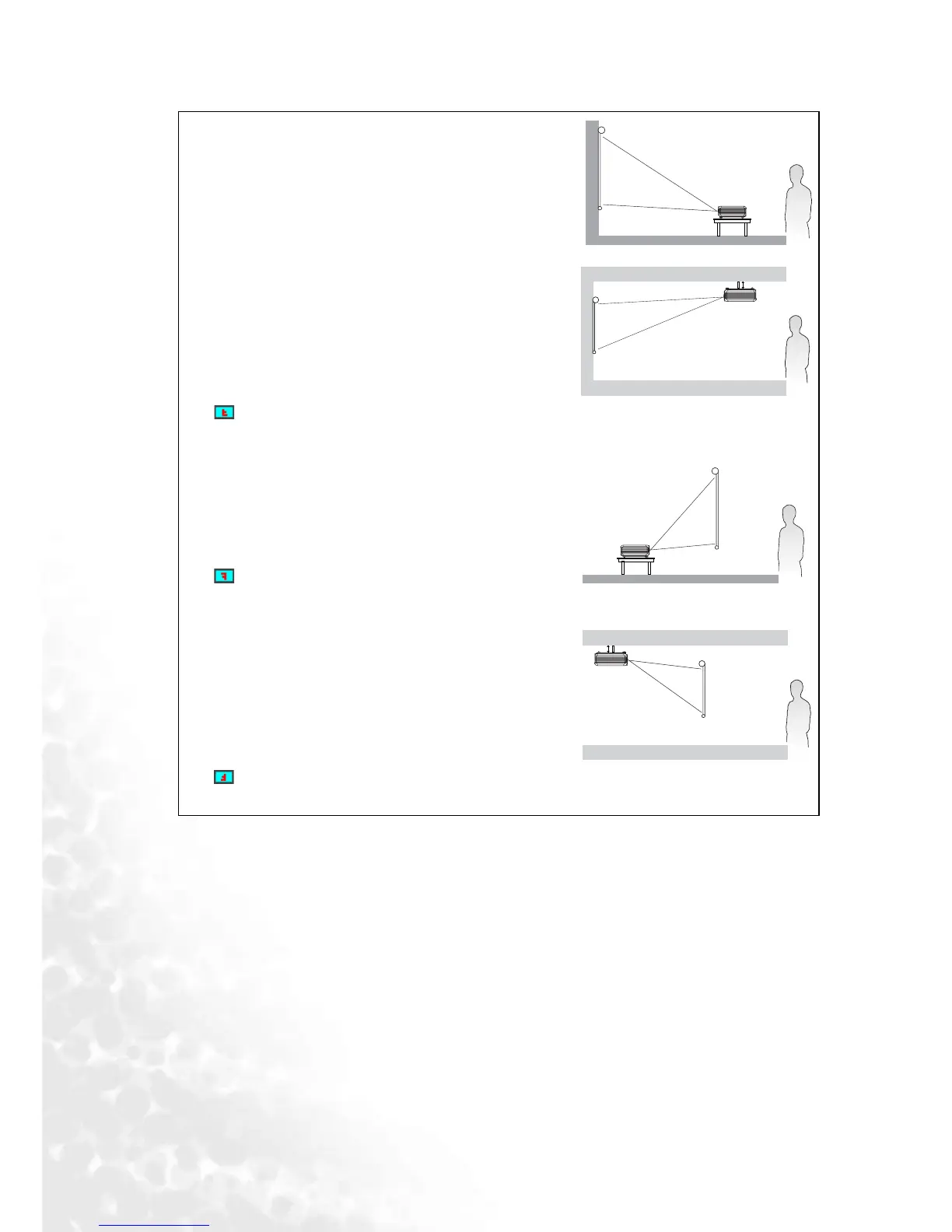
I. Floor front
Select this location with the projector placed near the
floor in front of the screen. This is the most common
way to position the projector for quick setup and
portability.
II. Ceiling front
Select this location with the projector suspended
upside-down from the ceiling in front of the screen.
Purchase the BenQ Projector Ceiling Mounting Kit
from your dealer to mount your projector on the
ceiling.
Set in the Advance > Mirror menu after you turn
the projector on.
III. Floor rear
Select this location with the projector placed near the
floor behind the screen.
Note that a special rear projection screen is required.
Set in the Advance > Mirror menu after you turn
the projector on.
IV. Ceiling rear
Select this location with the projector suspended
upside-down from the ceiling behind the screen.
Note that a special rear projection screen and the
BenQ Projector Ceiling Mounting Kit are required
for this installation location.
Set in the Advance > Mirror menu after you turn
the projector on.



 To Next Page