45
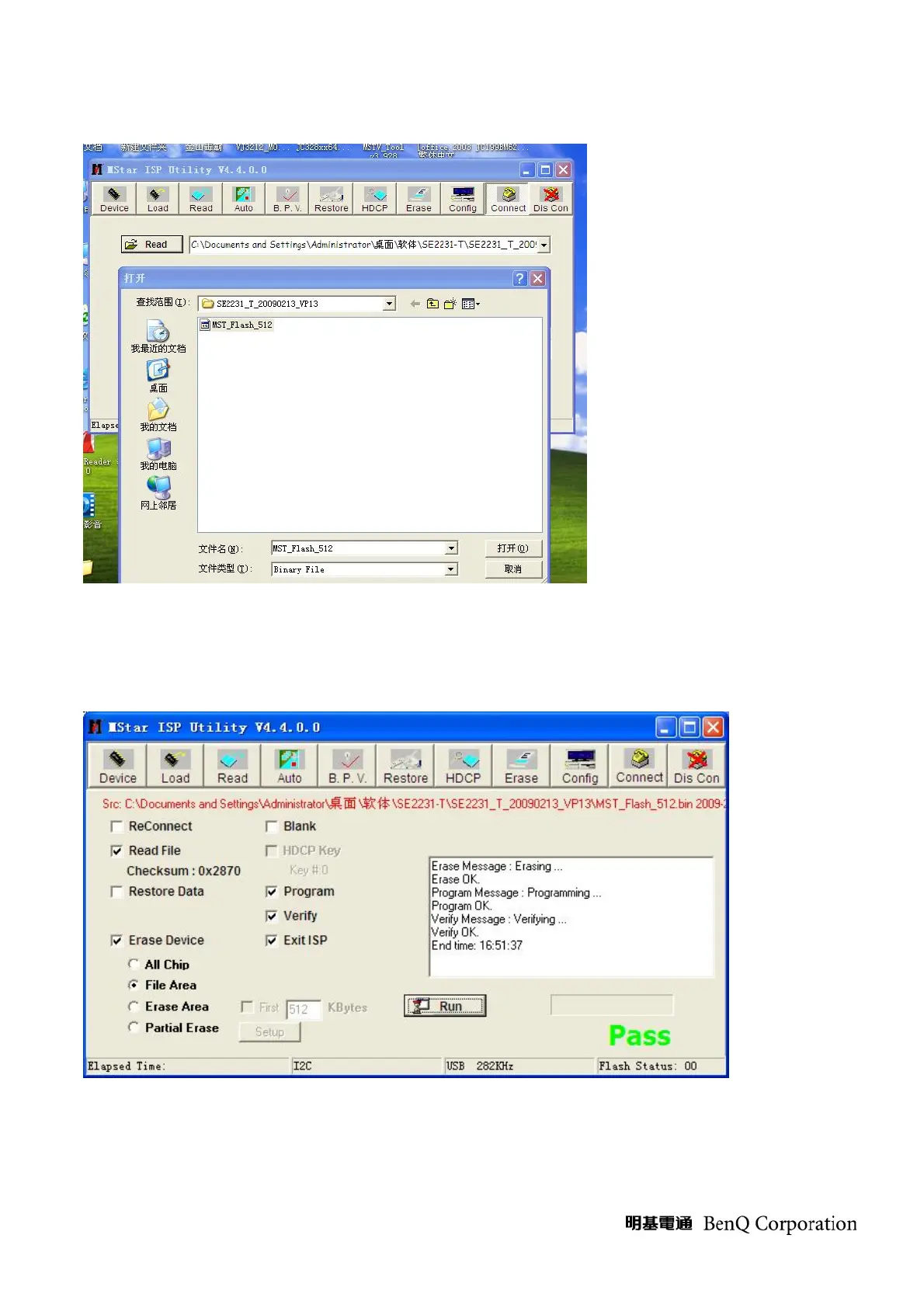
4. Press “read” and choose the right F/W .
Fig.7
5. Press “Auto”, than press “Run”. It will start ISP . When the ISP is ok ,you will see the information as
the bellow picture.
Fig.8
6. Pull away the AC power Cord and the D-SUB Cable. And start another TV set.
7. When we start another TV set with AC ON, we only need to press the “RUN”.



 To Next Page