Operation28
Disabling the password function
To disable password protection, go back to the SYSTEM SETUP: Advanced > Security
Settings > Power On Lock menu after opening the OSD menu system. Press MODE/
ENTER. The message “INPUT PASSWORD” displays. Enter the current password.
i. If the password is correct, the OSD menu returns to the Security Settings page.
Press to highlight Power On Lock and press / to select Off. You will not
have to enter the password next time when turning on the projector.
ii. If the password is incorrect, the password error message displays lasting for three
seconds, and the message “INPUT PASSWORD” displays for your retry. You can
press MENU/EXIT to cancel the change or try another password.
Though the password function is disabled, you need to keep the old password in hand should
you ever need to re-activate the password function by entering the old password.
Correcting keystone
Keystoning refers to the situation where the projected image is noticeably wider at either the
top or bottom. It occurs when the projector is not perpendicular to the screen.
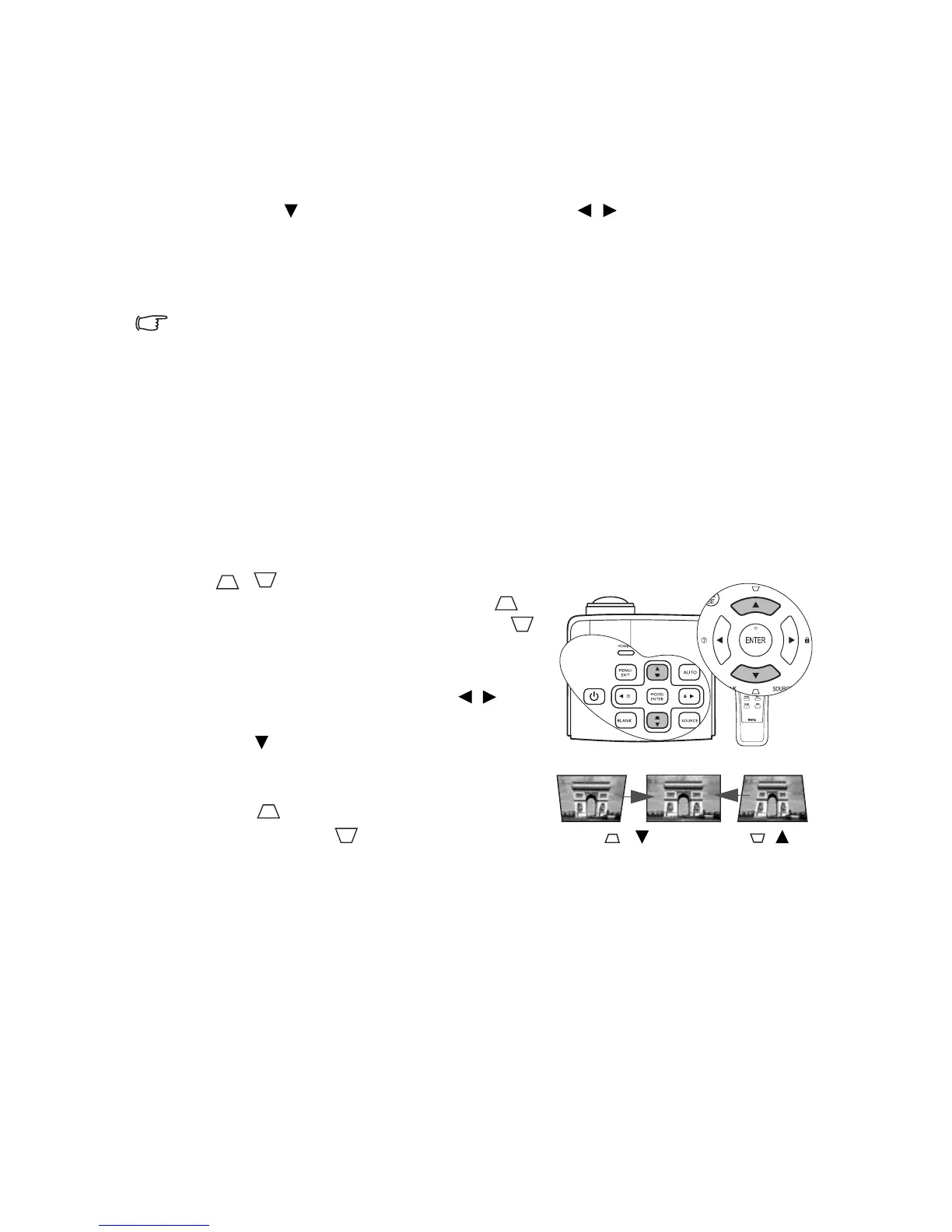
To correct this, besides adjusting the height of the projector, if you want the projector to
automatically correct image keystoning, be sure the Auto Keystone function in the DISPLAY
menu is On.
Or you will need to manually correct it following ONE of these steps.
• Using the remote control
Press / on the projector or remote control
to display the Keystone correction page. Press to
correct keystoning at the top of the image. Press
to correct keystoning at the bottom of the image.
• Using the OSD menu
1. Press MENU/EXIT and then press / until
the DISPLAY menu is highlighted.
2. Press to highlight Keystone and press
MODE/ENTER. The Keystone correction page
displays.
3. Press to correct keystoning at the top of
the image. Press to correct keystoning at
the bottom of the image.
Press /.
Press /.



 To Next Page