15 Positioning your projector
MH606/MH606w
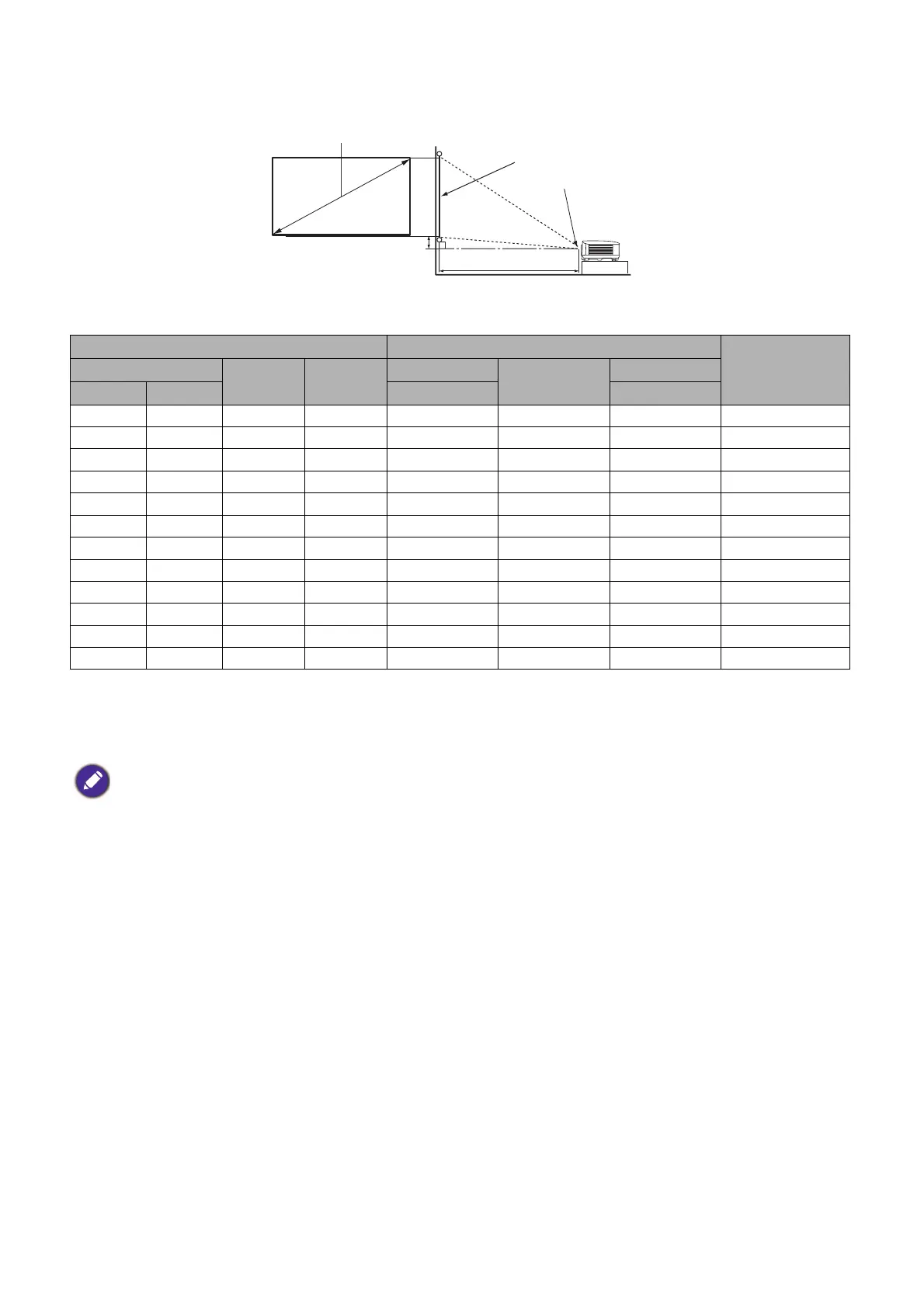
• The screen aspect ratio is 16:9 and the projected picture is in a 16:9 aspect ratio
For example, if you are using a 120-inch screen, the recommended projection distance is 4158 mm.
If your measured projection distance is 5200 mm, the closest match in the "Projection distance (mm)"
column is 5197 mm. Looking across this row shows that a 150'' (about 3.8 m) screen is required.
Mounting the projector
If you intend to mount your projector, we strongly recommend that you use a proper fitting BenQ
projector mounting kit and that you ensure it is securely and safely installed.
If you use a non-BenQ brand projector mounting kit, there is a safety risk that the projector may fall
down due to an improper attachment through the use of the wrong gauge or length screws.
Before mounting the projector
• Purchase a BenQ projector mounting kit from the place you purchased your BenQ projector.
• BenQ recommends that you also purchase a separate Kensington lock compatible security cable and
attach it securely to both the Kensington lock slot on the projector and the base of the mounting
bracket. This will perform the secondary role of restraining the projector should its attachment to the
mounting bracket become loose.
Screen size Projection distance (mm)
Offset (mm)Diagonal
H (mm) W (mm)
Min distance
Average
Max distance
Inch mm (max. zoom) (min. zoom)
35 889 436 775 1154 1213 1271 35
40 1016 498 886 1319 1386 1452 40
50 1270 623 1107 1649 1732 1815 50
60 1524 747 1328 1979 2079 2178 60
80 2032 996 1771 2639 2772 2905 80
100 2540 1245 2214 3299 3465 3631 100
120 3048 1494 2657 3958 4158 4357 120
150 3810 1868 3321 4948 5197 5446 149
200 5080 2491 4428 6597 6929 7261 199
220 5588 2740 4870 7257 7622 7987 219
250 6350 3113 5535 8246 8661 9077 249
300 7620 3736 6641 9896 10394 10892 299
All measurements are approximate and may vary from the actual sizes.
BenQ recommends that if you intend to permanently install the projector, you should physically test the projection
size and distance using the actual projector in situ before you permanently install it, so as to make allowance for this
projector's optical characteristics. This will help you determine the exact mounting position so that it best suits your
installation location.
H
W
Projection distance
Center of lens
Screen
16:9 Screen diagonal
Offset



 To Next Page