Operation
66
Presenting from a USB Reader
This fature displays a slide show of images stored on a USB flash drive connected to the
projector. It can eliminate the need for a computer source.
To display files:
1. Turn on the power of the projector and the projector displays the home screen.
2. Cnnect the projector to one of the above external memory devices.
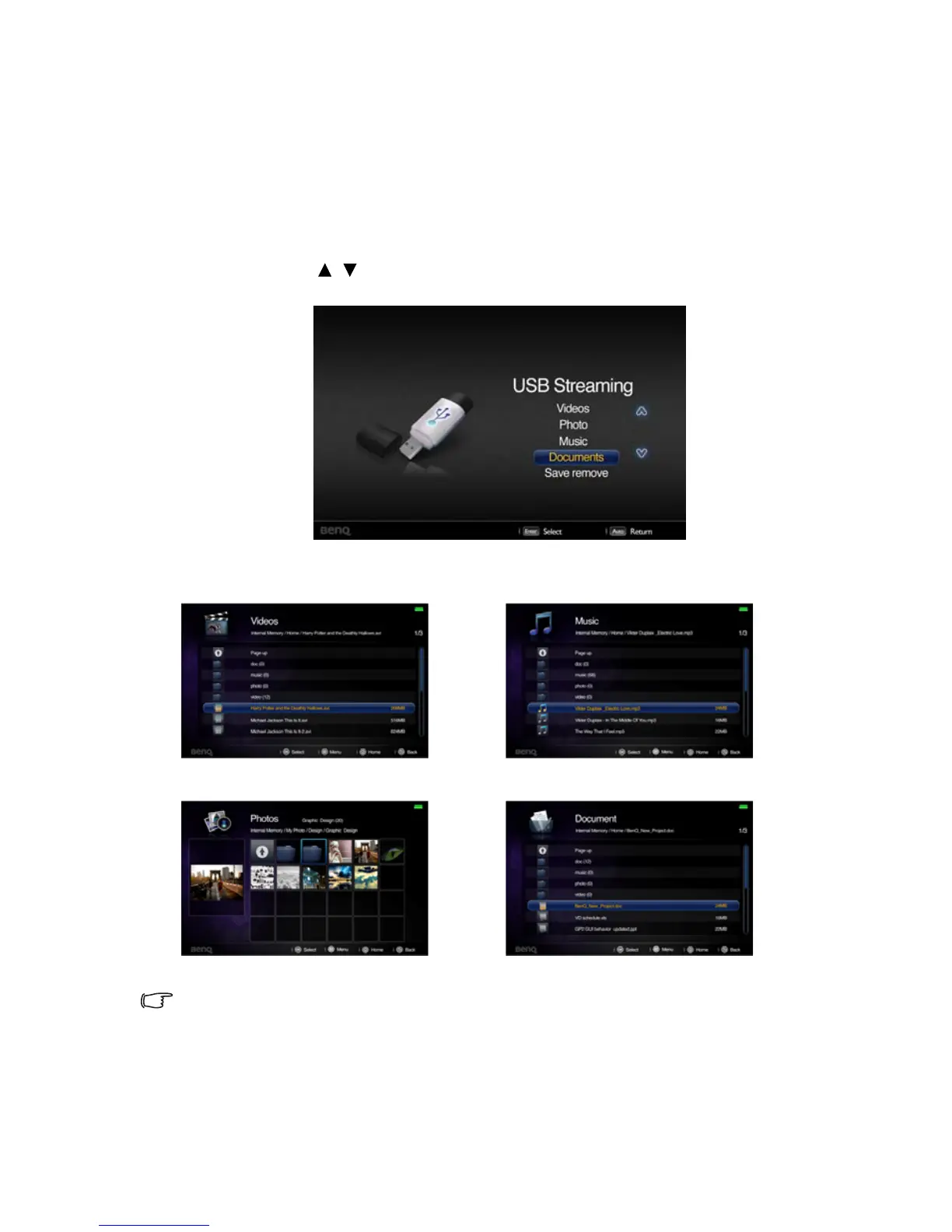
3. Storages are classified into Videos, Photos, Music, Documents menu in home
screen. Press / to select desired item and then press OK to enter different file
browser.
File browser
• You will only see relevant and supported files in each of file browser.
• If you want to disconnect external storages, please select Safe remove icon.
• If the file size is larger, the processing time will be longer and a loading icon will display on
the screen.
Videos Music
Photos Documents



 To Next Page