Installation
11
BenQ PB8220 User’s Guide
The following standards are supported in the HDTV function:
Please refer to "Menu System" on page 14 for information on the HDTV OSD
selections.
Connecting to Various Equipment
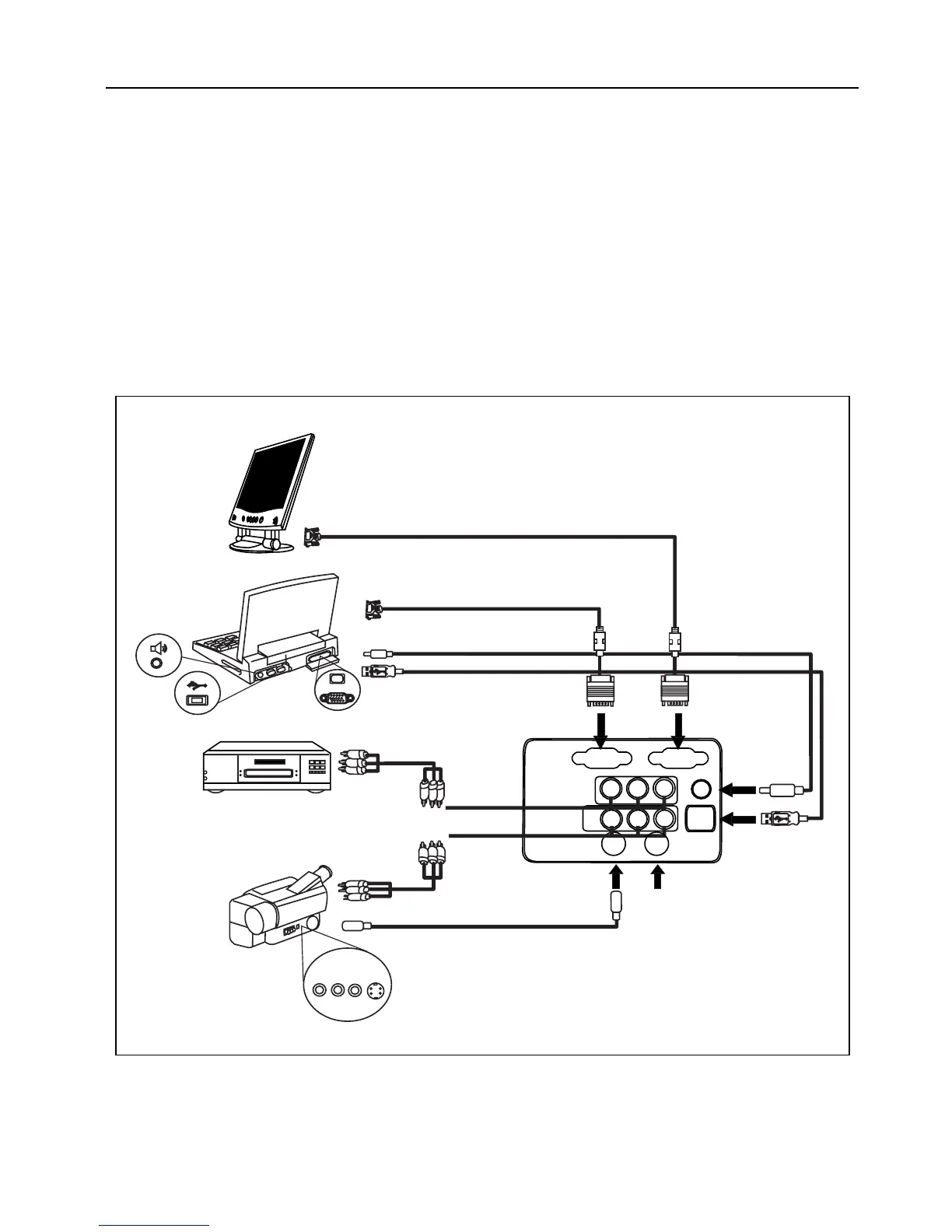
It only takes a few seconds to connect your projector to your desktop or notebook
computer, VCR, or other systems. However, a Mac adapter (an optional accessory) is
needed for connection to Macintosh computers.
• 480i • 480p
• 720p • 1080i
RGB IN RGB OUT
Pr Pb Y
VIDEO L R
S-VIDEO CONTROL
AUDIO IN
PC Audio
YPbPr
Video / Audio
USB
S-Video
Control
DVD Player
USB
PC Audio
RGB
To RGB Input
To RGB output
PC/Notebook
Monitor
USB
VIDEO L R
AUDIO S-VIDEO



 To Next Page