Operation
13
BenQ PB8220 User’s Guide
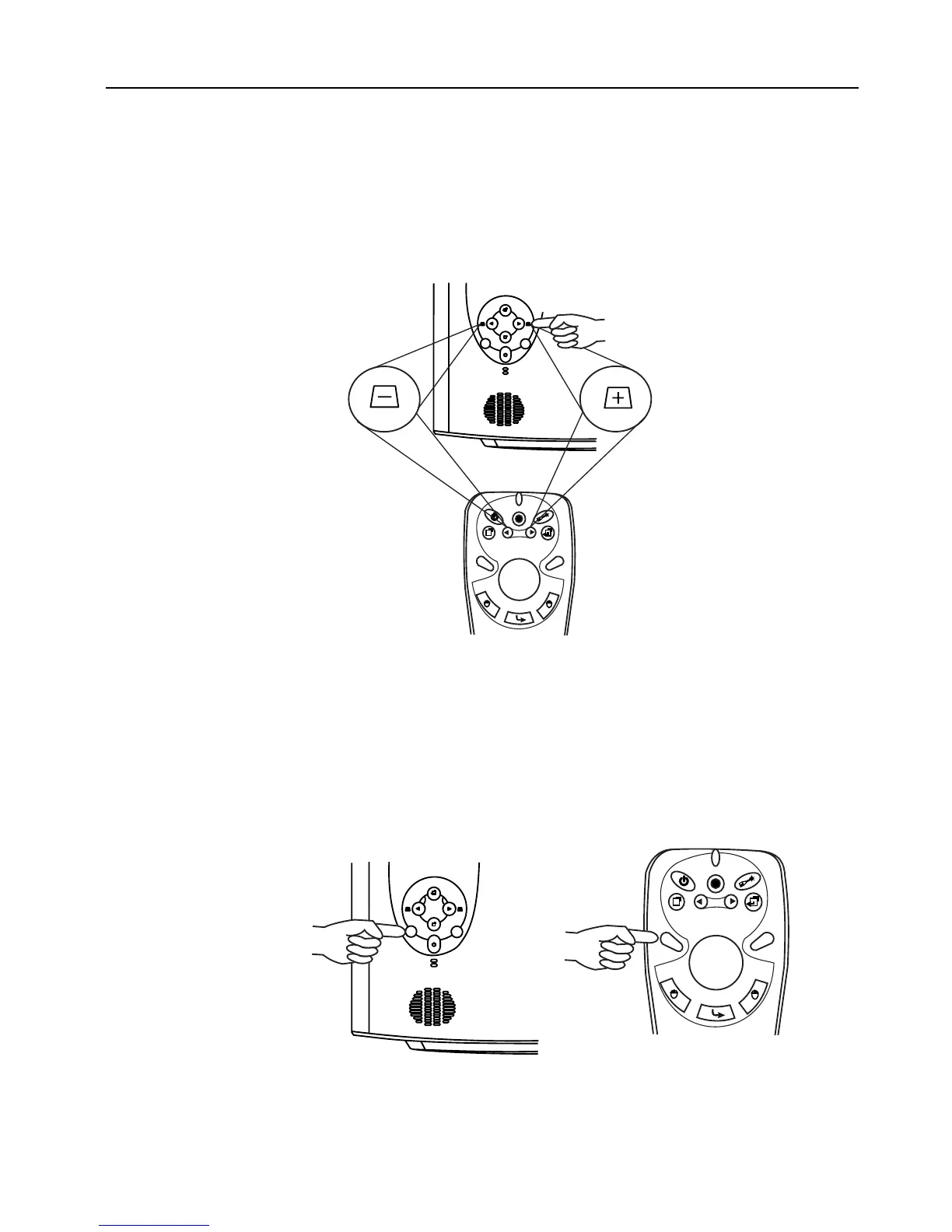
Digital Keystone Correction
Keystoning refers to the situation where the projected image is noticeably wider at
either the top or bottom. To correct this, press KEYSTONE +/- (hot key) on the
control panel of the projector or on the remote control, and then adjust the sliding bar
labeled Keystone, as needed. Press + to correct keystoning at the top of the image.
Press - to correct keystoning at the bottom of the image.
Auto Adjustment
In some cases, you may need to optimize the picture quality. To do this, press the AUTO
key on the control panel of the projector or on the remote control. Within 3 seconds,
the built-in Intelligent Auto Adjustment function will re-adjust settings to provide the
best picture quality.
Projector
Remote control
Auto Source
Auto
Projector
Remote control



 To Next Page