Operation
20
BenQ PB8220 User’s Guide
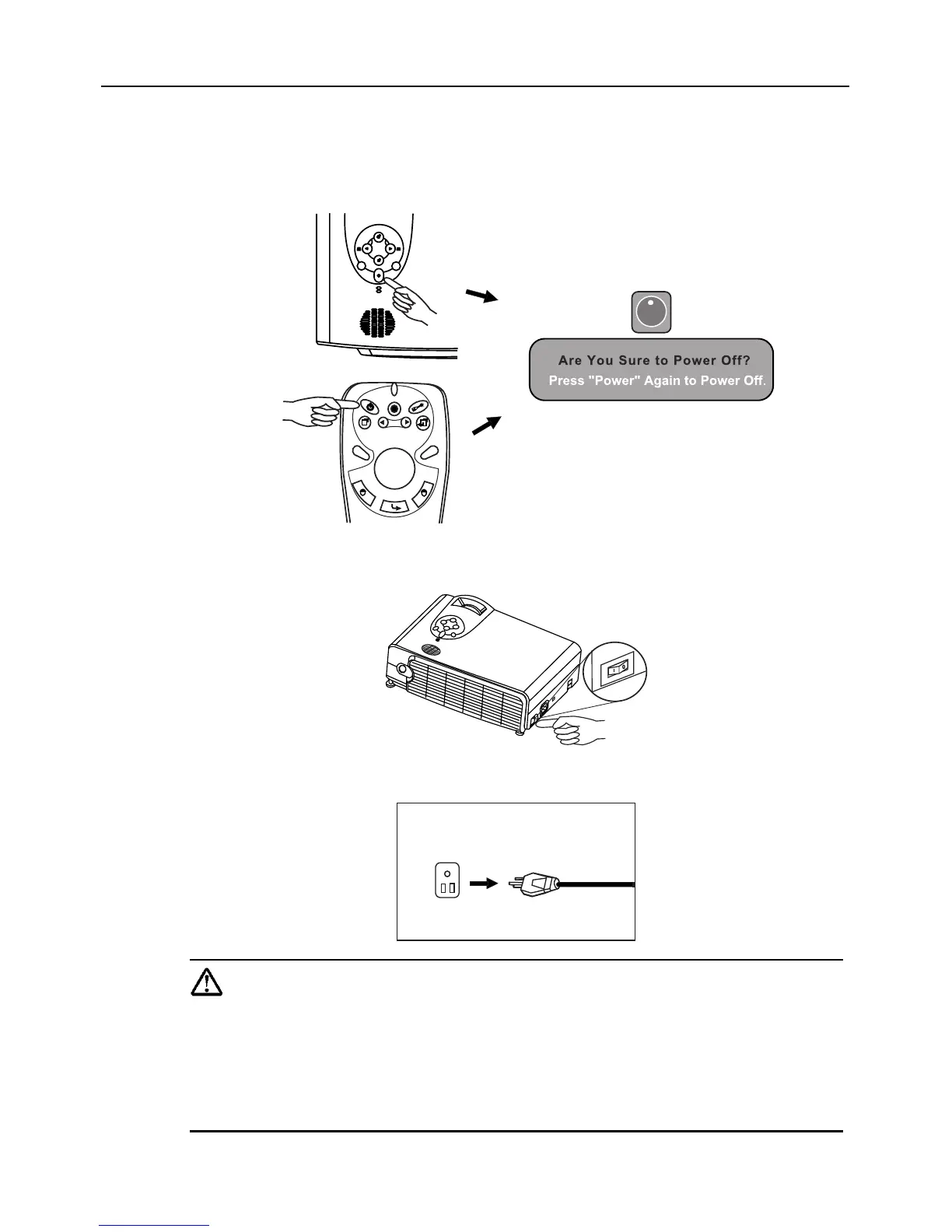
Shutdown
1. Press and hold POWER and a warning message will appear. To turn off the
projector, press POWER again.
2. The fan will continue to run for approximately two minutes.
3. Turn off the main power switch.
4. Disconnect the power cord from the wall socket.
Caution
Please do not unplug the power cord before POWER is shut down or
during the two-minute cooling process.
If the projector is not properly shut down, to protect the lamp, the sys-
tem will detect this and cool the lamp for two minutes automatically
before turning on again.
I
Projector
Remote Control



 To Next Page