Introduction
9
BenQ PB8230/ PB8220/ PB8120 User’s Guide
Remote control effective range
The remote sensors are located on the front and the back of the projector. It can
function in a range of 30 degrees horizontally and 30 degrees vertically relative to a line
that is a right angle to the remote sensors. The distance between the remote control
and the remote sensors must be shorter than 6 meters (19.5 feet).
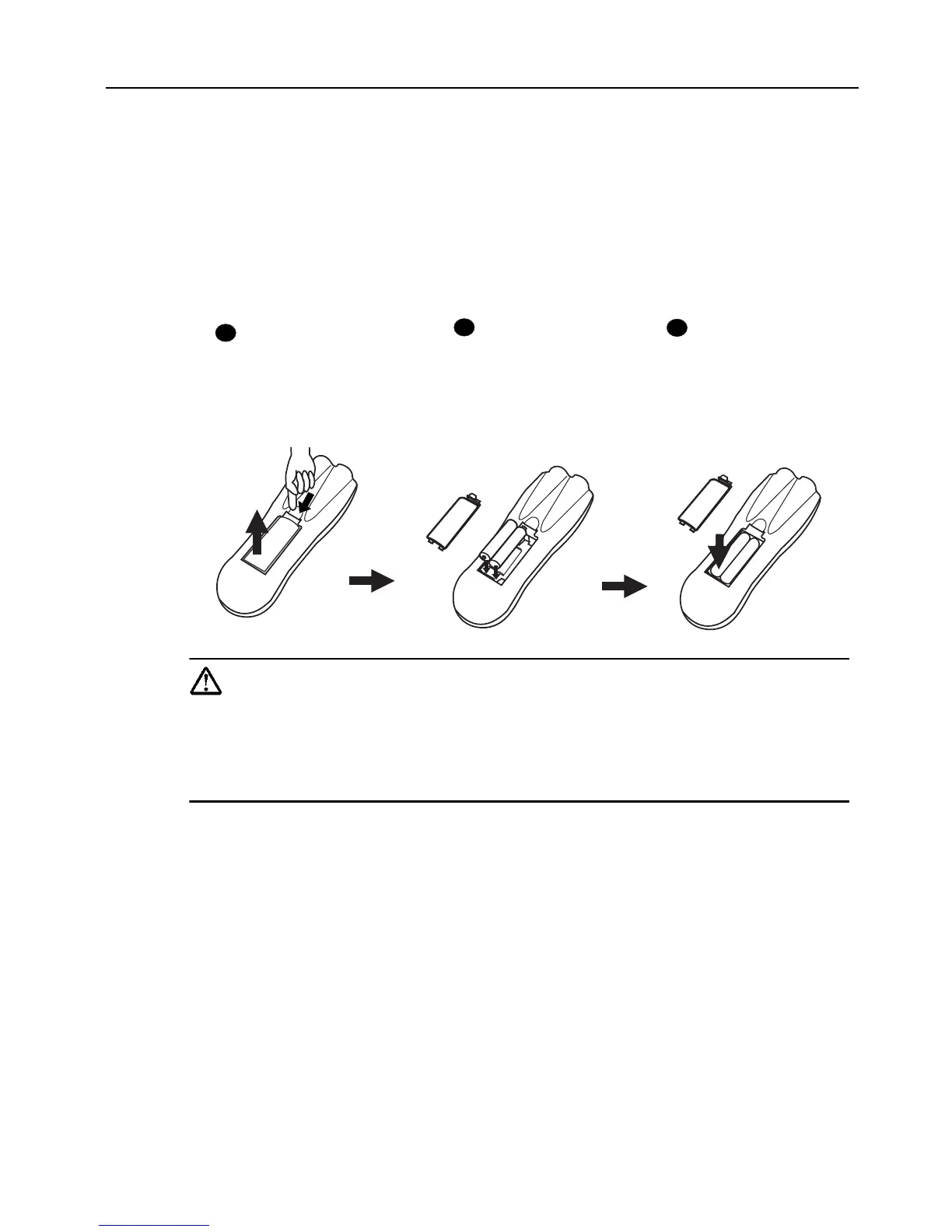
Installing or Replacing Batteries
Caution
Avoid excessive heat and humidity. There may be danger of an explosion if
batteries are incorrectly replaced. Replace only with the same or equivalent
type recommended by the manufacturer. Dispose of used batteries accord-
ing to the manufacturer’s instructions.
Push and slide the
battery
compartment lid in
the direction shown.
1
Install batteries as
indicated by the
diagram inside the
compartment.
2
Position the lid
over the
compartment and
snap it back into
place.
3



 To Next Page