English
5
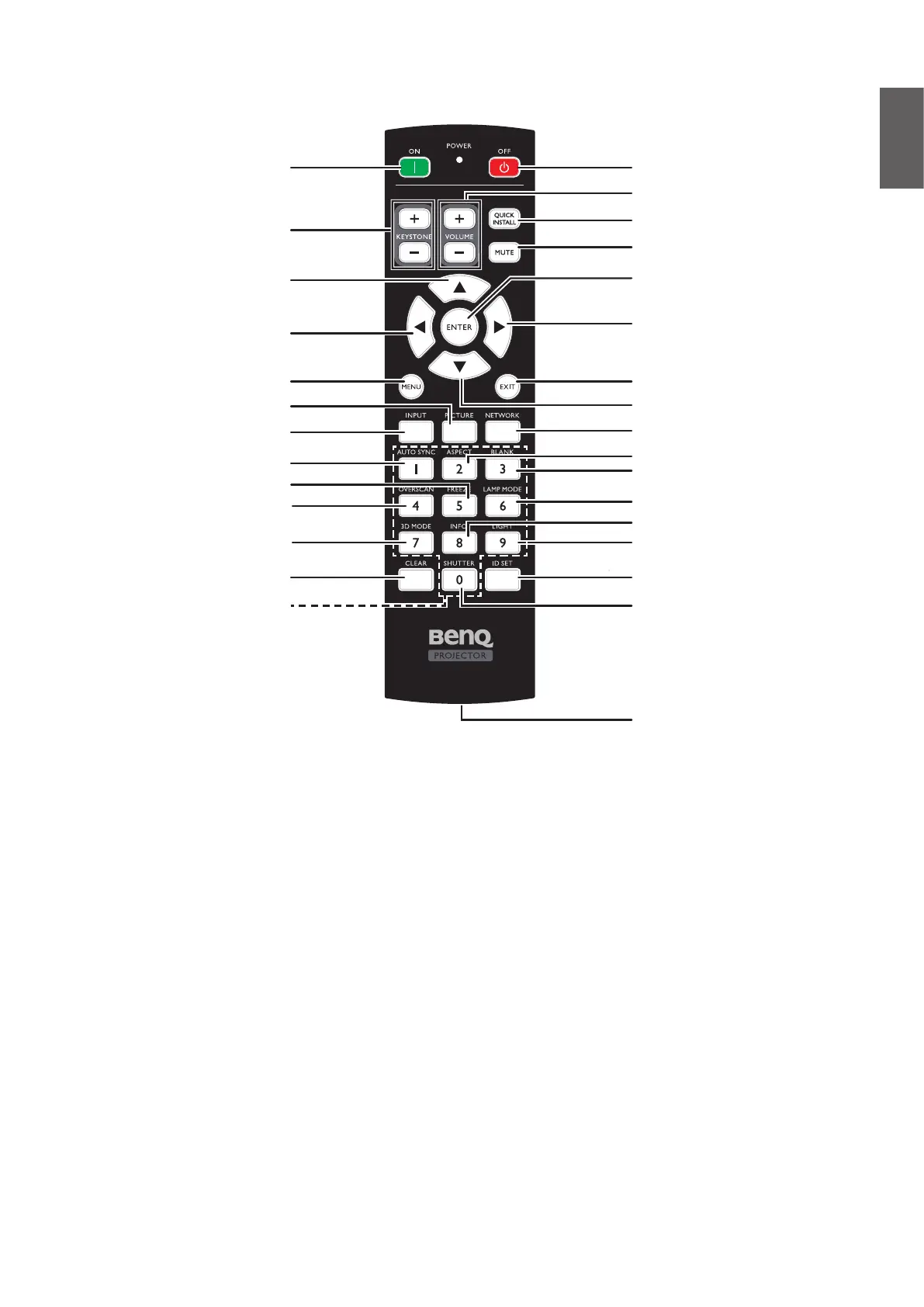
Remote control
On
KEYSTONE +/-
Up
Left
MENU
PICTURE
INPUT
AUTO SYNC
FREEZE
OVERSCAN
Numeric buttons
3D MODE
CLEAR
VOLUME +/-
Off
QUICK INSTALL
MUTE
ENTER
Right
EXIT
Down
NETWORK
ASPECT
BLANK
LAMP MODE
INFO
LIGHT
ID SET
SHUTTER
WIRE REMOTE jack
y
Remote ID setting
Press ID SET to set remote ID.
Press ID SET for three seconds. The POWER indicator on the remote control blinks, then press
01~99 to designate an ID.
Press CLEAR and ID SETforveseconds.ThePOWERindicatorontheremotecontrolblinksa
single instance to signify a switch from control by projector only or control by projector to remote
control.



 To Next Page