EasyManua.ls Logo

BenQ RE6501 - User Manual

BenQ RE6501
76 pages
Print Icon
To Next Page IconTo Next Page
Loading...
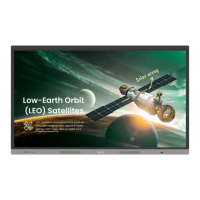
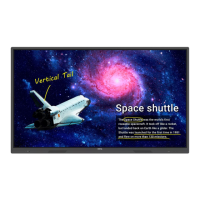
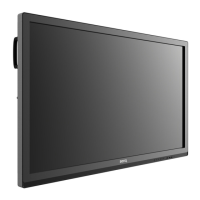
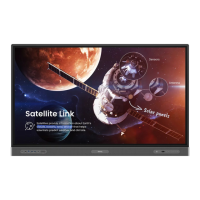
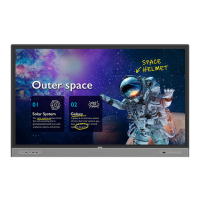
RE6501/RE7501/RE8601
Interactive Flat Panel
User Manual

Other manuals for BenQ RE6501

Questions and Answers

  • J
    Johnathan WatkinsSep 1, 2025
    What to do if BenQ RE6501 has no picture and no sound?
    • B
      Bobby PattersonSep 1, 2025
      If your BenQ Interactive whiteboard displays no picture and no sound, first check whether the device is powered on. Next, ensure the signal wire is properly connected and the INPUT setting corresponds to the connection. If you're using the internal computer mode, verify that the internal computer has started.
  • A
    Andrew CoxSep 12, 2025
    Why does the computer input image look strange on my BenQ Interactive whiteboard?
    • J
      Jeffrey PowellSep 13, 2025
      If the computer input image looks strange on your BenQ Interactive whiteboard, it may be due to an unsupported output resolution. Refer to Dimensions (RE9801) on page 74 to select a supported resolution. For VGA input, use the Auto function to optimize the display. If the result is still not satisfactory, manually adjust the image using the Phase, H Position, and V Position functions.
  • N
    Nichole CarpenterAug 31, 2025
    What causes horizontal or vertical stripes on BenQ Interactive whiteboard?
    • N
      Nicholas ScottAug 31, 2025
      If you're seeing horizontal or vertical stripes or image dithering on your BenQ Interactive whiteboard, ensure the signal wire is securely connected. Also, check for any nearby electronic equipment or power tools that may be causing interference.
  • L
    Lawrence CunninghamSep 15, 2025
    How to fix a BenQ Interactive whiteboard with image but without sound?
    • D
      Diane WallaceSep 15, 2025
      If your BenQ Interactive whiteboard shows an image but has no sound, check if the mute button is pressed. Adjust the volume using the VOL+/VOL- buttons. Verify that the audio line is correctly connected.
  • H
    Hunter CurrySep 14, 2025
    BenQ Interactive whiteboard: Why is there no picture and no sound?
    • M
      Matthew GardnerSep 14, 2025
      If your BenQ Interactive whiteboard has no picture and no sound, check if the device is powered on. Ensure the signal wire is properly connected and the INPUT source corresponds to it. If using the internal computer mode, verify that the internal computer is started.
  • S
    Scott JamesSep 22, 2025
    What to do if my BenQ Interactive whiteboard says 'Display format that is not supported'?
    • B
      Brandon GibsonSep 22, 2025
      If your BenQ Interactive whiteboard displays 'Display format that is not supported', select automatic correction in the menu. If that doesn't work, try adjusting the clock and phase position in the menu.
  • J
    Joseph BlackAug 27, 2025
    Why is the remote control not working on my BenQ RE6501 Interactive whiteboard?
    • V
      Veronica ThomasAug 27, 2025
      If the remote control for your BenQ Interactive whiteboard isn't working, try these steps: Ensure you haven't locked the remote control function. Verify the batteries are correctly oriented and not dead. Make sure you're within range and pointing the remote at the display's sensor, without any obstructions. Also, check for strong fluorescent lighting or direct sunlight on the sensor, and turn off any nearby devices (like computers or PDAs) that might be transmitting interfering infrared signals.
  • T
    Tonya WillisAug 27, 2025
    How to fix no picture on BenQ RE6501?
    • J
      Jacqueline McguireAug 27, 2025
      If your BenQ Interactive whiteboard displays no picture, verify the following: Ensure the display and the signal source device are turned on. Check the power indicator. Ensure all cables are firmly connected. If using a computer, DVD, or Blu-ray player, make sure you've selected a supported output resolution, referring to the supported input signal resolution information.
  • T
    tellisAug 26, 2025
    How to correct touch positioning on BenQ Interactive whiteboard?
    • C
      Charles MejiaAug 27, 2025
      To correct touch positioning on your BenQ Interactive whiteboard, check that the driver is properly installed and perform a correction. Also, ensure that the touch pen is facing the screen.
  • W
    William ScottAug 26, 2025
    What to do if the touch function is invalid on my BenQ Interactive whiteboard?
    • D
      dreillyAug 26, 2025
      If the touch function is invalid on your BenQ Interactive whiteboard, first, verify that the touch driver is installed and running. Second, ensure that the size of the touched article is comparable with a finger.

BenQ RE6501 Specifications

General IconGeneral
Screen Size65 inches
Resolution3840 x 2160 (4K UHD)
Touch TechnologyInfrared Touch
Multi-Touch20 points
Operating SystemAndroid 8.0
Built-in SpeakersYes
RAM3GB
ROM32 GB
ConnectivityHDMI, USB, LAN
Brightness350 cd/m²
Speakers Power15W x 2
ProcessorQuad Core A73
MicrophoneYes

Related product manuals