
EasyManua.ls Logo

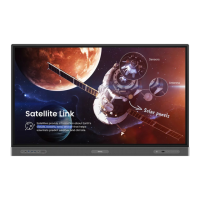
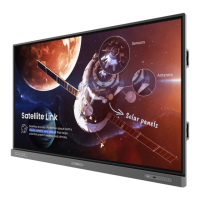
BenQ RE9801 - User Manual

BenQ RE9801
79 pages
Print Icon
To Next Page IconTo Next Page
Loading...
RE6501/RE7501/RE8601/RE9801
Interactive Flat Panel
User Manual

Questions and Answers

  • Y
    ysmithAug 21, 2025
    What to do if the touch function is invalid on my BenQ Interactive whiteboard?
    • S
      Stephen WoodAug 21, 2025
      If the touch function is invalid on your BenQ Interactive whiteboard, first, verify that the touch driver is installed and running. Second, ensure that the size of the touched article is comparable with a finger.
  • E
    Emily PrestonSep 3, 2025
    BenQ Interactive whiteboard: Why is there no picture and no sound?
    • T
      Tracy PhillipsSep 3, 2025
      If your BenQ Interactive whiteboard has no picture and no sound, check if the device is powered on. Ensure the signal wire is properly connected and the INPUT source corresponds to it. If using the internal computer mode, verify that the internal computer is started.
  • A
    angelahernandezSep 1, 2025
    Why aren't the control panel buttons working on my BenQ Interactive whiteboard?
    • J
      Joshua DavisSep 1, 2025
      If the control panel buttons on your BenQ Interactive whiteboard are not working, check if you have locked the control panel buttons. If so, unlock them and try again.
  • J
    Joshua HansonAug 31, 2025
    Why does the computer input image look strange on my BenQ Interactive whiteboard?
    • A
      Amy BeckerAug 31, 2025
      If the computer input image looks strange on your BenQ Interactive whiteboard, it may be due to an unsupported output resolution. Refer to Dimensions (RE9801) on page 74 to select a supported resolution. For VGA input, use the Auto function to optimize the display. If the result is still not satisfactory, manually adjust the image using the Phase, H Position, and V Position functions.
  • A
    Ashley EdwardsAug 29, 2025
    How to troubleshoot remote control failure on BenQ Interactive whiteboard?
    • L
      Luis PerezAug 29, 2025
      To troubleshoot remote control failure on your BenQ Interactive whiteboard, check for obstructions between the remote and the receiving window. Also, verify the battery electrode is correctly placed and that the remote may not need a battery replacement.
  • B
    Brenda JohnsonAug 27, 2025
    Why doesn't the remote control work on my BenQ Interactive whiteboard?
    • N
      Nicolas JonesAug 27, 2025
      If the remote control for your BenQ Interactive whiteboard isn't working, consider these possibilities: Ensure the remote control function isn't locked. Verify the batteries are correctly oriented and not dead. Check your distance and angle from the display, ensuring you're pointing the remote at the sensor window without any obstructions. Strong fluorescent lighting or direct sunlight on the sensor, or nearby devices transmitting infrared signals, might also interfere with the signal. Turn off the infrared function of these devices.
  • A
    Aaron CastanedaAug 26, 2025
    What to do if my BenQ Interactive whiteboard has no sound?
    • M
      Mrs. Vickie Jones MDAug 26, 2025
      If there is no sound on your BenQ Interactive whiteboard, check if the mute function is enabled on the display or the input source device; if so, turn it off or increase the volume. Also, ensure all cable connections are secure.
  • J
    johnsonrickyAug 25, 2025
    How to fix a BenQ Interactive whiteboard with no picture?
    • A
      Angel WilsonAug 25, 2025
      If your BenQ Interactive whiteboard displays no picture, verify these points: Ensure the display and the signal source device are turned on. Check the power indicator on the display. Make sure all cables are firmly connected. If using a computer, DVD, or Blu-ray player, confirm that you've selected a supported output resolution referring to Dimensions (RE9801) on page 74.
  • C
    Clifford BarrAug 23, 2025
    How to correct touch positioning on BenQ Interactive whiteboard?
    • S
      Samantha CarrollAug 23, 2025
      To correct touch positioning on your BenQ Interactive whiteboard, check that the driver is properly installed and perform a correction. Also, ensure that the touch pen is facing the screen.

BenQ RE9801 Specifications

General IconGeneral
Display Size98 inches
Touch TechnologyInfrared Touch
Multi-Touch20 points
Brightness350 cd/m²
Contrast Ratio1200:1
Operating SystemAndroid 8.0
RAM4 GB
ROM/Storage32 GB
Response Time8 ms
Resolution3840 x 2160
PortsHDMI, USB, VGA
ConnectivityHDMI, VGA, USB, LAN, Wi-Fi
ProcessorQuad Core A73+A53

Related product manuals