10
Overview
English
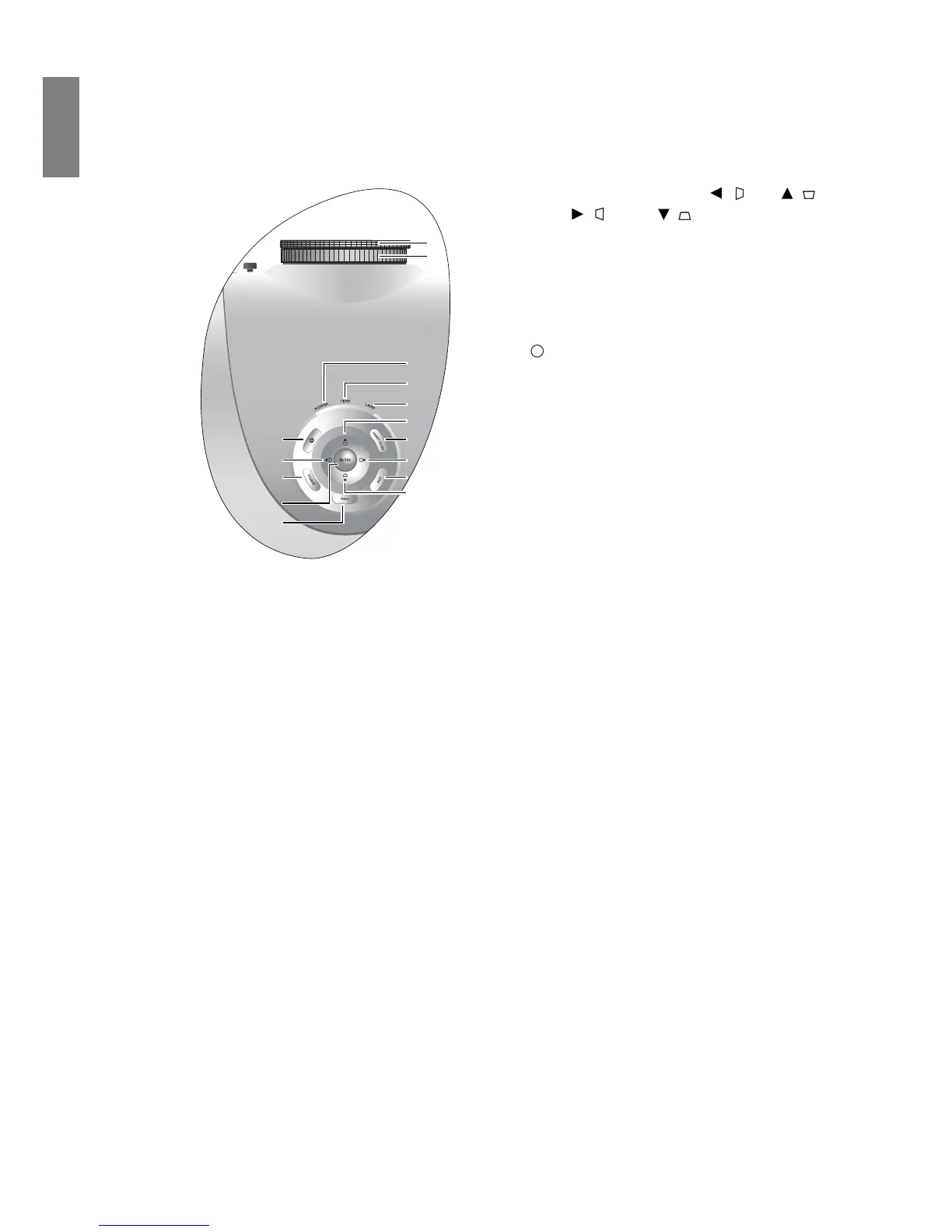
Controls and functions
Control panel
6. Arrow/Keystone keys (Left / , Up / ,
Right / , Down / )
Moves the current On-Screen Display (OSD)
menu selection in the direction of the arrow
being pressed when the OSD menu is activated.
Manually corrects distorted pictures resulting
from an angled projection.
7. POWER
Performs the same action as POWER on the
remote control.
Toggles the projector between standby and on.
8. PRESET MODE
Sequentially selects a predefined picture setting
available for each input.
9. SOURCE
Performs the same action as the source selection
keys (COMPONENT, VIDEO, S-VIDEO,
HDMI, PC) on the remote control.
Switches sequentially through input sources.
10. EXIT
Goes back to previous OSD menus, exits and
saves any changes made using the On-Screen
Display (OSD) menu.
11. ENTER
Enacts the selected On-Screen Display (OSD)
menu item.
12. MENU
Toggles the On-Screen Display (OSD) menu on
and off.
1. Focus ring
Adjusts the focus of the projected image.
2. Zoom ring
Adjusts the size of the projected image.
3. POWER indicator light
Lights up or flashes when the projector is
operating.
4. TEMPerature warning light
Lights up or flashes if the projector's
temperature becomes too high.
5. LAMP indicator light
Lights up or flashes when the projector lamp
has developed a problem.
1
2
3
4
5
7
6
910
6
12
11
6
8
6
I
I



 To Next Page