55 Navigating the main menu
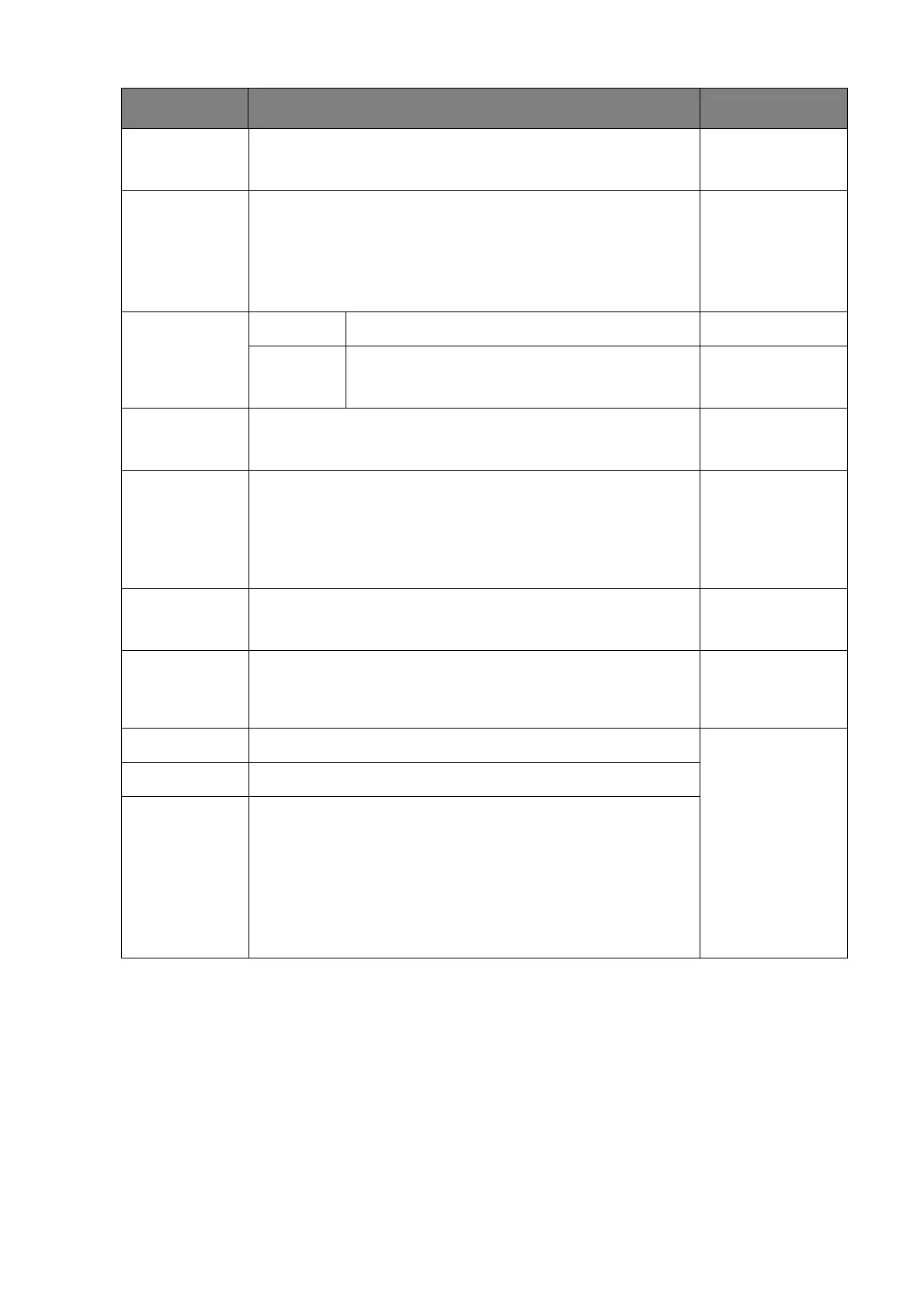
DP Selects an appropriate DP standard for data transmission. • 1.1
• 1.4
USB-C
Configuration
Sets the refresh rate of the input video via USB Type-C
port. The USB transmission speed changes accordingly
due to USB Type-C technology limitation. See Options for
data transfer via USB Type-C on page 57 for more
information.
• UHD@60Hz +
USB 2.0
• UHD@30Hz +
USB 3.1
Audio Volume Adjusts the audio volume. 0~100
Mute Mutes the audio input. • ON
• OFF
AMA Improves the gray level response time of the LCD panel. • ON
• OFF
Auto Power
Off
Sets the time to power off the monitor automatically in
power saving mode.
• OFF
• 10 min.
• 20 min.
• 30 min.
Auto Pivot Sets to rotate the OSD menu with the monitor. • ON
• OFF
Resolution
Notice
Sets whether to display the resolution notice of the
recommended resolution when a new input source is
detected by the monitor.
• ON
• OFF
Custom Key 1 Sets the function to be accessed by custom key 1. • Brightness
• Contrast
• Input
• Color Mode
• Color Temp.
• Gamma
• Color Gamut
• PIP/PBP
Custom Key 2 Sets the function to be accessed by custom key 2.
Custom Key 3 Sets the function to be accessed by custom key 3.
Item Function Range


 To Next Page