Operation32
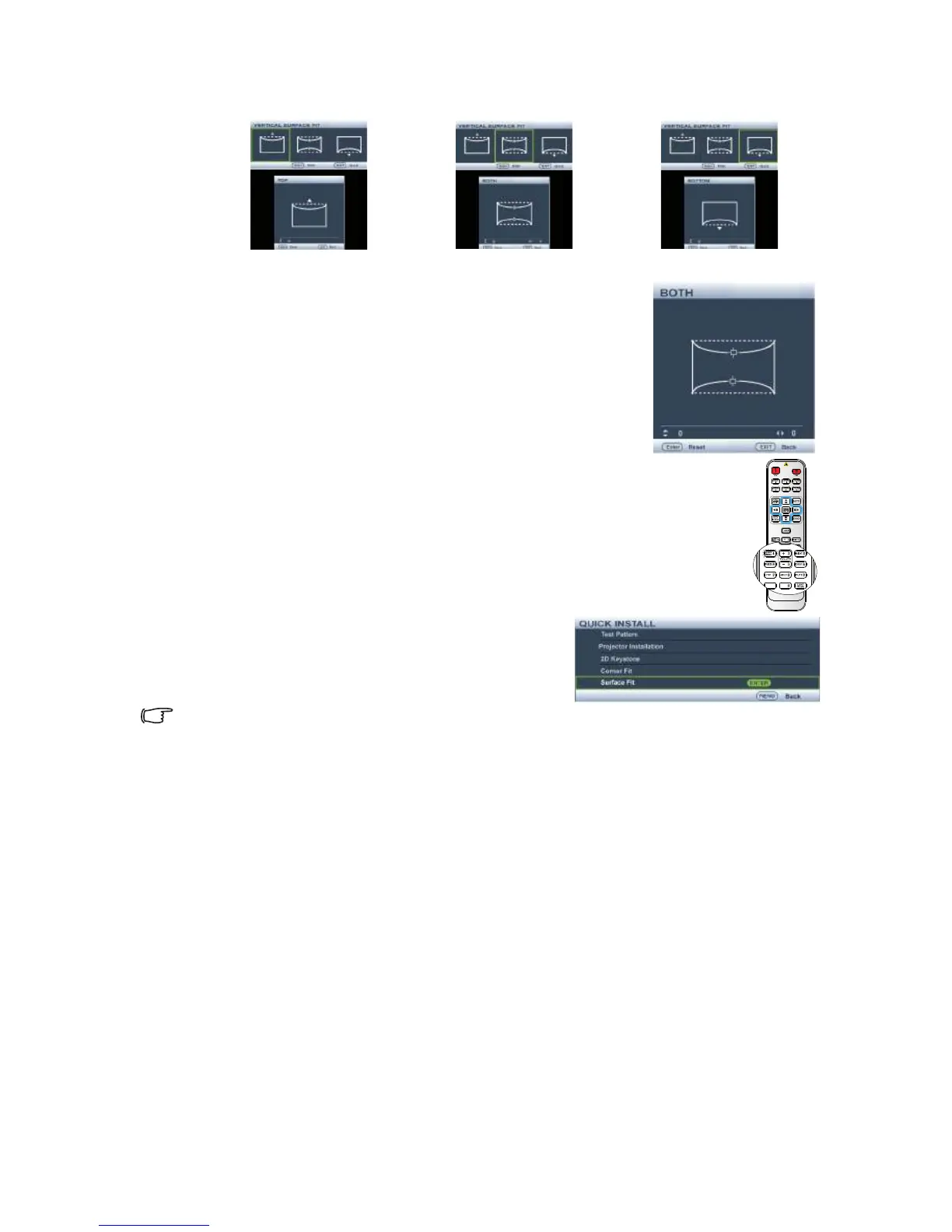
8. Press ◄/► to select the direction and press MODE/ENTER.
9. Press ▲/▼ to adjust the top or/and bottom side convex
or concave. Default is 0 and value is -40~0~40. Single side
adjustment is only for distortion.
10. For both sides of the vertical surface fit, use ◄/► to
adjust the center of the curve because it is not always at
the center. Default is 0 and value is -40~0~40.
•Using the QUICK INSTALL key
1. Press QUICK INSTALL on the remote control.
2. Press ▼ to highlight Surface Fit and press
MODE/ENTER. The Surface Fit page
displays.
3. Follow the steps 2~9 in the above section.
The function is only available for SW916.
NETWORK
SETTING



 To Next Page