30
Using the projector
English
Using Corner Fit function
Manually adjust four corners of the image by setting the horizontal and vertical values.
1. Press MENU/EXIT and then press / until the DISPLAY menu is highlighted.
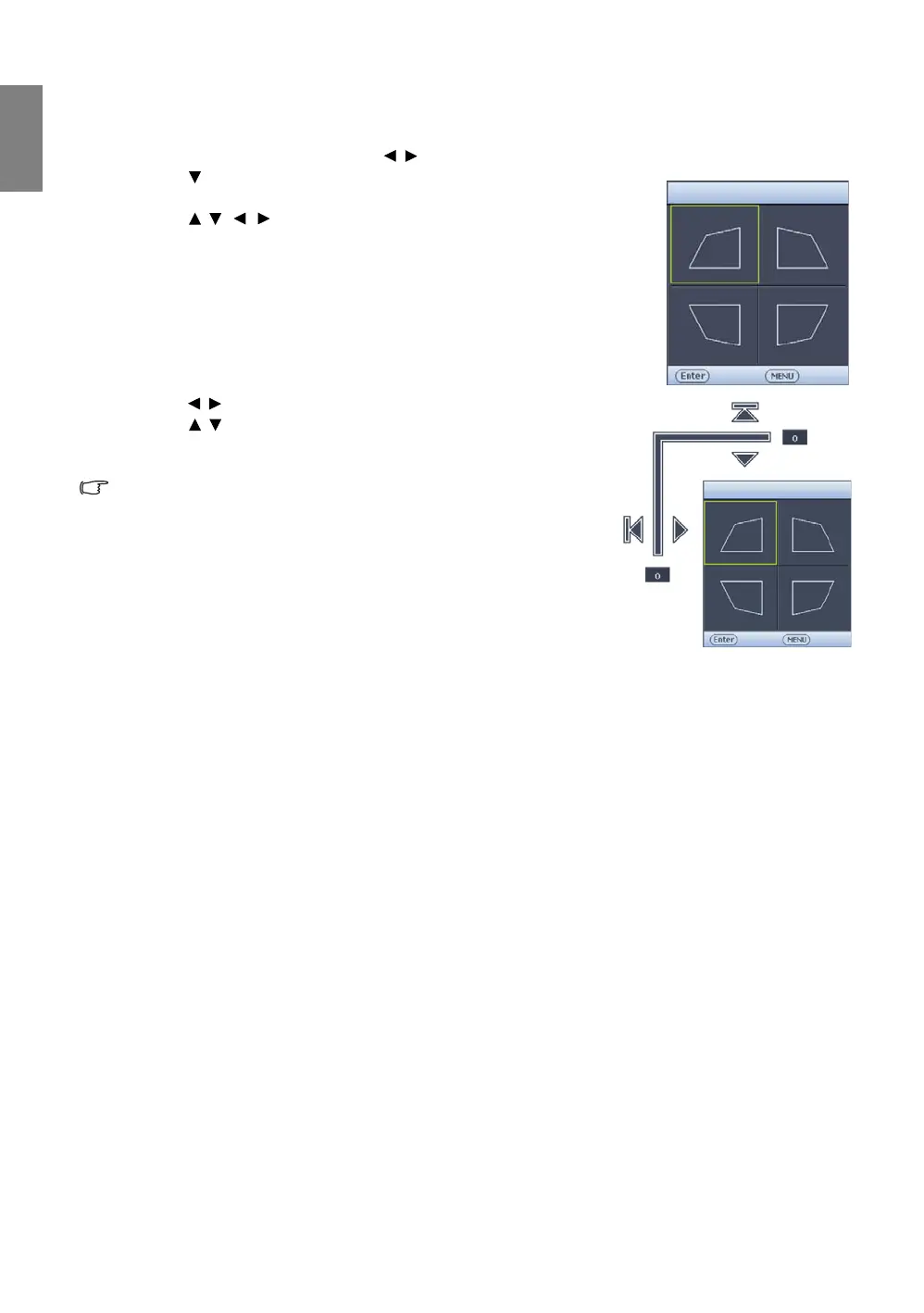
2. Press to highlight Corner Fit and press MODE/ENTER. The Corner
Fit correction page displays.
3. Press / / / to select one corner and press MODE/ENTER.
4. Press / to adjust horizontal values.
5. Press / to adjust vertical values.
6. If optimal effect cannot be achieved, press MODE/ENTER to reset
Corner Fit value and repeat steps 4 and 5.
When resetting any one corner of the Corner Fit function, all
corners will return to default value.
7. When done, press MENU/EXIT to go back to the previous page.



 To Next Page