EasyManua.ls Logo

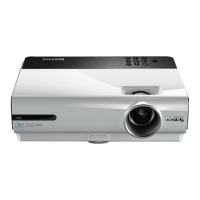
BenQ W750 - User Manual

BenQ W750
63 pages
Print Icon
To Next Page IconTo Next Page
Loading...
W750/W770ST
Digital Projector
Home Cinema Series
User Manual

Table of Contents

Other manuals for BenQ W750

Questions and Answers

  • J
    Jesus TaylorAug 8, 2025
    Why won't my BenQ Projector turn on?
    • M
      Mrs. Carla GrayAug 8, 2025
      If your BenQ Projector doesn't turn on, there could be several reasons. First, ensure the power cable is properly plugged into both the projector's AC inlet and the power outlet, and that the power outlet switch is on. Second, if you've recently turned it off, wait until the cooling down process has completed before attempting to turn it on again. Finally, check that the lamp cover is securely attached.
  • D
    Daniel LoweryAug 13, 2025
    How to fix a BenQ Projector remote control that is not working?
    • K
      Kevin ClarkAug 13, 2025
      If the remote control for your BenQ Projector isn't working correctly, try these steps: First, replace both batteries with new ones. Second, make sure there are no obstacles between the remote control and the projector. Finally, ensure you are within 8 meters (26.2 feet) of the projector.
  • A
    april85Aug 19, 2025
    How to fix a blurred picture on a BenQ Projector?
    • L
      Laurie LuceroAug 19, 2025
      If the picture on your BenQ Projector is blurred, try the following: Adjust the focus of the lens using the focus ring. Also, adjust the projection angle and direction as well as the height of the projector to ensure the projector and the screen are aligned properly.
  • B
    Brittany JohnsonAug 23, 2025
    Why is the image unstable on my BenQ W750?
    • L
      Lisa VelezAug 23, 2025
      If the image on your BenQ Projector is unstable, it might be due to loose connection cables. Ensure that the connection cables are securely connected to both the projector and the signal source at the appropriate terminals.
  • W
    William RussellAug 28, 2025
    What to do if my BenQ W750 Projector has no picture?
    • E
      edward83Aug 28, 2025
      If your BenQ Projector is showing no picture, there might be a few reasons. First, ensure that the video source is turned on and the signal cable is correctly connected. Second, verify that the projector is correctly connected to the input source device. Finally, make sure you've selected the correct input source using the Source keys on the remote or the SOURCE button on the projector.
  • E
    Elizabeth YoungSep 3, 2025
    What to do if 3D content does not display correctly on BenQ W750 Projector?
    • E
      Erica NicholsSep 3, 2025
      If 3D content is not displaying correctly on your BenQ Projector, consider these potential causes: Ensure that the 3D glasses are charged. Verify that the settings in the 3D menu are correctly configured. Confirm that you are using a 3D Blu-ray Disc. Also, check that the correct input source has been selected using the Source keys on the remote or the SOURCE button on the projector.

Summary

Important Safety Instructions

General Safety Precautions

Essential guidelines for safe operation, placement, and storage of the projector.

Environmental Placement Guidelines

Restrictions on operating environments to prevent damage and ensure performance.

Controls and Functions

Control Panel Operations

Details the buttons and indicators on the projector's control panel.

Remote Control Operations

Explains the operation and purpose of each button on the remote control.

Positioning Your Projector

Choosing an Installation Location

Guides users in selecting the optimal installation location for the projector.

Projected Image Size and Setup

Positioning for Screen Size

Method to determine projector placement based on specific screen dimensions.

Screen Size for Distance

Guide to selecting screen size based on the projector-to-screen distance.

Connecting with Video Equipment

Connecting HDMI Devices

Instructions for connecting devices using HDMI for high-definition output.

Connecting a Computer

Using the Projector

Turning the Projector On

Detailed procedure for powering on the projector and initial startup.

Selecting an Input Source

Guide to choosing the active video or PC input signal.

Projector Settings and Security

Using the OSD Menus

Explains how to navigate and use the On-Screen Display menus for settings.

Utilizing the Password Function

Steps to enable and set a password for projector security.

Password Management

Password Recall Procedure

Procedures for recalling, changing, and disabling the projector password function.

Adjusting the Projected Image

Correcting Picture Distortion (Keystone)

How to correct trapezoidal distortion using keystone correction.

Picture Modes and Tuning

Fine-Tuning Picture Quality

Detailed adjustments for brightness, contrast, color, tint, and sharpness.

Selecting the Aspect Ratio

Aspect Ratio Options Explained

Explains various aspect ratio settings like Auto, Real, 4:3, Wide, Anamorphic, Letter Box.

Magnifying and Searching for Details

High Altitude and 3 D Operations

High Altitude Mode Activation

Enabling a mode to optimize performance at high altitudes or temperatures.

OSD Menu Details: Picture Menu

Picture Menu Functions Explained

Detailed explanation of Picture menu functions like Preset Mode, Brightness, Contrast, Color, etc.

OSD Menu Details: Audio and Display Menus

Lamp Information

Extending Lamp Life

Settings and tips to maximize the lifespan of the projector lamp.

Timing of Lamp Replacement

Warnings and indicators for when the projector lamp needs replacement.

Replacing the Projector Lamp

Step-by-step instructions for safely removing and installing a new projector lamp.

Indicators

Projector Status Indicators

Explanation of power, temp, and lamp indicator lights in normal and abnormal states.

Troubleshooting

Power and Picture Issues

Common causes and remedies for power, no picture, and image stability problems.

Image Quality and Control Issues

Solutions for blurred images, remote control, and 3D content display problems.

BenQ W750 Specifications

General IconGeneral
Display TechnologyDLP
Brightness3000 ANSI Lumens
Contrast Ratio13000:1
Lamp Life (Normal)4000 hours
Lamp Life (Eco)6000 hours
Lamp Life (SmartEco)6500 hours
3D CompatibilityYes
Speaker10W
Weight2.6 kg
Projection Size30" - 300"
Aspect Ratio16:10 (5 aspect ratio selectable)
Color Wheel6-Segment
Input TerminalsHDMI, VGA, Composite Video, USB
Output TerminalsAudio Out
Native Resolution1280 x 800 (WXGA)

Related product manuals