
 Need help?
Do you have a question about the Beok Controls TGW60 and is the answer not in the manual?
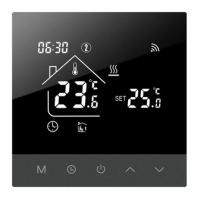
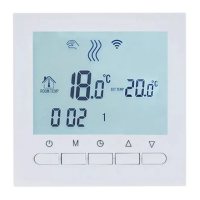
Turn the thermostat on or off by pressing the power button.
Adjust the desired temperature using the up or down arrow buttons.
Cycle between Manual and Away modes using the M key.
Activate or deactivate the child lock by pressing both arrow keys simultaneously for 5 seconds.
Initiate Wi-Fi pairing by holding the up arrow key for 5-8 seconds in power-on state.
Adjust the temperature reading accuracy by calibrating the sensor.
Choose between internal, external, or both sensors for temperature measurement.
Set the upper and lower limits for the temperature control.
Configure the temperature difference to prevent frequent cycling.
Enable or disable the antifreeze protection feature.
Select the number of working and rest days for weekly scheduling.
Configure the reversal function for main and auxiliary controls.
Adjust the brightness level of the display backlight.
Define the maximum allowable set temperature.
Restore the device to its factory default settings.
Turn the device's audible feedback sound on or off.
Download the Tuya Smart app and create an account for thermostat control.
Steps to register a new user account on the Tuya Smart platform.
Enter received verification code and set a secure password to complete registration.
Enable the thermostat's Wi-Fi module by pressing and holding the up arrow button.
Add the thermostat via the Tuya APP by accepting a pop-up prompt.
Add the thermostat by manually selecting 'Add Device' or '+' icon in the Tuya APP.
Add the thermostat by finding it under 'Small household appliance' category in the Tuya APP.
Follow prompts to confirm the indicator is blinking and proceed with pairing.
Input the 2.4GHz Wi-Fi network name and password to connect the device.
 General
| Brand | Beok Controls |
|---|---|
| Model | TGW60 |
| Category | Thermostat |
| Language | English |




 To Next Page
