
 Need help?
Do you have a question about the Beok Controls TDR89 and is the answer not in the manual?
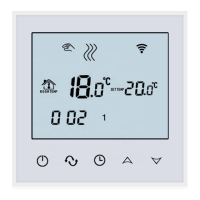
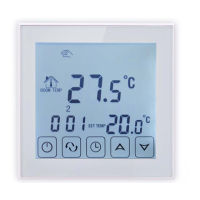
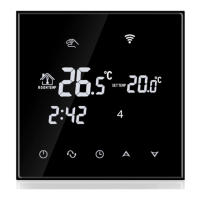
Press the power button to turn the thermostat on or off.
Use the '+' or '-' buttons to adjust the current temperature setting.
Set the clock's minute, hour, and week by using the '+' and '-' buttons.
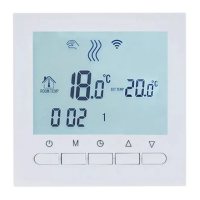
Switch between Manual and Programming modes indicated by screen icons.
Hold '+' and '-' simultaneously to enable/disable child lock with screen confirmation.
Configure programming mode, time, temperature, and periods for working/rest days.
Calibrate temperature with a range of -9.9-9.9°C; default is -1°C.
Choose internal, external, or both sensors; default is internal.
Modify limit temperature between 35-60°C; default is 60°C.
Set temperature hysteresis between 0.5-10°C; default is 1°C.
Enable or disable antifreeze function; default is OFF.
Configure weekly programming for 7, 6, or 5 days; default is 5.
Optional setting for main and auxiliary reversal function; default is 00.
Adjust backlight brightness to low, medium, or high; default is 03.
Set the upper temperature limit between 15-95°C; default is 60°C.
Restore factory settings by long pressing '+' and then the power button.
Enable or disable the sound function; default is ON.
Download the 'Tuya Smart' app for iOS/Android and prepare for account registration.
Register a new account or log in using SMS verification code via the 'Tuya Smart' app.
Ensure mobile phone connects to 2.4Ghz Wi-Fi and has Bluetooth enabled.
Press and hold '+' for 5s to flash WIFI icon, entering code matching state.
Add the device to the Tuya app via automatic pop-up or manual selection.
 General
| Type | Digital Thermostat |
|---|---|
| Sensor | NTC |
| Accuracy | ±1°C |
| Power Consumption | <1.5W |
| Timing Error | <1% |
| Protection Class | IP20 |
| Buttons | Capacitive touch buttons |
| Mounting | Wall-mounted |
| Current Load | 3A (Water Heating/Water Boiler/Gas Boiler); 16A (Electric Heating) |
| Set Temp. Range | 5-35°C |
| Ambient Temp. | 0°C to 45°C |
| Humidity | 5-95% RH (non-condensing) |
| Display | LCD |
| Control Output | Relay |
| Setpoint Adjustment | 0.5°C increments |
| Dimensions | 86mm x 86mm x 30mm |
| Dispaly Temp. Range | 5 ~ 99℃ |




 To Next Page

