EasyManua.ls Logo

Beok Controls TOL313WIFI Series - User Manual

Beok Controls TOL313WIFI Series
4 pages
Print Icon
To Next Page IconTo Next Page
Loading...
I. Product Summary:
II. Technical Parameter:
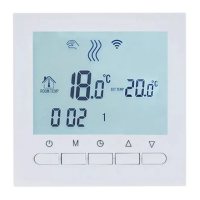
IV. User Interface Explanation(Thermostat Port)
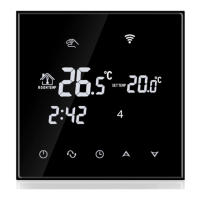
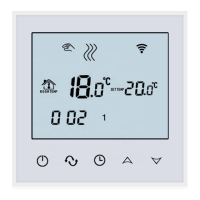
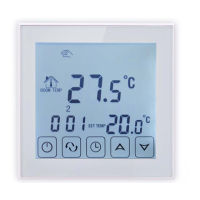
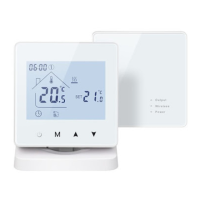
TOL313WIFI series thermostats are thermostats with phone control.
It is with LCD digital display, and i
heating
t is applied to temperature control of
industrial, commercial and domestic room, and start of control heating
appliances, especially floor heating systems. It can be controlled by phone.
Phone systems are IOS and Andriod system optional.
V. User Interface Explanation(Phone Port)
ON/OFF Switch;
Mode Button: Switch between manual mode and program mode
Long press to enter period setting.
Time set: Hour, minute and week setting.
Up button: To increase temperature.
Down button: To reduce temperature.
TOL313 WIFI THERMOSTAT
III. Main Button Instruction
VI. Model Spec
VII.Wiring Diagram
VIII. Thermostat Operation Instruction
1. Setting Power on/off
Press to turn on/off the power.
2. Setting Temperature
Press to set the temperature.
3. Setting the Clock
Press to set minute, hour and week.
Press for adjusting.
4. Setting the Manual Mode.
Manual mode means non-programmable mode.
will display in the screen, it is in manual mode.
Press to set the temperature.
Press to set minute, hour and week.
6. Setting the Programmable Mode.
Press and hold M into programmable mode. LOOP and 12345 will display.
Press to select the control way: 5+2 or 6+1 or 7 days programmable.
12345 display in the position of week means 5+2;
123456 display in the position of week means 6+1;
1234567 display in the position of week means 7 days programmable.
Press M to select the periods.
Press to change the temperature;
Press to do time adjustment.
Press to change the time;
Press M again to select the weekend's temp.
If you want to make temporary adjustment in any period,
press M then will flash. When finish the setting, all will confirm
automatically.
Long press to enter into child lock mode, will display.
5. Setting the Child Lock
Long press again, the child lock will be disappeared.
Press M then
M
Accuracy
Floor Set Temp. Range
Sensing Element
Power Consumption
Power Supply
Current Load
External Material
Dimension
Ambient Temp.
Storage Temp.
±1
5-99
NTC
<0.3W
200 ~ 240V 50 ~60Hz
3Awater heating)
PC+ABS (flame retardant
86x86x13.3mm
0-45℃,5-95RH(Non-condensing
-5~55
Set Temp. Range
5-60
16A(electric heating)
Timing Error
<1
TOL313WIFI-EP
TOL313WIFI-WP
BOT-313WIFI
16A
3A
3A
Controlled Objects
Week
Program
For electric heating appliances
For water heating appliances
For gas boiler
TOL313WIFI-EP
TOL313WIFI-WP
BOT-313WIFI

Question and Answer IconNeed help?

Do you have a question about the Beok Controls TOL313WIFI Series and is the answer not in the manual?

Overview

The TOL313 WiFi Thermostat is a heating thermostat designed for temperature control in industrial, commercial, and domestic rooms, particularly for floor heating systems. It features an LCD digital display and can be controlled via a smartphone application (available for both iOS and Android systems).

Function Description:

The thermostat operates in two primary modes: Manual Mode and Programmable Mode.

  • Manual Mode: In this non-programmable mode, users can manually set the desired temperature, as well as the hour, minute, and week. This mode is suitable for situations where a consistent temperature is desired without a predefined schedule.
  • Programmable Mode: This mode allows users to set a weekly heating schedule. The thermostat supports three programmable options: 5+2 days (weekdays and weekend), 6+1 days (six days and one day), or 7 days programmable. Within each period of the chosen schedule, users can set specific temperatures and times. The thermostat also allows for temporary adjustments within any period, which will automatically confirm once the setting is complete.
  • Child Lock: A child lock feature can be activated by long-pressing a specific button, preventing unauthorized changes to the settings. Long-pressing the button again deactivates the child lock.
  • Anti-frozen Function: The thermostat includes an anti-frozen feature, which can be enabled or disabled in the advanced settings. When open, it helps prevent pipes from freezing by maintaining a minimum temperature.
  • Power Memory: This feature, configurable in advanced settings, determines whether the thermostat retains its settings after a power outage.
  • External Sensor Support: The TOL313WIFI-EP model supports an external sensor, which is crucial for floor heating systems to monitor floor temperature and prevent overheating.

Important Technical Specifications:

  • Power Supply: 200~240V, 50~60Hz
  • Current Load:
    • <3A (for water heating)
    • <16A (for electric heating)
  • Power Consumption: <0.3W
  • External Material: PC+ABS (flame retardant)
  • Sensing Element: NTC
  • Set Temperature Range: 5-60°C
  • Floor Set Temperature Range: 5-99°C (when external sensor is used)
  • Accuracy: ±1°C
  • Dimension: 86x86x13.3mm
  • Ambient Temperature: 0-45°C, 5-95%RH (Non-condensing)
  • Storage Temperature: -5~55°C
  • Timing Error: <1%
  • Models:
    • TOL313WIFI-EP: 16A current loading, for electric heating appliances.
    • TOL313WIFI-WP: 3A current loading, for water heating appliances.
    • BOT-313WIFI: 3A current loading, for gas boiler.
  • WIFI Setting: Supports 10 or 32 (Wifi mode open) or 08 (Non-wifi mode).

Usage Features:

  • Power On/Off: Easily turn the thermostat on or off with a dedicated button.
  • Temperature Setting: Adjust the desired temperature using the up and down arrow buttons.
  • Clock Setting: Set the minute, hour, and week using the dedicated clock button and adjustment arrows.
  • Advanced Setting Mode: Access advanced settings by long-pressing the down key and then the power key while the thermostat is powered off. This mode allows configuration of parameters such as sensor mode, floor set temperature range, deadzone for floor temperature, high/low limit temperature for internal sensor, measure temperature adjustment, anti-frozen function, power memory, and WiFi settings.
  • Sensor Error Detection: The thermostat will display "Err" on the LCD screen if there is a sensor error or if an incorrect sensor mode is selected in advanced settings, and heating will stop until the problem is resolved.
  • Smartphone Control: The primary usage feature is remote control via the "Beok Home" app.
    • Installation: Download the app from Google Play (Android) or App Store (iOS).
    • Connection: The connection process involves setting the thermostat to a WiFi mode (FAC 10 or 32), ensuring the phone is on WLAN (2.4G WiFi) with mobile data off, and then configuring the connection through the app. The WiFi symbol on the thermostat will twinkle quickly during connection and stop twinkling upon successful connection.
    • App Interface: The app provides a comprehensive interface to manage multiple thermostats, set schedules, adjust temperatures, and access advanced settings remotely. It allows users to switch between manual and auto modes, power off the thermostat, and even rename thermostats or assign them to different rooms.

Maintenance Features:

  • Warranty: The product comes with a 24-month warranty from the sales day. Quality issues within this period will result in free repair or replacement after testing.
  • After-sales Service: Charges apply for non-quality problems or issues beyond the warranty period.
  • Installation: The thermostat is designed for standard 80x80mm wall boxes and 60mm European round boxes. Installation involves connecting power and valve lines to terminals, fixing the wall plate, and connecting the LCD board. It is crucial to use 1.5-2.5mm² installation wire and ensure installation is performed by a professional technical worker due to potential electrical shock hazards.
  • Troubleshooting WiFi Connection: The manual provides detailed steps for troubleshooting common WiFi connection issues, including checking phone WLAN settings, router name and password, and resetting the thermostat's WiFi module.

Beok Controls TOL313WIFI Series Specifications

General IconGeneral
BrandBeok Controls
ModelTOL313WIFI Series
CategoryThermostat
LanguageEnglish

Related product manuals