EasyManua.ls Logo

Beok Controls BOT Series - User Manual

Beok Controls BOT Series
3 pages
Print Icon
To Next Page IconTo Next Page
Loading...
VI. Operation Instruction
Temperature Sensor
Limiting Temperature Range
Temperature Control Accuracy
Working Voltage
Current Load
Setting Temperature Range
NTC
±1ºC
1.5Vx2(Two sections of 1.5V 5 battery)
3A
Consumption
5-60
I. Product Summary:
II. Technical Parameter:
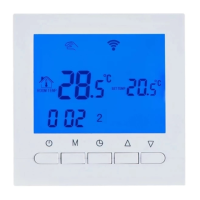
IV. User Interface Explanation
BOT SERIES BOILER THERMOSTAT
III. Main Button Instruction
V. Model Spec
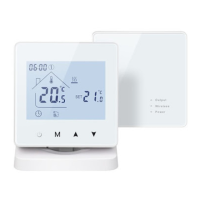
BOT-W306
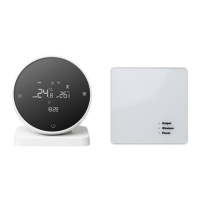
BOT-X306
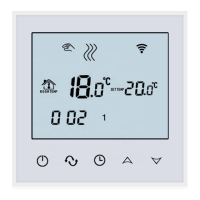
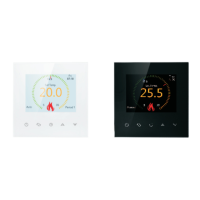
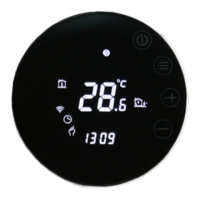
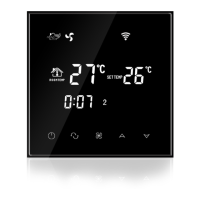
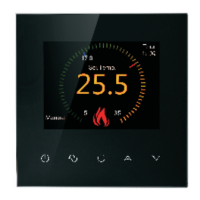
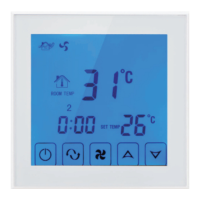
BOT series boiler thermostats are with LCD digital display big screen,
and it is developed according to markets requirements. Thermostats can
be installed on the wall, or directly put on the table. This series thermostats
are easy to operate, and with complete functions. It can be used to
control boilers, motorized ball valves, motorized valves, electric valves,
solenoid valves, etc.
Output power can be made 220V/110V
5-99ºC
<0.3W
: ON/OFF Switch;
:Mode Button. Switch between Manual Mode, Auto Period
Control Mode, Temporary Manual Mode. Long press to enter
period setting.
:Time Set. Hour, minute and week setting;
:Up Button. To increase temperature. When press it with and
it can set programmable function;
:Down Button. To reduce temperature. When press it with and
it can set programmable function;
:
: Key Lock. Long press 5 seconds to lock or unlock;
Model
Wi-Fi Function
Wireless Function Terminal Receiver
:Manual Control. :Temporary Manual Control. :Auto Control.
:Heating.
:First Period. Wake up in the morning.
:Second Period. Out of home in the morning.
:Third Period. Go home in the afternoon.
:Forth Period. Out of home in the afternoon.
:Fifth Period. Go home in the evenning.
Open/Close
State
Power
Power Indicator Light
Stat e Indicator Light
Switch Indicator Light
:Sixth Period. Sleep in the evening.
Time Setting
Press , the time area will display Minute, Hour and Week, then press
or to modify time.
Programmable Period Temperature Setting
6 periods every day
in a week
5+2 Controls 1 2 3 4 5
6+1 Controls 1 2 3 4 5 6
7+0 Controls 1 2 3 4 5 6 7
A Week Loop Control
3. Press one time, time twinkles,
you can set the time during this period.
time during this period.
1. After Power is on, long press 5 seconds
to enter period program. Loops means a
Week loop.
2. Press again, room temperature display
and twinkle, you can set the temperature
during this period.
4. Press again, to set the next period
temperature and time with the same method.
First step, long press , screen display LooP(Cycling Control), screen
displays 12345 (From Monday to Friday); Press one time, it displays
123456(From Monday to Saturday); Press two times, it displays
1234567(From Monday to Sunday);
Second step, time and temperature setting in every period. When screen
display 12345 or 123456 or 1234567, press to enter temperature setting.
Press to enter time setting. To modify and save through or .
Att: When auto-control ,if user needs to reset the temperature, it can
be changed to temporary manual control. Temporary manual control means
when thermostat is in auto-control mode(program mode), user press
or to modify temperature setting, thermostat now is in temporary manul
control state. When next periods comes, thermostat will automatically
return to acquiescent period program control mode.
Programmable Period Time Setting
First press , then press to change to time options, user can modify
time in the period.
Default Program Data
Period
Default Time
Default Temperature
Icon
1
2
3
4
5
6
Workday
Weekends
1
2
06:00
08:00
11:30
12:30
17:30
22:00
08:00
23:00
20
15
15
22
22
15
15
15
Att:
1.The default temperature values of 3 and 4 period
in workday is same with 2 period. If user need,
please change this default temperature.
2. Setting temperature is 00, it means this period
is power off.
Set, or modify parameter
: Anti-frozed function open.
BOT306RF-WIFI
VII. Advanced Setting
In the state of power-off, long press and hold then press into advanced
setting mode. Then press to set relative item.
Firstly, press time button
Then, press power button
After entering advanced setting, press to
choose next parameter changing.

Question and Answer IconNeed help?

Do you have a question about the Beok Controls BOT Series and is the answer not in the manual?

Summary

Product Summary

Technical Parameter

Main Button Instruction

User Interface Explanation

Model Spec

Operation Instruction

Time Setting

Set the current time, including minute, hour, and week.

Programmable Period Temperature Setting

Configure temperature settings for different periods of the day.

Programmable Period Time Setting

Adjust the start and end times for programmable periods.

Default Program Data

Displays the default temperature and time settings for programmed periods.

Wiring Diagram

WIFI Configure

Install APP on phone

Download and install the mobile application for thermostat control.

Installation Instruction

Set Sequence Number

ATT

Overview

The BEOK CONTROLS BOT Series Boiler Thermostat is a sophisticated device designed for controlling various heating systems, including boilers, motorized ball valves, motorized valves, electric valves, and solenoid valves. It features an LCD digital display with a large screen, making it user-friendly and easy to operate. This thermostat can be installed on a wall or placed directly on a table, offering flexible placement options.

Function Description

The thermostat provides comprehensive control over your heating system with multiple operational modes and advanced settings.

  • Time Setting: Users can easily set the current time, including minute, hour, and day of the week, by pressing the dedicated time button and using the up or down arrows for adjustment.
  • Programmable Period Temperature Setting: This feature allows for detailed scheduling of temperature across different periods of the day and week. The thermostat supports up to six periods per day, with options for 5+2 (weekdays + weekend), 6+1 (six days + one day), or 7+0 (all seven days) control.
    • To enter the period program setting, a long press on the mode button is required. The screen will display "LooP" (Cycling Control) and "12345" (Monday to Friday). Subsequent presses of the mode button will cycle through "123456" (Monday to Saturday) and "1234567" (Monday to Sunday).
    • Within each period, users can set both the desired temperature and time. Pressing the mode button allows toggling between temperature and time settings, which can then be adjusted using the up or down arrows.
    • The thermostat supports a "Temporary Manual Control" feature. If the thermostat is in auto-control (program) mode and the user adjusts the temperature using the up or down arrows, it temporarily switches to manual control. It will automatically revert to the programmed schedule at the start of the next period.
  • Programmable Period Time Setting: This function allows users to modify the start times for each programmed period. By pressing the mode button and then the time button, users can access and adjust the time options for specific periods.
  • Default Program Data: The thermostat comes with default program data for both weekdays and weekends. For weekdays, it includes six periods with preset times and temperatures (e.g., 06:00 at 20°C for the first period, 08:00 at 15°C for the second). For weekends, it typically includes two periods (e.g., 08:00 at 22°C for the first period). Users are advised to review and adjust these defaults, especially if specific periods have identical default temperatures that need differentiation. A setting of "00" for temperature indicates that the period is powered off.
  • Advanced Settings: The thermostat offers a range of advanced settings accessible by long-pressing the mode button while the device is powered off, and then pressing the power button. These settings include:
    • dIF (Limit temp. return difference): Adjusts the temperature hysteresis.
    • SVH (Set temp. upper Limit): Defines the maximum settable temperature.
    • SVL (Set temp. low limit): Defines the minimum settable temperature.
    • AdJ (Measure temp.): Allows for temperature sensor calibration.
    • FrE (Anti-frozen): Enables or disables the anti-freeze function, which protects the system from freezing by maintaining a minimum temperature.
    • LOC (Button lock function): Provides options to lock buttons, either all buttons or all except the power switch, to prevent accidental changes.
    • SNP (Set Sequence Number): Used for setting the sequence number, particularly relevant for wireless configurations to match the thermostat with its receiver.
    • FAC (Factory setting): Allows users to display or return to factory default settings.
  • WIFI Configure: The thermostat supports Wi-Fi connectivity, enabling remote control via a smartphone application.
    • Users need to download the "Beok RFBoiler" app from their respective app stores (Google Play for Android, App Store for iOS).
    • To connect the thermostat to the phone, the device must be in the turn-off state. A long press on the up button for 10 seconds will make the Wi-Fi signal appear and twinkle rapidly. Users then enter their Wi-Fi name and password in the app to initiate the connection.
    • The app interface provides various controls, including setting the week program data, adjusting temperature, enabling screen locking (child lock), activating anti-freezing, and matching the phone's clock with the thermostat.
  • Sequence Number Setting: Each thermostat is paired with a receiver using a unique sequence number. If multiple units are installed or mixed, the sequence number can be reset through a specific procedure in the advanced settings. This involves setting SNP to 01, then following a four-step process of pressing buttons in a specific order to modify and confirm the sequence numbers (SN1 to SN6).

Usage Features

  • Intuitive Interface: The large LCD display and clearly labeled buttons (ON/OFF, Mode, Time Set, Up, Down, Key Lock) ensure ease of use.
  • Flexible Placement: Can be wall-mounted or placed on a table, adapting to different user preferences and room layouts.
  • Wireless Functionality (for specific models): Models with wireless capabilities (e.g., BOT-W306, BOT306RF-WIFI) offer enhanced convenience, allowing the thermostat to communicate with its receiver without direct wiring.
  • Remote Control via App: The smartphone application provides comprehensive remote control, allowing users to monitor and adjust settings from anywhere, enhancing comfort and energy efficiency.
  • Child Lock: The button lock function, accessible via advanced settings or the app, prevents unauthorized or accidental changes to the thermostat's settings, making it suitable for households with children.
  • Anti-Freezing Function: This protective feature helps prevent damage to the heating system by ensuring the temperature does not drop below a critical point.
  • Temporary Manual Override: Offers flexibility to temporarily adjust the temperature without disrupting the programmed schedule.
  • Power Memory: The thermostat retains its settings even after a power outage, ensuring continuous operation according to the user's preferences.

Maintenance Features

  • Wiring Diagram: A clear wiring diagram is provided in the manual, illustrating how to connect the thermostat to gas boilers, electric actuators, and other components. This ensures correct installation and prevents damage.
  • Installation Guidelines: The manual emphasizes the importance of using appropriate wiring (1.5-2.5mm² hard line) and connecting wires strictly according to the diagram. It also warns against allowing water, mud, or debris into the thermostat, which could cause damage.
  • Receiver Reset Button: The receiver unit includes a reset button. If the status indicator light is off or constantly on, pressing this button can help resume normal operation.
  • Quality Assurance: The product comes with a "QUALIFIED CERTIFICATE" indicating that it has passed quality control inspections.
  • Warranty: BEOK CONTROLS offers a 24-month warranty from the sales day. During this period, quality issues will be fixed or replaced free of charge after testing. For issues not related to quality or beyond the warranty period, after-sales service will be charged.
  • Safety Warning: The manual includes a warning symbol indicating that installation and maintenance should be performed by professional technical workers to avoid electrical shock hazards.

The BOT Series Boiler Thermostat is a reliable and feature-rich solution for modern heating control, combining ease of use with advanced programming and connectivity options.

Beok Controls BOT Series Specifications

General IconGeneral
TypeElectronic thermostat
Protection ClassIP20
Current Load3A (resistive)
Temperature Accuracy±1°C
Display Temperature Range0°C to 40°C
SensorNTC
Housing MaterialABS plastic
MountingWall-mounted, 86x86mm standard box
DisplayLCD
Output TypeRelay

Related product manuals