EasyManua.ls Logo

Beok Controls WIFI-AC2 - User Manual

Beok Controls WIFI-AC2
4 pages
Print Icon
To Next Page IconTo Next Page
Loading...
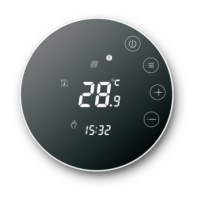
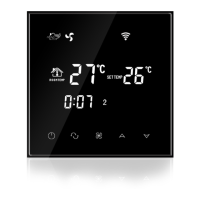
3. Large Glass screen display and touch screen type.
4. 2 pipe and 4 pipe for choose.
. 5 3 fan speed+Auto.
6. Programmable timing switch function, 4 period a day setting.
Accuracy
Sensing Element
Power Consumption
Power Supply
Current Load
External Material
Dimension
Ambient Temp.
Storage Temp.
±1
NTC
<0.5W
AC200~240V 50 ~60Hz
3A~5A
PC+ABS (flame retardant
86x86x13.3mm
0-45℃,5-95RH(Non-condensing
-5~55
Set Temp. Range
10-40
I. Product Summary:
II. Technical Parameter:
IV. User Interface Explanation(Thermostat Port)
2. WIFI for Andriod & Apple IOS phone.
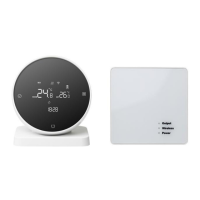
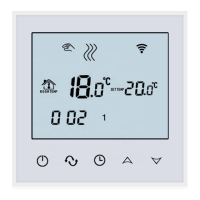
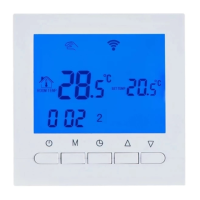
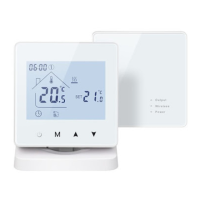
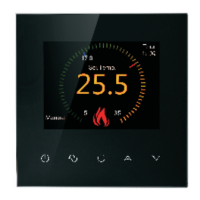
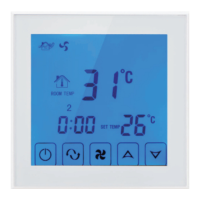
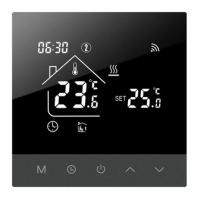
WIFI series Fan Coil Thermostat is touch screen thermostat with WIFI Function,
the thermostats can be controlled by phone App.(IOS and Android phone)
It is designed to control the fans and valves in air conditioner applications
via comparison of the room temperature an setting temperature as reaching
the aim of comfort and saving energy.
Timing Error
<1
V. User Interface Explanation(Phone Port)
7. Temperature compensation when differs from actural temp.
1. Heating, cooling, ventilation mode.
WIFI FAN COIL TOUCH SCREEN THERMOSTAT
III.Main Functions and Characteristics
VI. Model Spec
WIFI-AC2
WIFI-AC4
8. Selectable 80mmx80mm European hidden box.
9. Key Lock function.
3A~5A
3A~5A
Controlled Objects
Program
Time switch
2 pipe
central air conditioner
4 pipe
Central air conditioner
VIII.Wiring Digram
IX. Thermostat Operation Instruction
10.Fan coil in-control and out-of-control adjustable.(only for 2 pipe)
Key Lock
1. Setting Power on/off
Press to turn on/off the power.
2. Setting Temperature
Press to set the temperature.
3. Setting the System Mode
4. Setting the Fan Speed
Press to select the fan speed.
In auto mode, the fan will run according to the comparison of room
temperature and set temperature.
Press , mm will flash in the position of hh: mm.
Press to adjust the current minute.
5. Setting the Real Time.
Press to select heating, cooling or ventilation.
Factory Default is ventilation.
is Low speed(Factory default);
is Mid speed;
is High speed;
is Auto speed.
Press and hold for 3 sec., hh will flash in the position of hh: mm.
Press to adjust the current hour.
Press , 1 will flash in the position of week: 1234567.
0:01
22
SET TEMP
1 2 3 4 5 6 7
28
Power on/off
Mode
Fan
Up
Down
Set Temp
Week
ROOM
TEMP
Room Temp
Heating
Cooling
Valve on
WIFI
<
My Thermostat
TEMP.SET.TO
28
14:03 Monday
19
8:00
11:31
12:32
17:03
<
<
Power
Mode
Senior
VII. Dimension
86mm
86mm
64mm
48mm
Press to adjust the current week.
Timer on setting 1
Timer off setting 1
Timer on setting 2
Timer off setting 2
1
1
2
3
4
5
6
7
8
9
L
N
Hi
Mid
Low
NO NC
Val 1
2 pipe
1
2
3
4
5
6
7
8
9
L
N
Hi
Mid
Low
NO NC
Val 1
4 pipe
NO NC
Val 2
AC230V 50/60HZ
AC230V 50/60HZ
Question and Answer IconNeed help?

Do you have a question about the Beok Controls WIFI-AC2 and is the answer not in the manual?

Summary

Product Summary

Technical Parameter

Main Functions and Characteristics

Heating, Cooling, Ventilation Modes

Supports heating, cooling, and ventilation operational modes for versatile climate control.

WIFI Connectivity (iOS;Android)

Enables control via a smartphone app on both iOS and Android platforms.

Display and Touch Screen

Features a large glass screen with a touch interface for intuitive operation.

Pipe System Options (2;4 Pipe)

Allows selection between 2-pipe and 4-pipe configurations for different HVAC systems.

Fan Speed Control (3-Speed + Auto)

Offers manual selection of three fan speeds plus an automatic fan speed mode.

Programmable Timing Function

Supports programmable scheduling with up to four periods per day.

Temperature Compensation

Allows adjustment for temperature differences between the thermostat and actual room temperature.

Mounting Options (80 mm Box)

Compatible with standard 80mmx80mm European hidden wall boxes.

Key Lock Functionality

Includes a key lock feature to prevent unauthorized adjustments.

Fan Coil Control Modes

Provides adjustable fan coil control, in-control and out-of-control options.

User Interface Explanation (Thermostat Port)

User Interface Explanation (Phone Port)

Model Specification

Dimension

Wiring Diagram

Thermostat Operation Instruction

Power On;Off Setting

Instructions on how to turn the thermostat's power on or off.

Temperature Setting

Guidance on adjusting the desired temperature setting.

System Mode Selection

How to select the operating mode: heating, cooling, or ventilation.

Fan Speed Adjustment

Steps to set the fan speed to low, medium, high, or auto.

Real Time Setting

Procedure for setting the thermostat's current time and day.

Phone Port Operation Instruction

APP Installation Guide

Instructions for downloading and installing the 'Beok AC' application on mobile devices.

Thermostat-Phone Connection

Steps for connecting the thermostat to your smartphone via Wi-Fi.

Attention to Phone WiFi Connection

Regular Boot and Timer Settings

Setting the Time-on (Regular Boot)

Configuring the thermostat's scheduled startup time.

Setting the Timer off

Configuring the thermostat's scheduled shutdown time.

Setting the Circulation of Timer Switch

Defining the operational days for timed switch cycles (daily, weekdays, weekends).

Advanced Setting Mode

Parameter Configuration Table

Detailed list of adjustable parameters like hysteresis, temperature limits, calibration, and fan control.

Phone Part Setting and App Interface

Phone Part Setting Steps

Guidance on configuring the thermostat from the smartphone application.

App Interface Overview

Description of the main features and controls within the 'Beok AC' smartphone app.

Thermostat Setting Through Phone Operation

Clock Synchronization

Synchronizing the thermostat's clock with the connected smartphone's time.

Fan Speed Setting via App

Adjusting fan speed (Low, Medium, High, Auto) using the mobile application.

Key Lock Control via App

Managing the thermostat's button lock settings through the app interface.

Time Switch Configuration (Phone App)

Time Switch Loop Mode

Selecting the operational loop mode for time-based switching (e.g., execute once, daily, weekly).

Week Setting for Timer

Defining specific days of the week for time-on/time-off settings.

Working Mode Selection

Choosing the operational mode (Control Mode, Ventilation, Cool, Heat) via the app.

Advanced Setting (Phone App)

Advanced Setting Parameters

Accessing and adjusting advanced parameters like hysteresis, calibration, and fan control.

Attention to Phone WiFi Connection

Installation Instruction

General Attention and Service

Beok Controls WIFI-AC2 Specifications

General IconGeneral
Temperature Range5°C to 35°C
DisplayLCD
SensorNTC
Power Consumption<1.5W
Timing Error<1%
Protection ClassIP20
Installation Hole Distance60mm
TypeThermostat
Power Supply95 ~ 240 VAC, 50 ~ 60HZ
Control MethodApp Control
WiFiYes
Current Load3A (Resistive)
Accuracy±0.5°C
Display Temp. Range0°C to 40°C
Ambient Temp.0°C to 45°C
Ambient Humidity5% to 95% RH (non-condensing)
ButtonsTouch Buttons
Housing MaterialPC + ABS (fireproof)

Related product manuals