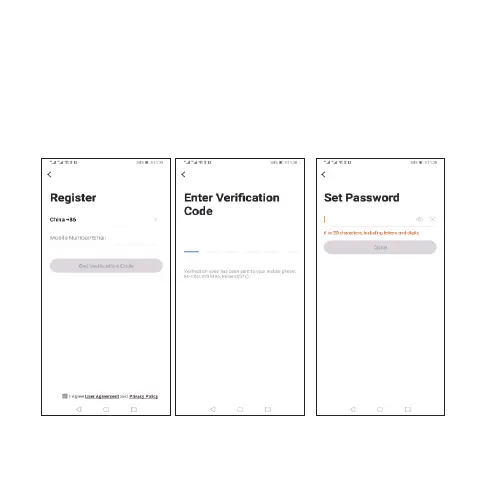
The system automatically determines the current country/
region.You can also select the country/region manually. After
entering your mobile phone number or email address, click
“get verification code”. Enter the received verification code,
then enter the password, and click “Finish” to register
successfully.





 To Next Page