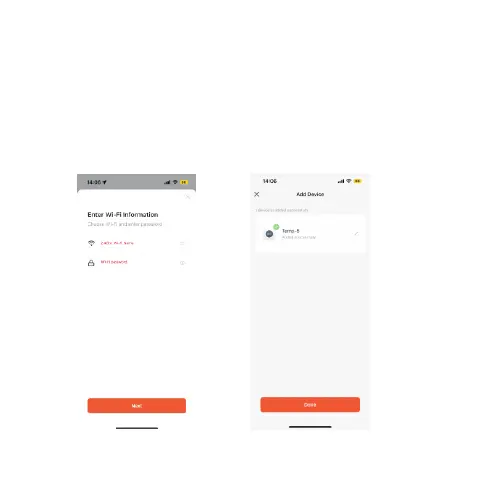
4.Enter Wi-Fi information
Enter the name and password of the 2.4Ghz Wi-Fi
(please make sure that the Wi-Fi name and password
contain only numbers and letters and not special symbols)
Follow the prompts to the next step,you can see the
device is being added,and after a few seconds,you will
see that the device is added successfully (the length of
time will depend on the strength of the wifi signal).





 To Next Page