5
SAFETY DECALS
REPLACE IF DECALS ARE DAMAGED
SEE PARTS BREAKDOWN FOR DECAL LOCATION
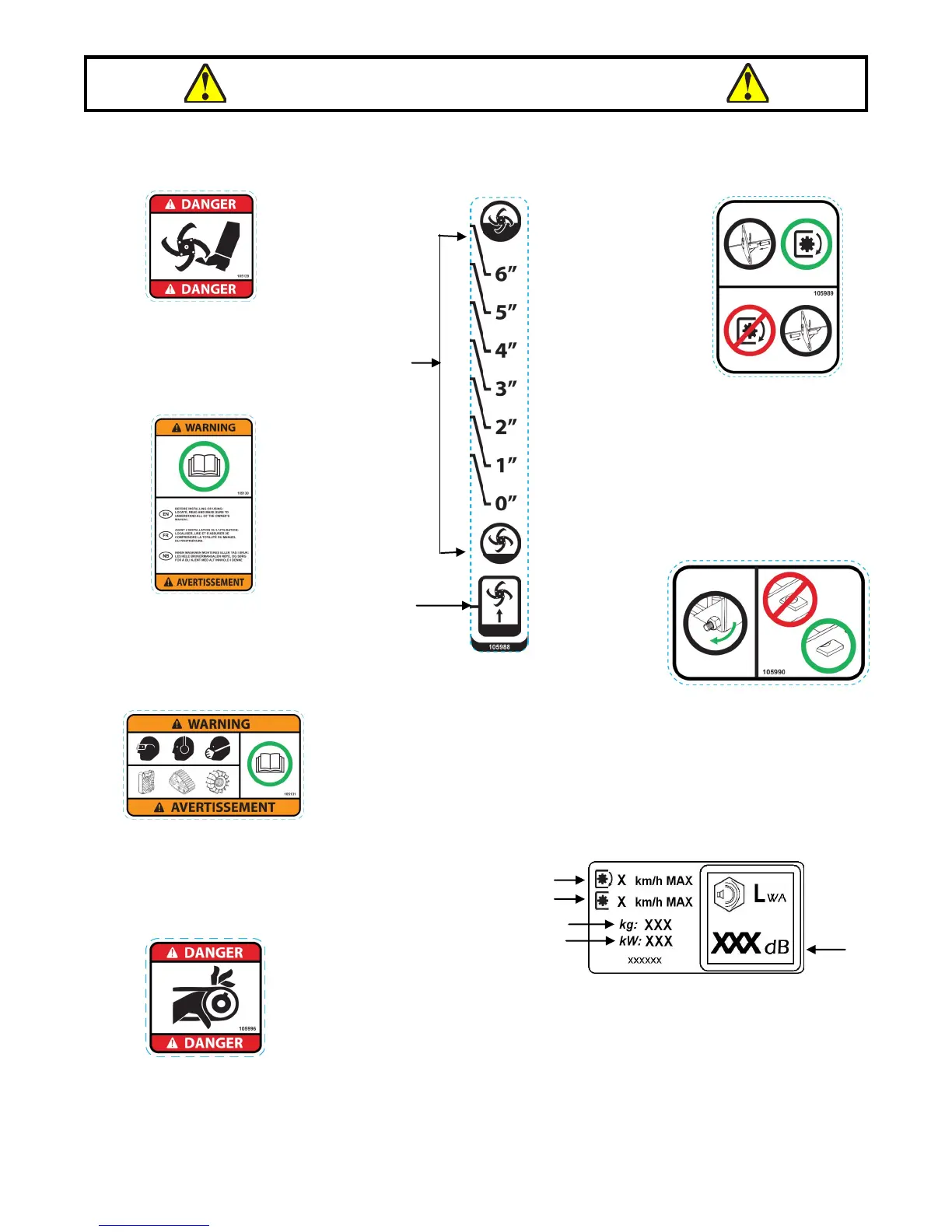
DECAL #105129
DECAL #105131
DECAL #105989
DECAL #105990
DECAL #105130
1
2
5
3
1-Maximum speed when the accessory is in
operation.
2-Maximum speed when the accessory is not in
operation.
3-The weight of the accessory.
4-The engine wattage (if applicable).
5-The sound pressure level (measured in dBA) from
the driver’s position and with the accessory on the
ground at full engine speed.
4
To avoid serious injury:
Keep hands, feet & clothing away
from rotating knives while engine is
running.
Before installing or using:
Locate, read and make sure to
understand all of the owner’s
manual.
Refer to owner’s manual about wearing safety
glasses, ear muffs and mask.
Refer to owner’s manual for use of counter weights,
cat tracks and tire chains.
To avoid damaging the tiller:
Put the pin in the working
position (on the right) before
engaging the tiller.
Do not engage the tiller is in the
locked position (on the left).
DECAL #105988
For proper adjustment of the
secondary belt:
1. Adjusting nut: Turn the nut to
apply tension on the belt.
2. Not enough tension on belt.
Adjustment required.
3. Belt is well adjusted.
To adjust the tilling depth:
1.Tiller is in tilling position. On
the first pass do not till deeper
than 1’’.
2.Tiller is in the raised position.
1
2
1 2 3
DECAL #105996
To avoid injury from drive belt:
Keep hands, feet & clothing away.
Do not attempt to install or remove drive belt without
reading owner’s manual.


 To Next Page