Service and Installation Manual
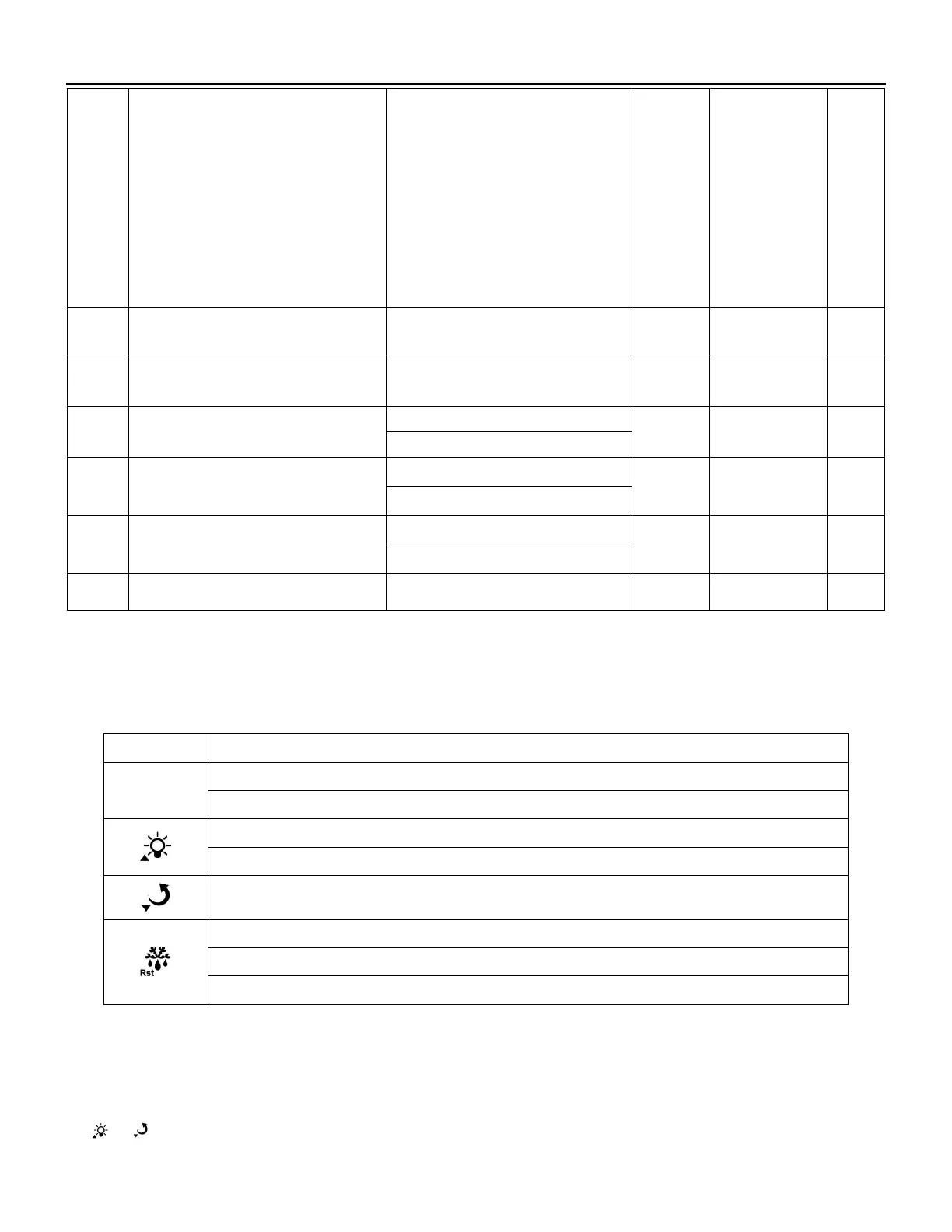
Control output of door switch
0:Door switch is canceled
1:Close fan during door open
2: Turn on the light when door open,
turn off the light when door closed
3:Close fan and turn on the light
when door open, Turn off the light
when door closed
4: When door is open, it is the
synchronous signal input of defrost,
defrost will start.
Buzzer response when door open
Condenser sensor selection
Condenser high temperature alarm
start value
Lower hysteresis of condenser high
temperature alarm
Condenser high temperature protect
start value
Celsius /Fahrenheit selection (note②)
Note
①:
Only valid when the cabinet sensor is in proper working
。
Note
②:
After switch between Celsius /Fahrenheit, users need to adjust all related parameters
themselves to make sure the correct parameter setting.
3. Keys Function
3.1 Keys description
Enter the status of parameter setting;
Switch between menu and parameter;
Adjust menu and parameters;
Open/close light(only valid for the model with light control)
Adjust menu and parameters
View evaporator sensor temperature
Exit from parameter setting;
Press 3s to forced switch between refrigeration, defrost/defrost delay, defrost dripping
3.2 Keys operation
1) Parameter modified
In the status of temperature measuring and controlling, press Set key for three seconds to enter user menu, it
displays the code St, then press Set key again, display the value of St. It could be modified by pressing the
key or .


 To Next Page