Tel: 0844 4824400*, Fax: 01279 756595
www.coopersofstortford.co.uk
EU address: D.S.B. LD, 160 Bd. de Fourmies, 59100 Roubaix, France
Tel: (+44) 1279 701269
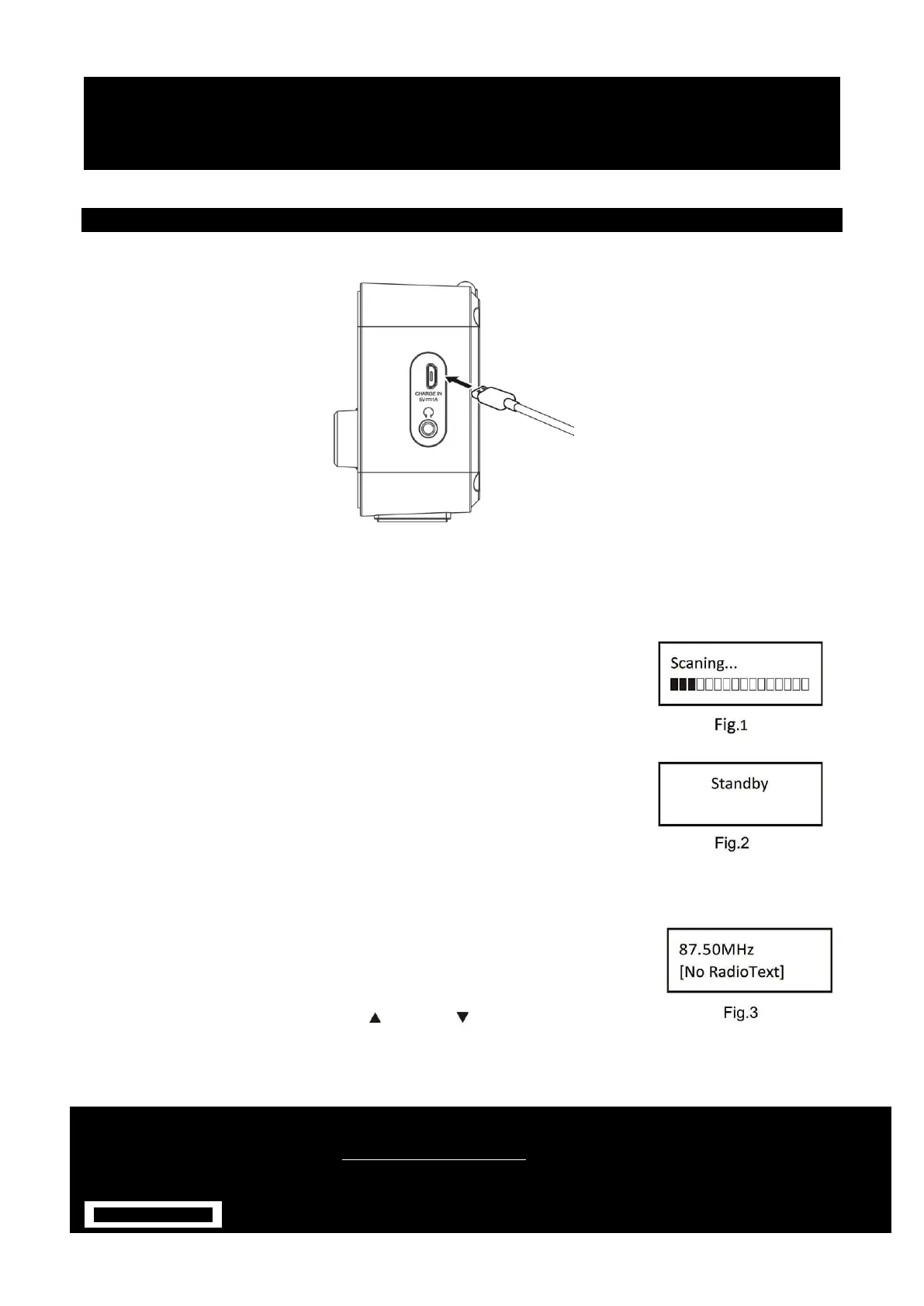
CHARGING YOUR DAB
1. Connect the micro-USB cable to the micro-USB port.
2. Connect the other end of the micro-USB cable to a power outlet, using a USB power adapter. You can also
charge the battery by connecting DAB to a computer's USB port.
POWER BUTTON
Turn on POWER
1. Press and hold Power Button. Turn on the DAB Digital Radio. The first time
the DAB Digital Radio is switched, it will start up DAB mode. It will
automatically scan for available radio stations to fig.1.
1. When your DAB Digital Radio is using power adapter, press POWER button
to switch ‘on’ and ‘standby’ to fig.2. Unplug the power adapter to turn off
your Digital Radio completely.
2. When your Set Alarm ON is set, batteries are used. Press and hold the
POWER Button for 2 seconds or switch ‘Power off’.
DAB/FM BUTTON
1. Switching to DAB/FM mode
1. The first time the DAB Digital Radio is switched, it will start up DAB mode.
2. If the DAB Digital Radio is in DAB mode, press the MODE button repeatedly until FM is shown on the
display.
2. Once in FM mode, your DAB Digital Radio will tune to the start of the
available FM range (87.50MHz) or the last FM station listed to fig.3.
3. To manually change the FM frequency, make sure that you have not selected
any other sub-menus. Turn the Next / Previous to change the frequency
by 0.05MHz.


 To Next Page