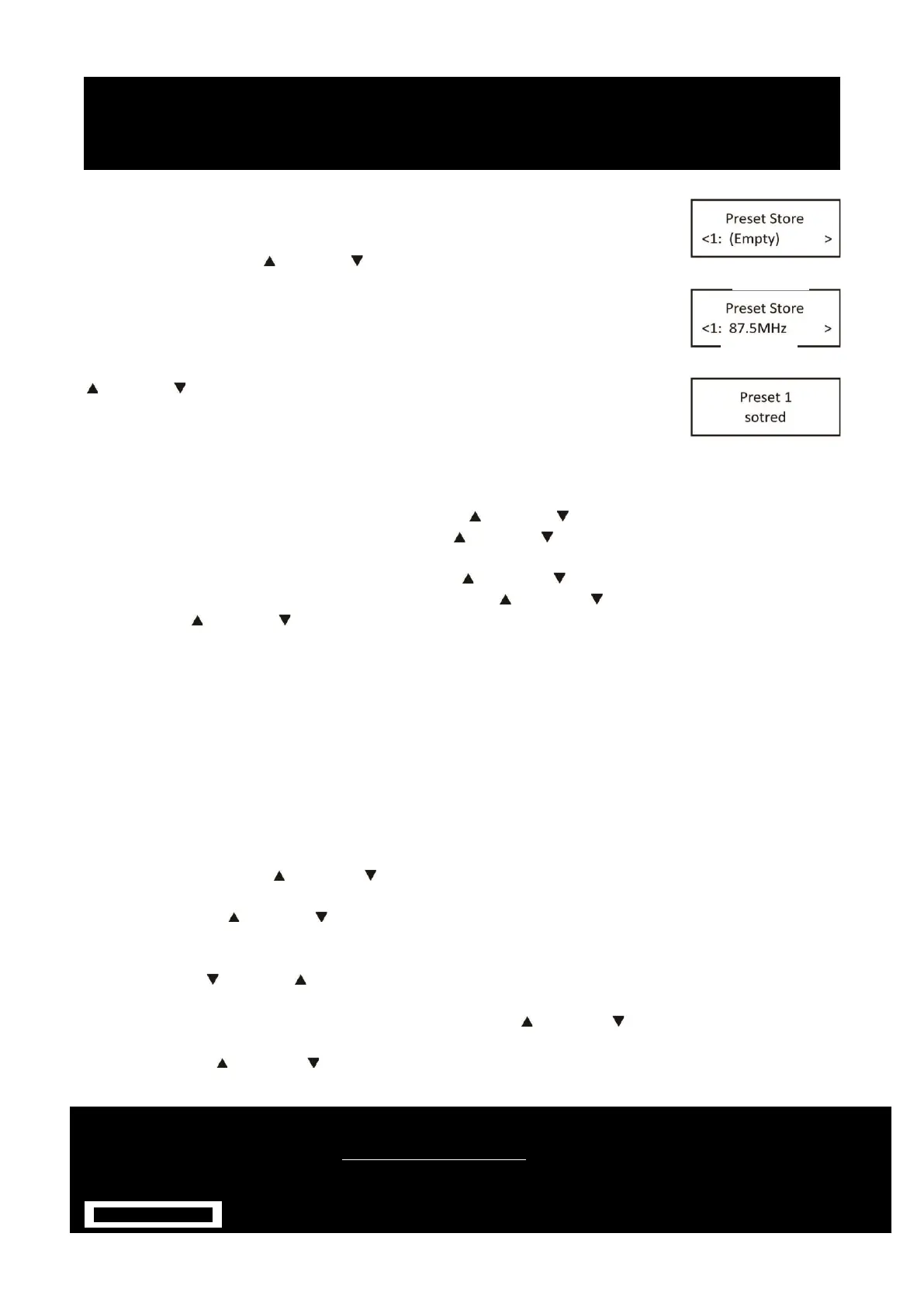
1. Store a station to the preset list – to store a station, selected your desired radio
station, then press and hold the PRESET button for a few seconds until the LCD
display “Preset store #:(Empty)” to fig.12, or“#: saved radio station” to fig.13.
2. Either press the Next / Previous button to select your desired station preset
number, Push on the SELECT button to confirm your selection, the display will
show “Preset # Stored” to fig.14.
RECALL A STATION FROM THE PRESET LIST
1. To recall a preset station, press the “PRESET” button once, either rotate the Next
/ Previous button to select presets station that you have stored. When the
display shows your desired preset number, push SELECT button to confirm.
Note: If you choose a preset that hasn’t been allocated a station, then “Empty” will
be displayed.
TU+ / TU- BUTTON
Choosing radio stations or options
1. If the DAB Digital Radio is in DAB mode, press Next / Previous button to cycle through the radio
station list when you are listening. Or press Next / Previous button to cycle through the menu list
for options.
2. If the DAB Digital Radio is in FM mode, press Next / Previous button to manual adjust the
frequency by 0.05MHz. Or you can press and hold Next / Previous button to auto-scan station. Or
press Next / Previous button to cycle through the menu list for options.
VOLUME +/- BUTTON
Adjusting the volume
Turn the Volume dial to increase or decrease the volume.
SETTING ALARMS AND TIMERS
You can set two alarms, which can tune to a radio station or sound atone.
Note: Alarms only sound when is switched on or in standby mode, and connected to a power supply.
Alarms do not sound when is switched off.
Setting an alarm
1. Press hold the Menu Button for 2 seconds to view the main menu.
2. Turn and press the Next / Previous button to select ‘System ’ > ‘alarm’.
3. Press the Select button to change the ‘Alarm 1 wizard ’
4. Pressing the Next / Previous Button to adjust the hours and minutes, pressing Select to confirm each
section.
5. Press the Select button select ‘Source’.
6. Press the Next / Previous button to select Buzzer’, ‘DAB’ or ‘FM’, then Press the Select Button to
confirm.
7. If you’ve chosen ‘Digital Radio’ or ‘FM’ radio, Press the Next / Previous button to select ‘Preset’. To
play the station you last listened to, turn and press the Select dial to select ‘Last listened’ or turn and
press the Next / Previous button to choose a radio station from the preset list.


 To Next Page