Configuring Controllers | Managing Users |
65
Omega | Installation and Operation Guide | Rev A | Doc P/N: PIEAE21-OMEGA
Inviting a User
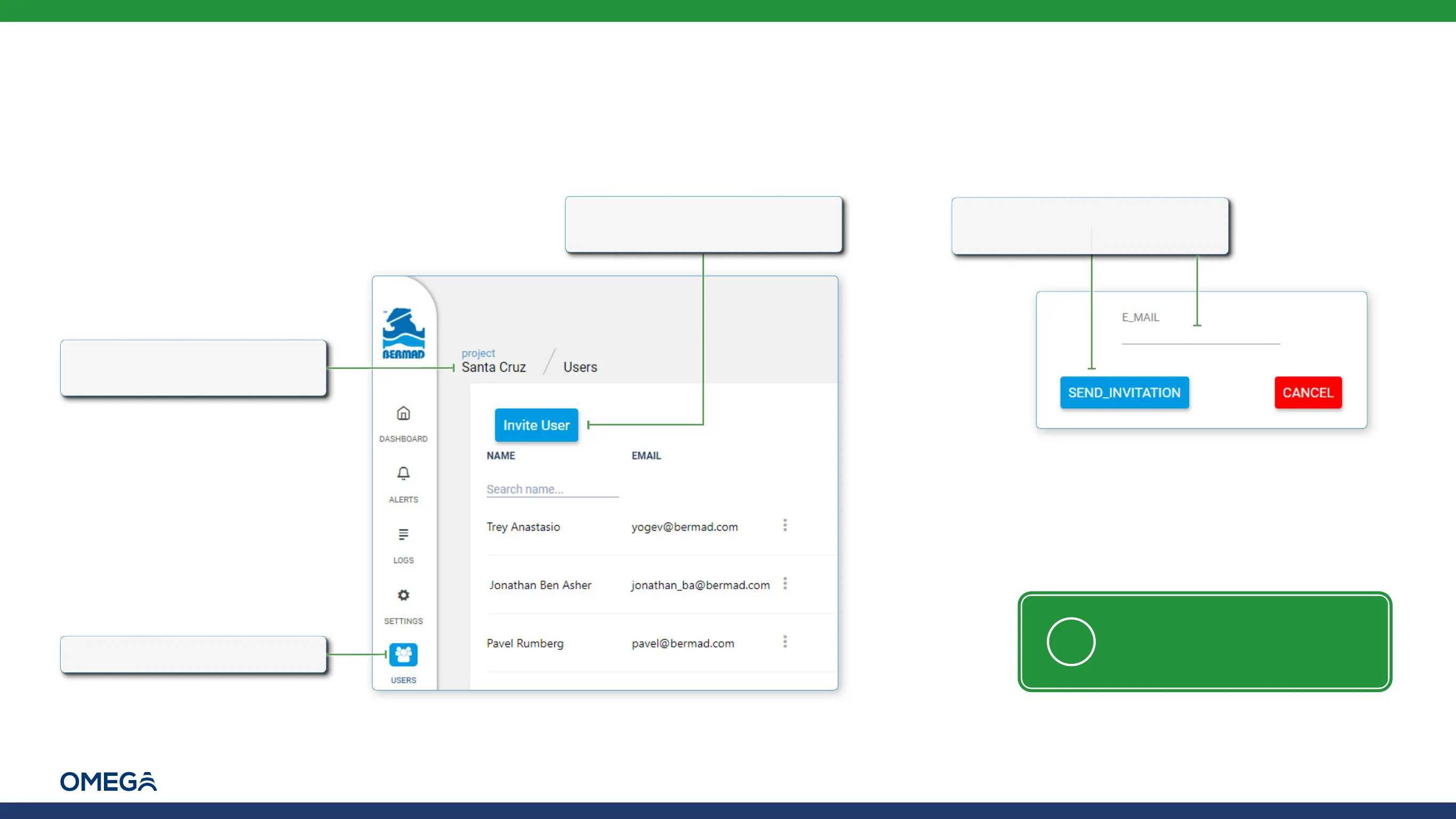
To invite someone to be part of a project, perform the following steps:
2.
Click the Users icon
1.
Verify that the relevant
project is selected
3.
Click Invite User. A pop-up
window opens
4.
Type the user's email address
and click Send_Invitation
NOTE: Only registered users can
be invited (see Registering)



 To Next Page