11
5.4 Closing connection compartment or connector
Check that cover seal is clean and well inserted in its groove.
How to close connection compartment or connector
1. Put back the cover on connection compartment or plug
back the connector on the actuator
2. With the 10mm angled socket wrench or flat blade
screwdriver, tighten the cover on the housing with its 4
screws.
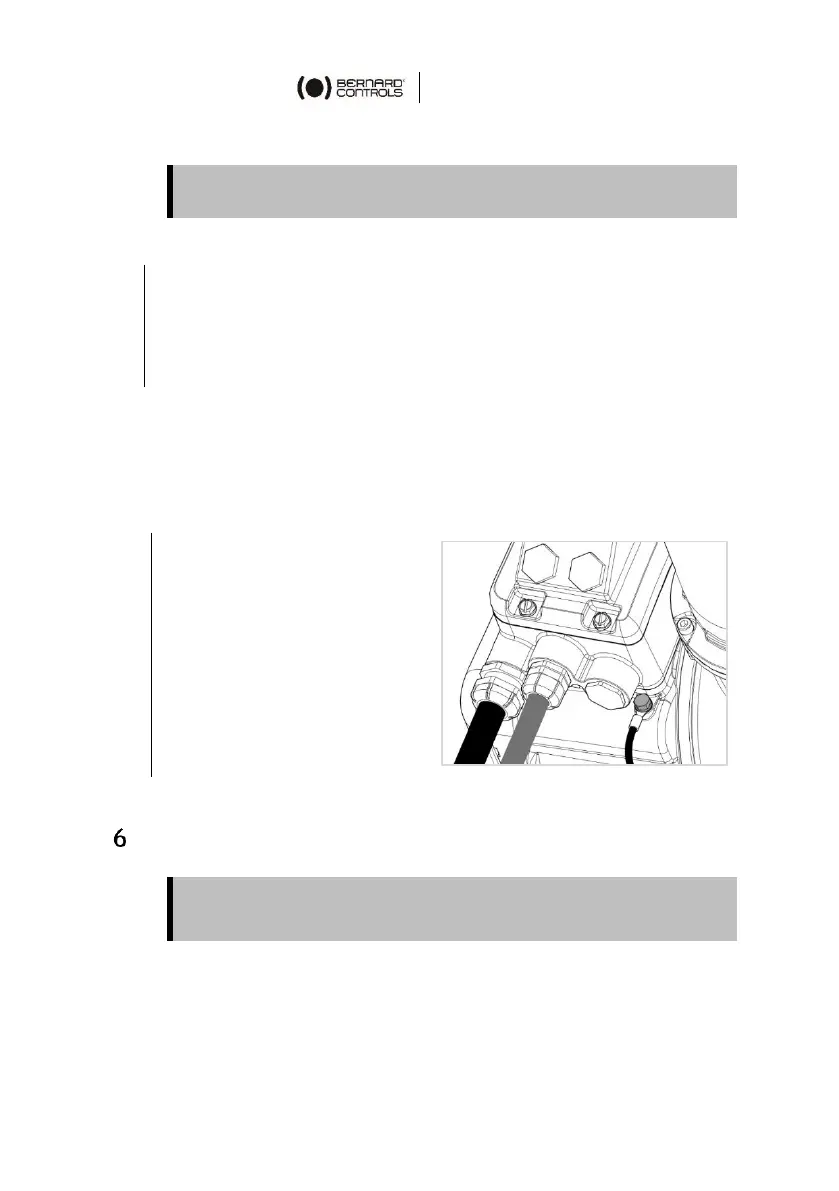
5.5 Wiring the external ground terminal
The external ground terminal is located at the bottom right of the
actuator connection compartment / connector, in the housing.
How to plug external ground terminal
1. Crimp the end of the
earth cable with a 6mm
stud hole tubular lug.
2. Thread the spring lock
washer then the lug on
the 6 mm screw.
3. Screw this assembly in
the tapered hole with a
10mm eye wrench or
open-end wrench.
LOGIC SETTINGS
For Logic settings, please refer to the BT Start-Up Guide.



 To Next Page