Mastering
Your
BERNINA
®
BERNINA
®
/bernette
®
Sewing Machines
MASTERING YOUR BERNINA
®
/bernette
®
SEWING MACHINE 8/05
132
Notes
©2005 BERNINA® of America, Inc. Permission to copy granted only to Authorized BERNINA
®
Dealers
Function Sampler
This section is designed to demonstrate some of the stitch-altering and
memory functions of your sewing machine. These functions enable a group
of stitches to be selected, altered, manipulated, combined and/or stored.
Motor Speed
Owner’s Manual pages ________
• Reduces sewing speed.
• Especially useful when stitching with delicate threads.
Needle Stop Up/Down
Owner’s Manual pages ________
• activas:
- machine stops with needle up
- press and release button to move needle down or up
- press and hold button to set Needle Position down or up
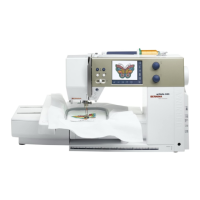
• auroras & artista 630/640
- press and release button to move needle down or up
- press and hold button to set Needle Position down or up
• artista 730
- press button; arrow appears on screen
- machine stops with needle in up or down position
• Foot Control (optional for activas)
- press heel; needle moves to opposite position
- tap toe; machine sews one stitch
Continuous Reverse
Owner’s Manual pages ________
• activas: “double-click” Quick Reverse button
• auroras: press and hold Quick Reverse button; wait for beep
• artistas: press Continuous Reverse button
Programming
Owner’s Manual pages ________
• activa & aurora:
- push button method
- view by scrolling through memory bar one-by-one
• artista:
- touch-screen method
- view on-screen
- stitches can be edited individually



 To Next Page