36
EN
2.5.
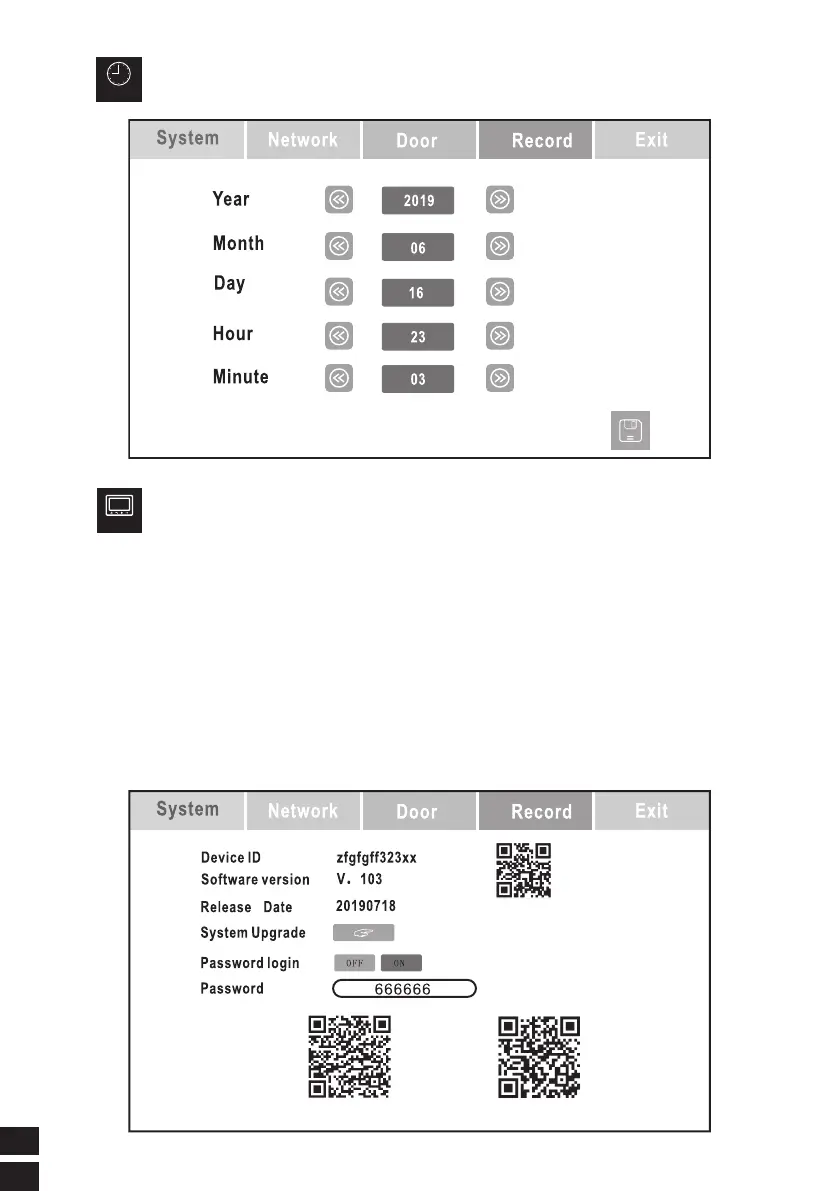
Time
TIME AND DATE SETTING
2.6.
Screen
Display
SCREEN DISPLAY
1. The device ID number (QR code) can be added to the APP by Scanning with the
mobile APP.
2. Equipment software version number: production date
3. Software release date
4. Upgrade the newversion of the software from the SD card
Note: During the upgrade process, DO NOT power o. During the upgrade, please
wait. If itis not displayed, the upgrade fails. Please repeat the upgrade steps.
5. Password Login-OFF/ON
6. Please correct the passwordwith the following password (666666) when connecting
the phone, otherwise the connection will fail. (Passwords can be modified )



 To Next Page