38
EN
2.10. NETWORK PARAMETER SETTING
2.11.
WiFi
WIFI PARAMETER SETTING
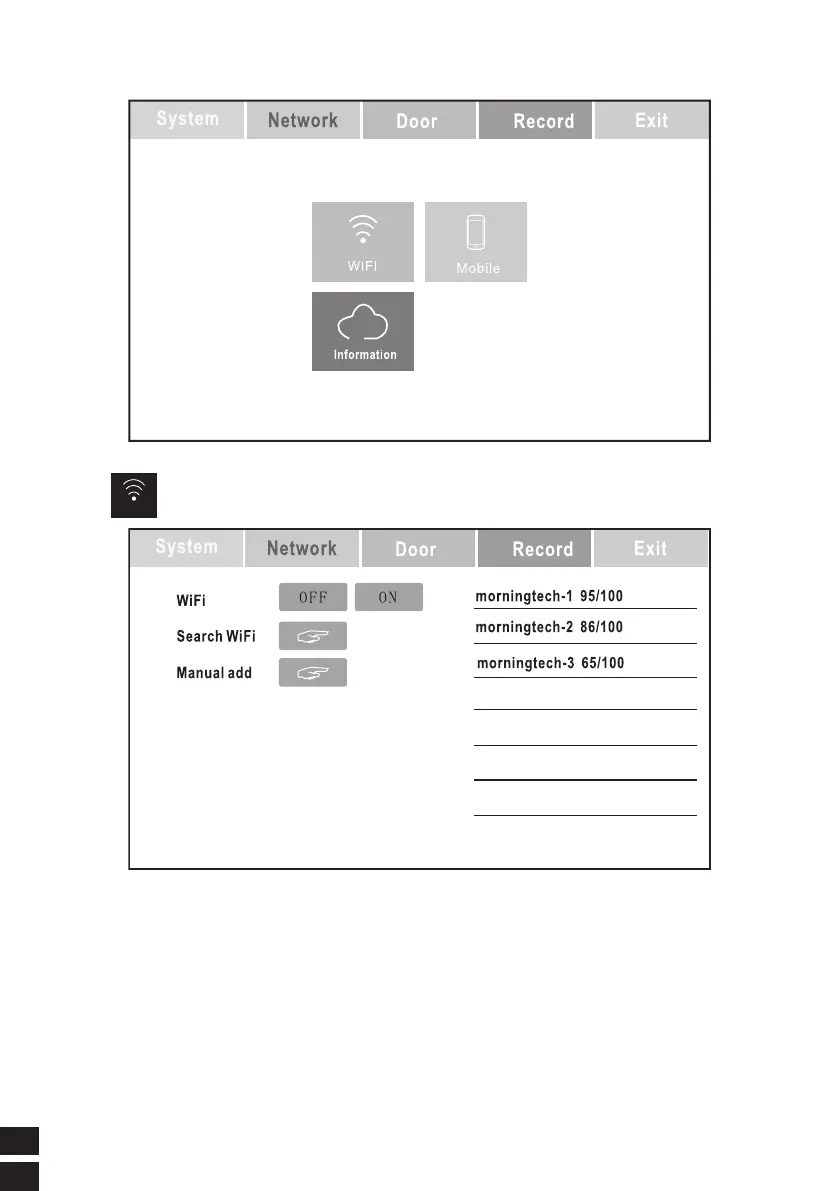
1. Click to open the WIFI switch.
2. Click the search button, after a while, the right appears, the name of the WIFI
device near the device, the name is resolved: the first group is the device
name, and the last group is the signal strength, for example: (morningtech-1
95/100) The device name is morningtech-1 and the signal strength is 95%.
3. Click on the WIFI device to be connected, and the password input page will
pop up, as follows:



 To Next Page