42
EN
2.15.
Wideo
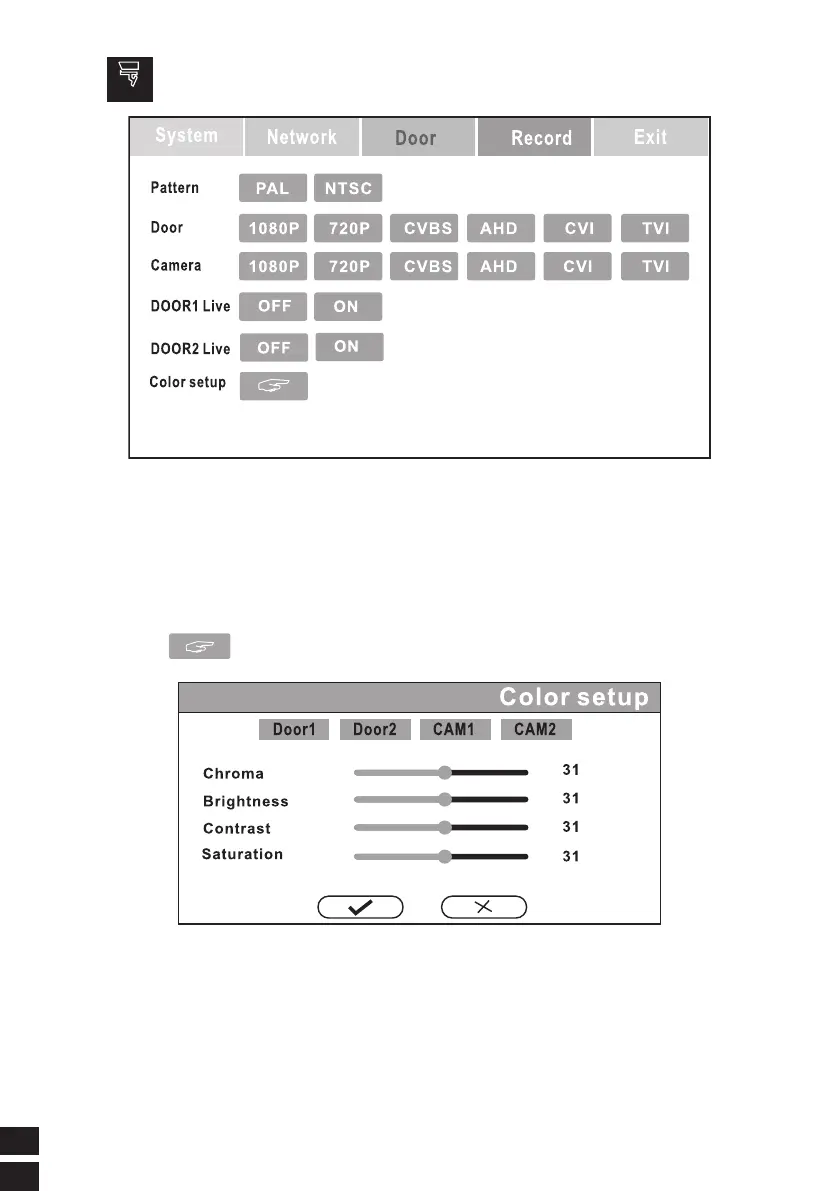
INPUT VIDEO PARAMETER SETTINGS
Press the video input to the camerato select the appropriate parameters.
If the wrong signal, it will cause incorrect display ,please choose carefully.
NOTE: If need door monitor to have a video display all the time, please turn ON
the switch. But the power consumption will be relatively larger.
* The indoor monitor will restart after the modified parameters are saved.
Color setup
Click Set Color setup to enter the menu below.



 To Next Page