27
9
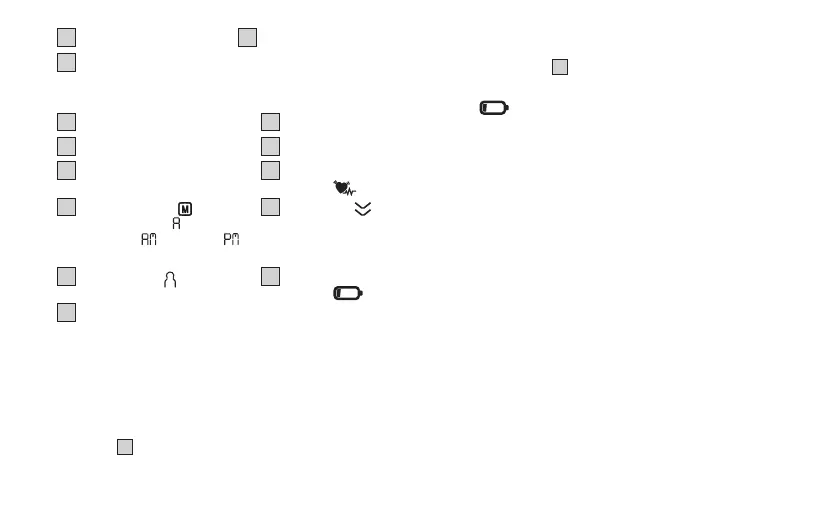
Memory button M
10
Setting button SET
11
Connection for mains
adapter
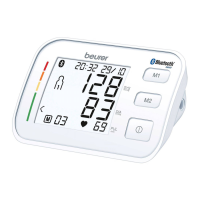
Information on the display
12
Risk indicator
13
Time and date
14
Systolic pressure
15
Diastolic pressure
16
Calculated pulse value
17
Cardiac arrhythmia
symbol
18
Memory display :
average value ( ),
morning(
), evening ( ),
memory space number
19
Release air
20
User memory
21
Battery replacement
symbol
22
Cu position control
6. USAGE
6.1 Initial use
Inserting the batteries
• Remove the battery compartment cover on the back of the
device
A
.
• Insert the batteries (see chapter “Technical specifications”).
Insert the batteries, making sure the polarity is correct accord
-
ing to the label
A
.
• Close the battery compartment cover.
If the
symbol is displayed and does not disappear, meas-
urement is no longer possible. Replace all the batteries. Once the
batteries have been removed from the device, the date and time
must be set again. Any saved measured values are retained.
Operation with the mains part
You can also operate this device with a mains part (not included in
delivery). However, before connecting the device with the mains
part, please ensure that you have removed the batteries from the
device. During mains operation, there must not be any batteries in
the battery compartment, as this could damage the device.
• To avoid any potential damage, the device may only be oper
-
ated with a mains part that meets the specifications described
in the chapter “Technical specifications”.
• Furthermore, the mains part must only be connected to the
mains voltage that is specified on the type plate.
• Insert the mains adapter into the connection provided for this
purpose on the blood pressure monitor.
• Then insert the mains plug of the mains part into the mains
socket.
• After using the blood pressure monitor, unplug the mains part
from the mains socket first and then disconnect it from the
blood pressure monitor. As soon as you unplug the mains


 To Next Page