31
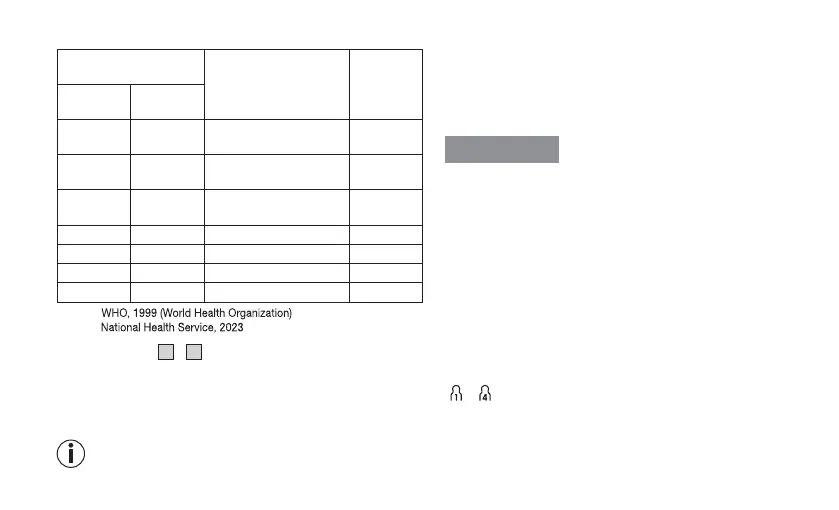
Risk indicator
Measured blood pres-
sure value range
Classification
Risk
indicator
colour
Systolic (in
mmHg)
Diastolic
(in mmHg)
≥ 180 ≥ 110
Stage 3 high blood
pressure (severe)
1
Red
160 – 179 100 – 109
Stage 2 high blood
pressure (moderate)
1
Orange
140 – 159 90 – 99
Stage 1 high blood
pressure (mild)
1
Yellow
130 – 139 85 – 89 High normal
1
Green
120 – 129 80 – 84 Normal
1
Green
< 120 < 80 Optimal
1
Green
< 90 < 60 Low blood pressure
2
Orange
1
Source:
2
Source:
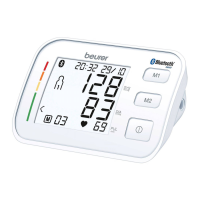
The risk indicator
5
/
12
indicates which category the recorded
blood pressure values fall into. If the measured values are in two
dierent categories (e.g. systolic pressure in the “high normal”
range and diastolic pressure in the “normal” range), the risk in
-
dicator always indicates the higher range – “high normal” in the
example described.
Note that these default values are for general guidance
only, as individual blood pressures may vary.
Please note that self-measurement at home usually results in val-
ues lower than those recorded at a doctor’s surgery. Consult your
doctor at regular intervals. Only they are able to give you personal
target values for controlled blood pressure, particularly if you are
receiving medical therapy.
Low blood pressure
WARNING
Low blood pressure (hypotension) can be a health hazard and
cause dizziness or fainting. Blood pressure is considered low if
systolic and diastolic pressure are below 90/60 mmHg (source:
National Health Service, 2023).
Seek medical attention if you suddenly suer from low blood
pressure.
6.5 Displaying and deleting measured values
User
The results of every successful measurement are saved with the
date and time. If there are more than 30saved measurements, the
oldest measurement records are deleted.
Press the memory button M. Select the desired user memory
( ... ) by pressing the memory button M again.


 To Next Page