13
7. To Use
NOTES:
• T
he device shuts itself off if not used for one minute (automatic shutoff). When the unit is switched on again, the LCD screen
displays the menu selection and the most recently used menu flashes.
• T
he device will beep once when a valid button is pressed or twice when an invalid button is pressed.
• T
o pause treatment at any time, press the ON/OFF button . To continue, press the ON/OFF Button again and reset the
desired impulse intensity.
• B
oth pads of the channel used needs to be properly attached to your body, in order for the device to work.
Starting Application
Step 1: Find a suitable program in the program tables (see the ‘Program Overview’ section).
Step 2: Place electrodes on the desired treatment area (for positioning suggestions see ‘Information regarding the positioning of
electrodes’) and connect them to the device.
S
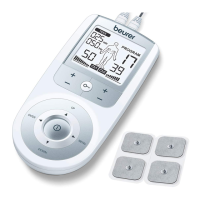
tep 3: Press the ON/OFF button to switch the device on.
S
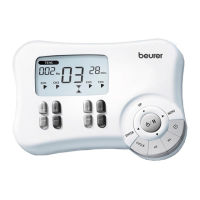
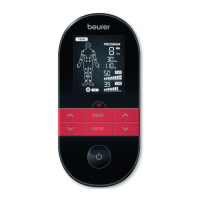
tep 4: Press the MENU button to navigate through the / menus and press the ENTER button to confirm.
S
tep 5: Use the ˄/˅ setting buttons to select a program number and press the ENTER button to confirm. At the start of the
stimulation treatment, the impulse intensity of and is set to 00 by default. No impulses are sent to the electrodes yet.
S
tep 6: Use the left and right ˄/˅ buttons for and to select an impulse intensity; the indicator for impulse intensity
in the display changes accordingly. Keep increasing the intensity until you start feeling it. You can always increase the intensity
during treatment. If a program is paused, the intensity cannot be increased.
General information
T
o return to the previous selection menu, press the MENU button. Press and hold the ENTER button to skip individual setting
steps and start directly with the stimulation treatment.
Keylock
Locks the buttons to avoid them being pressed unintentionally.
1. To activate the keylock, press and hold the Keylock button for about three seconds until the key icon displays.
2. To deactivate, press and hold the Keylock button again for about three seconds until the key icon disappears.


 To Next Page