20
1. Place the electrodes on the desired area for treatment (for placement suggestions see the ‘Electrode Positioning’ section) and
connect them to the device.
2. Select the TENS 15 program as described in section ‘Starting Application’ section, steps 3-5.
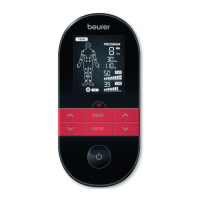
3. Use the ˄/˅ setting buttons to select an impulse frequency and use the ENTER button to confirm.
4. Use the ˄/˅setting buttons to select a treatment time and use the ENTER button to confirm.
5. Use the left and right ˄/˅ setting buttons for and to select an impulse intensity.
EMS 33
In this program, you can set the impulse frequency between 1 and 150 Hz and the impulse width between 80 and 320 μs.
1. Place the electrodes on the desired area for treatment (for placement suggestions see the ‘Electrode Positioning’ section) and
connect them to the device.
2. Select the EMS 33 program as described in the ‘Starting Application’ section, steps 3-5.
3. Use the ˄/˅ setting buttons to select an impulse frequency and use the ENTER button to confirm.
4. Use the ˄/˅ setting buttons to select an impulse width and use the ENTER button to confirm.
5. Use the ˄/˅setting buttons to select a treatment time and use the ENTERbutton to confirm.
6. Use the left and right ˄/˅ setting buttons for and to select an impulse intensity.
EMS 34
In this program, you can set the impulse frequency between 1 and 150 Hz and the impulse width between 80 and 450 μs. You
can also set the working time and pause time for this program between 1 and 30 seconds each.
1. Place the electrodes on the desired area for treatment (for placement suggestions see the ‘Electrode Positioning’ section) and
connect them to the device.
2. Select the EMS 34 program as described in the ‘Starting Application’ section, steps 3-5.
3. Use the
˄/˅ setting buttons to select the working time (‘on time’) and use the ENTER button to confirm.
4. Use the ˄/˅ setting buttons to select the pause time (‘off time’) and use the ENTER button to confirm.
5. Use the ˄/˅ setting buttons to select an impulse frequency and use the ENTER button to confirm.
6. Use the ˄/˅ setting buttons to select an impulse width and use the ENTER button to confirm.
7. Use the ˄/˅ setting buttons to select the treatment time and use the ENTER button to confirm.


 To Next Page