5
EN
AMIRON 300 — True Wireless Earphones
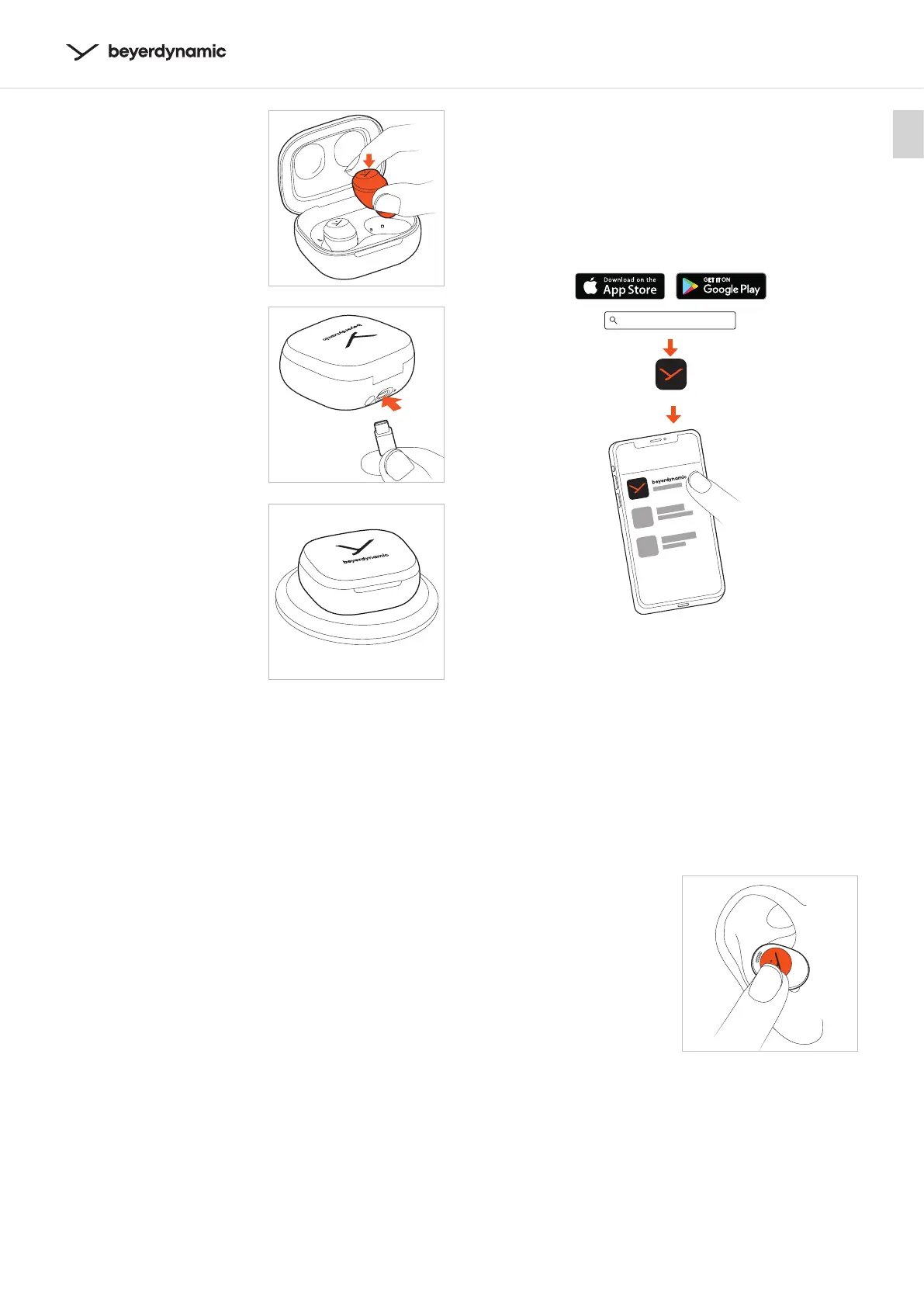
� Inse the earphones
into the charging case
and close the lid.
�
When the battery of the
charging case is fully
charged, the LED on the
charging case changes
from eady white to red for
4 seconds and then turns o.
The earphones are charged
when closing the lid.
� If the battery of the
charging case is empty, the
LED will flash red for
four times when the lid is
open or closed.
To charge, connect the
USB cable to charge.
� Alternatively, you can
place the charging case
on a wireless charging
ation.
Remarks on the life of
Li-ion batteries
� When fully charged, disconnect the USB cable from
the charging case and the product.
� CAUTION! High temperatures, especially with a high
charge level, can cause irreversible damage.
� If the battery is not used or is ored for extended
periods of time, it is recommended to charge it to
approx. 50 % and ore it at no more than 20 °C.
� Switch o the battery-powered product aer use.
DOWNLOAD BEYERDYNAMIC APP
The beyerdynamic App gives you a more cuomised
control of your AMIRON 300.
� Download the beyerdynamic App from the App Store
(for iOS devices) or Google Play (for Android devices).
� With the beyerdynamic App you can tune the sound
with EQ, and carry out cuomised operation settings
as well as soware updates.
� These settings are saved to your AMIRON 300, so you
can enjoy with any playback device connected to
your AMIRON 300.
OPERATION
AMIRON 300 can be operated
by lightly tapping the
touch pad which is located
directly under the “Y” logo
area.
beyerdynamic
beyerdynamic















 To Next Page