8
EN
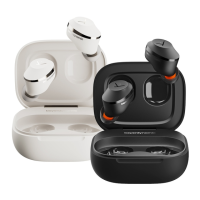
AMIRON 300 — True Wireless Earphones
Overview of operating functions
Earphones in ear Operation (earphones)
Sta / op media
playback
� Tap once (
)
Switch between noise
cancellation (ANC) and
transparency mode
� Tap twice (
)
Activate voice assiant
� Tap twice and hold with
the second tap (
)
Accept incoming call
� Tap once (
)
Reject incoming call /
end active call
� Tap twice (
)
Increase volume
� Tap and hold right
(
)
Reduce volume
� Tap and hold le
(
)
Both earphones in the
charging case
Operation (charging case)
Switch to pairing mode
� Open the lid, press and
hold the button for 5 s
(
)
Reset to factory settings
� Press and hold the
button approx. 12 s
(
); the pairing
li will be also deleted
Overview of the LED displays
Charging case LED display
Being charged via USB:
0 - 20%
21 - 69%
70 - 100%
Full
� Steady red
� Flashes red each 5 s
� Steady white
� Changes from eady
white to red for 4 s, then
turns o
Not being charged
(open/close lid):
0 - 20%
21 - 100%
� Flashes red 4 times
� Flashes white 4 times
Earphones LED display
Switched on but not
connected to a device:
(pairable, pairing record
exis)
(in pairing mode)
� LEDs flash white
slowly
� LEDs flash red and
white
Switched on and
connected to a device
� LEDs flash red slowly
Battery below 20%
� No LED display - there
is a low battery voice
prompt
Charging
� No LED display
Battery fully charged
� No LED display
Cleaning
Due to diy eaips and the formation of a warm and
humid climate in the ear canal, an increased germ level
can lead to a higher risk of ear canal infections.
Therefore, please clean the eaips regularly.
� Remove the eaips from the housing.
� Clean the eaips under running lukewarm water
and a little ph-neutral soap or with a so, lint-free
moiened cloth.
� Remove any cerumen that may be inside the eaip
with a cotton bud.
� Then rinse o the soap well and dry the eaips with a
lint-free cloth or leave them to dry overnight.
� Only attach the eaips when they are completely dry
so that no remaining liquid can enter the electronics
of the earphone.
� Clean the housing of the earphone with a so, lint-
free cloth. If necessary, you can moien the cloth
slightly with lukewarm water. Make sure that no liquid
can enter the housing.
� Do not use any solvent-based cleaners, as these will
damage the suace.
� If you want to remove cerumen from the housing,
make sure that you do not rub it into the small
openings for pressure equalisation and the micro-
phones.
� When you clean the cerumen protective grid (e.g. with
a cotton bud or brush), the cerumen should be dry
and the protective grid should point to the floor so
that loosened cerumen residue does not fall into the
earphone.
TROUBLESHOOTING
Problem Cause Solution
AMIRON 300 cannot
be switched on
� Battery is empty
or almo empty.
� Charge the
battery.
No audio output
� No Bluetooth®
connection.
� Pair AMIRON 300
with the player.
AMIRON 300 does
not appear among
the available Blue-
tooth® devices on
the player
� AMIRON 300 is
turned o.
� AMIRON 300 is
not in the pairing
mode.
� There exis
a Bluetooth®
connection to
another play
already.
� Turn on
AMIRON 300.
� Put AMIRON 300
into the pairing
mode.
� Disconnect the
Bluetooth® con-
nection to the
other player and
connect AMIRON
300 to the desi-
red device.
Playback volume
is too low, despite
the volume of
AMIRON 300 is set to
maximum
� The received
audio signal is
too low.
� Increase the
playback volume
on the player to
maximum.
The sound is sharp
and the bass
response is too low
� The sealing of
the earphone is
not suicient.
� Select suitable
eaips on the
right and le
until the sound
is ideal.











 To Next Page