Lagoon ANC – Bluetooth® Headphones
13
english
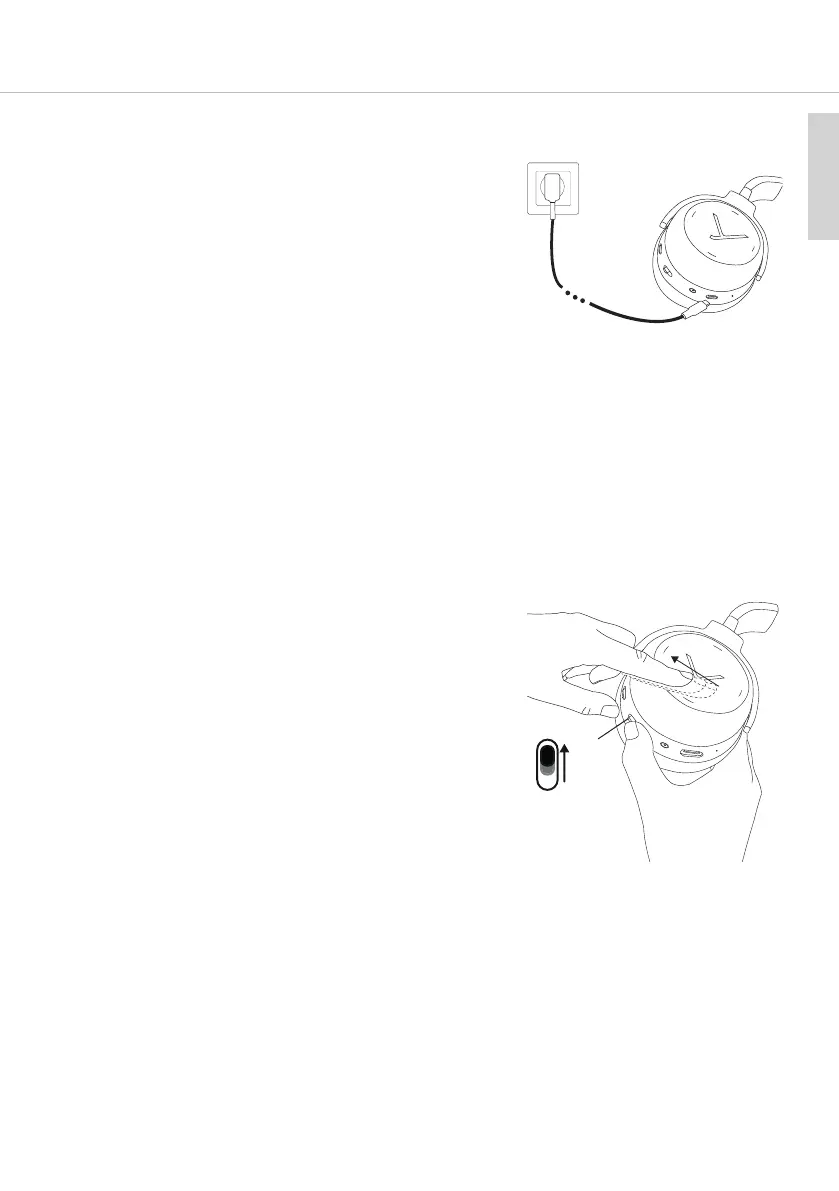
Charging the battery
For charging the rechargeable battery, we recommend using
the supplied USB charging cable only.
1
. Switch headphones o.
2. Connect the headphones with the supplied USB charging
cable to any compliant USB Type A po supplying voltage
(e.g. USB power supply).
3. The light guide syem displays the charging atus:
P
ulsating red = battery charged 0 to 30%
P
ulsating yellow = battery charged 30 to 70%
Pulsating green = battery charged 70 to 99%
Conant green light = battery charged 100%
4. Detach the USB charging cable aer the charging process.
Reset to factory settings
1. Set the switch to the “On” position.
2. Hold the right earcup.
3. Set the switch to the “Pairing” position and at the same
time drag your finger backwards on the touch pad.
“Pairing”
position














 To Next Page