Lagoon ANC – Bluetooth® Headphones
14
Touch pad and button functions table
Unless otherwise ated, the functions lied apply for headphones that are switched on.
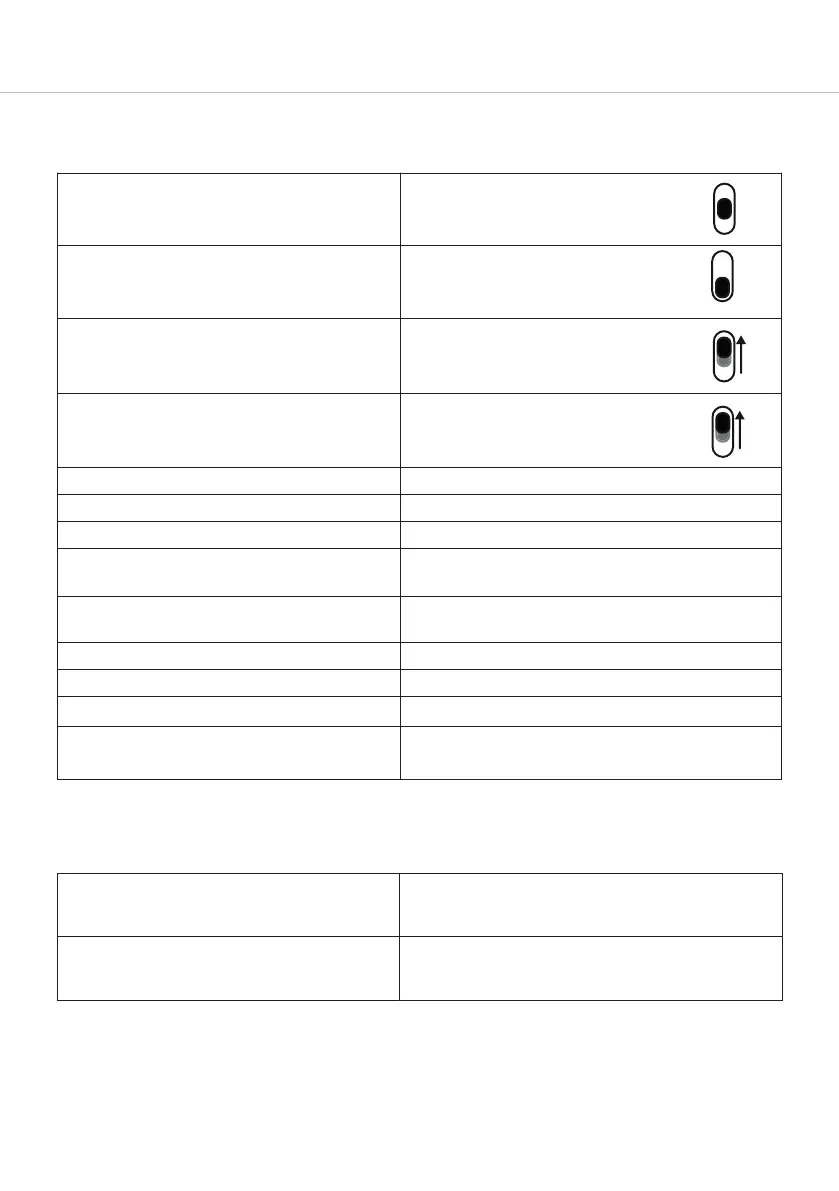
Switch on
Set switch to the “On” position
Switch o
Set the switch to the “O” position
Paring mode
Switch on headphones, set switch to
the “Pairing” position and hold it for
3 seconds
Delete pairing mode li
Switch on headphones, set switch to
the “Pairing” position and hold it for
10 seconds
Sta / pause
Briefly tap the touch pad twice
Next track
Drag forwards on the touch pad
Previous track
Drag backwards on the touch pad
Fa forward
Drag forwards on the touch pad and hold for at
lea 1 second
Rewind
Drag backwards on the touch pad and hold for at
lea 1 second
Accept / finish a call
Briefly tap the touch pad twice
Reject a call
Press and hold the touch pad for 2 seconds
Toggle between 2 callers
Briefly tap the touch pad twice
Call personal assiant (Siri, Google
Assiant etc.)
Press and hold the touch pad for 2 seconds
Settings table
The functions lied apply for headphones that are switched on.
Activating and deactivating voice
messages
Set the switch to the “Pairing” position and hold
for 1 second. At the same time tap the touch pad
twice with one finger.
Reset to factory settings
Set the switch to the “Pairing” position and at the
same time drag your finger backwards on the touch
pad .














 To Next Page