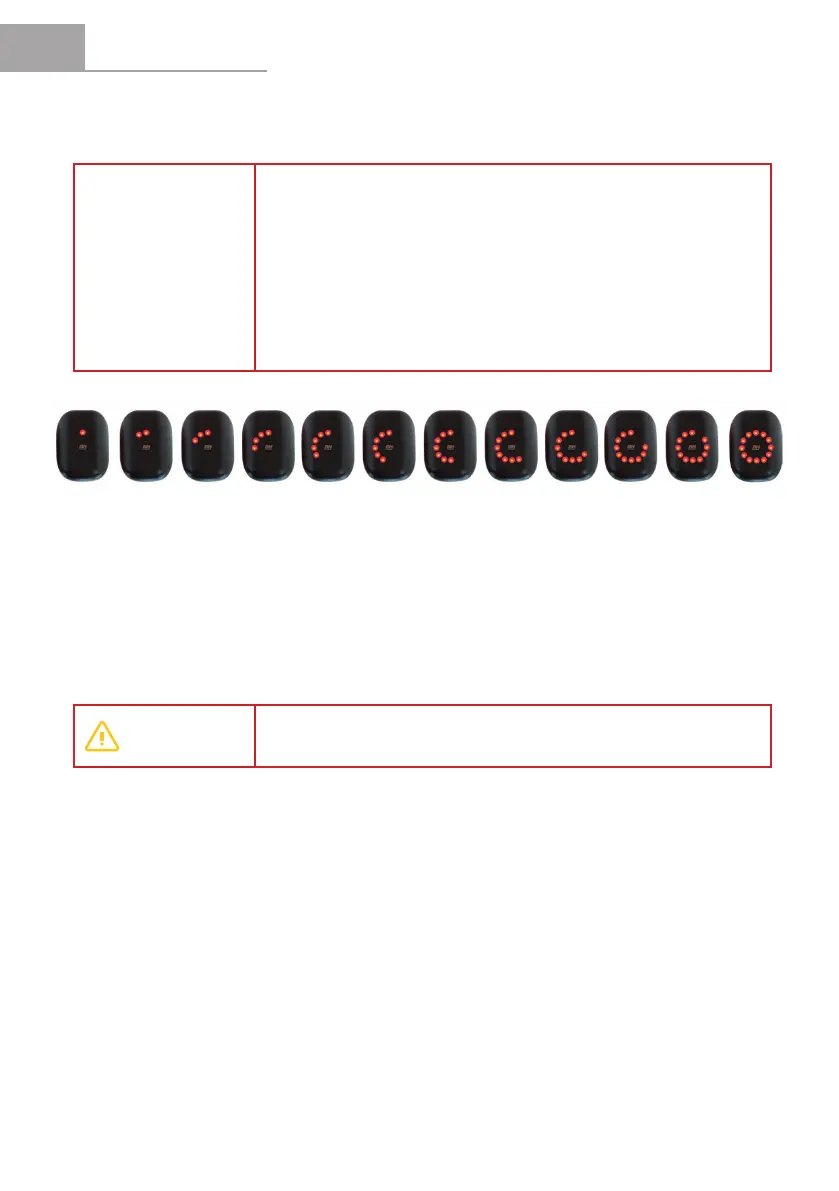
1%
Blinking
15% 40% 65%25% 50% 75%30% 60% 80% 90% 100%
EN
USER MANUAL CORE
30
4.2.4 System Error Indic.
The pedal assistance system continuously checks its status. This is an intelligent system
that continuously checks the status of its different components.
The possible operating errors are described in the Troubleshooting section of this manual (if the problem
persists, turn off the motor and contact a BH store).
WARNING
Iftheproblemcannotbexed,contactaBHstoretoinspectthebicycleas
soon as possible.
NOTE
In order to increase the life of the battery and prevent a full discharge which
may damage it, the assistance modes are limited based on the state of
charge of the battery:
• Battery with charge above 20%: All assistance modes are available.
• Battery with charge of 10-20%: 100%/BOOST assistance mode is
• not available.
• Battery with charge of 5-10%: Only 30% (ECO) and 0% (NO ASSIST)
• assistance modes are available.
• Battery with charge of 1-5%: No pedal assistance mode is available
• (0%/NO ASSIST). Only the lights can be turned on.
4.2.3 Battery Level Indicator.
The battery level indicator shows the estimated remaining battery capacity.


 To Next Page